Amphora 2026.08 Version Guide
Version 2026.08 is delivered as a series of incremental releases. Each release's changes are listed separately below, newest first.
- Version 2026.08.0030 — new-case form, global search, substitute's tasks and large-container sending fixes
- Version 2026.08.0019 — self-service portal signing, superuser rights and e-mail sync fixes
- Version 2026.08.0012 — akt-editor saving fixes, deleting a person's occupation, queued-process fix
Version 2026.08.0030
Fixes
-
Adding a new case. Fixed a bug where, in a certain situation, a case could end up with two versions — cases must never have versions. The bug occurred when a user added a new document from the case view and, before saving it, added a new case in turn from the document edit view and saved — the new case was saved as a new version of the previously opened case. A new case is now always saved as a separate case.
-
Substitute's task in the Forwardings panel. Fixed a bug where a substitute did not see a task in the Forwardings panel right away. The bug required all of the following conditions at once:
- a substitute was assigned to the user so that the substitution started in the future (it was not yet in force at the moment of assignment);
- the sequential process had been created before the substitute was assigned;
- a task in the "Waiting" state became active while the substitution was already in force.
In that situation the task did not appear in the substitute's Forwardings panel right away — Amphora checks such processes in the background every hour, so the task became visible within an hour at the latest, at the next full hour. The substitute's rights to the document were granted immediately when the task activated, and the notification about the task also reached the substitute immediately — only the row in the Forwardings panel was invisible. The task now becomes visible to the substitute in the Forwardings panel immediately.
-
Global search in the persons and organizations modules. Fixed a bug where global search did not find contacts that have no personal owner (e.g. imported or system-created contacts) in the Persons and Organizations modules — the search could return an empty result even though the person exists. A user's own private contact or calendar event was also not found by their own search. Both are now found; other users' private entries remain hidden.
-
Sending a signing container with a large file. Fixed a bug where sending a signing container via a delivery failed with the error "File CRC (md5 hash) calculation failed!" when the container held a file over 50 MB. Sending now succeeds with large files as well.
-
Mandatory address field (In-ADS). Fixed a bug where a form whose In-ADS address field or cadastral unit field (In-ADS KÜ) was configured as mandatory showed an error on save and did not let the form be submitted. In addition, the field now counts as filled only when an address has been picked from the In-ADS search — previously the mandatory check could be passed with free text, in which case an empty value was saved. Applies both in the main application and in the self-service portal.
Other improvements
-
User form simplification. The "Roles, substitutes and responsibilities" panel is now hidden on the user add and edit forms (Admin → Users) — through it, roles could also be added to a user by someone who does not themselves have the right to see or assign those roles; the panel is therefore closed for everyone. Users' existing roles are preserved.
-
Background processing performance of process tasks. The background update of role-based process tasks is considerably faster for large roles and no longer fills the log with entries that recorded no change. This is a technical change that does not directly affect a user's day-to-day work.
-
Various internal technical fixes and improvements.
Version 2026.08.0019
Fixes
-
Signing in the self-service portal. Signing a form in the self-service portal has been made considerably more reliable, especially when signing on a mobile phone:
- a signed form can no longer be left without a process — the automatic process configured by the organization is now started together with saving the signature, in one step, so a dropped connection or a closed mobile browser no longer interferes;
- once the signature has been given, reloading the page no longer shows a misleading error message — a success message is shown instead;
- if the internet connection drops, the page resumes checking the signing status when the connection recovers, instead of showing an error;
- when logging in with Smart-ID or Mobile-ID, the operation can now be cancelled with the "Katkesta" (Cancel) button (previously the button was left unreachable under the loading layer), and during signing the page is locked against other clicks, which rules out double actions.
-
Signing via the state signing service. Fixed a bug where, for an organization whose signing goes through the state signing service (dsig.eesti.ee), signing could fail with the error "SIGa service is not available" — in a certain situation signing was mistakenly redirected to Amphora's own service. This no longer happens.
-
Deactivating a user now also revokes superuser rights. Previously, when a user was marked passive, their superuser status remained. This posed no direct danger — a passive user cannot log in to Amphora in any way, the status remained only as a leftover mark. Now it is removed when the user is marked passive — the superuser is removed based on the user's personal identification code — and the action is written to the log. NB! If such a user is later reactivated, contact Amphora customer support to restore the superuser right.
-
E-mail synchronization. Fixed a bug in the E-mails module where e-mail (IMAP) synchronization showed an error message in certain cases — this happened when the same message had been stored in Amphora twice. New messages still arrived in the inbox despite the error, but messages deleted on the server were left in Amphora. The error message no longer appears, and the removal of deleted messages works again.
Other improvements
-
File-content indexing reliability. The indexing of file contents (for full-text search, i.e. global search) now picks the indexing service in a fixed order with a backup service — previously the service was picked at random. This makes searching file contents steadier and more reliable. This is a technical change that does not directly affect a user's day-to-day work.
-
Various internal technical fixes and improvements.
Version 2026.08.0012
Fixes
-
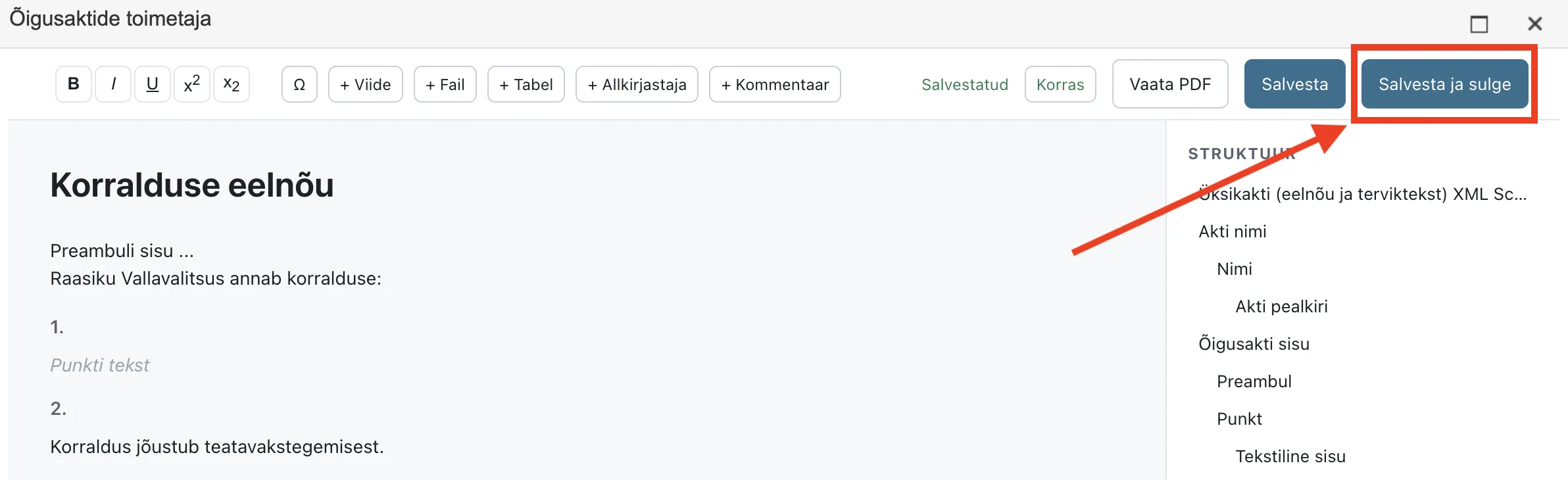
Saving in akt-editor. Fixed a bug where the new document version created by the "Salvesta ja sulge" (Save and close) button in akt-editor could lose data linked to the document — the entries in the document form's Asjad (cases), Seosed (relations) and Lisafailid (additional files) panels, and the document's rights. These are now carried over to the new version correctly. In addition, saving from akt-editor now fills the document's template and produces a PDF and HTML with the document header — previously a version saved from akt-editor could have no PDF, or a PDF without the header (until the next save from the document form).
-
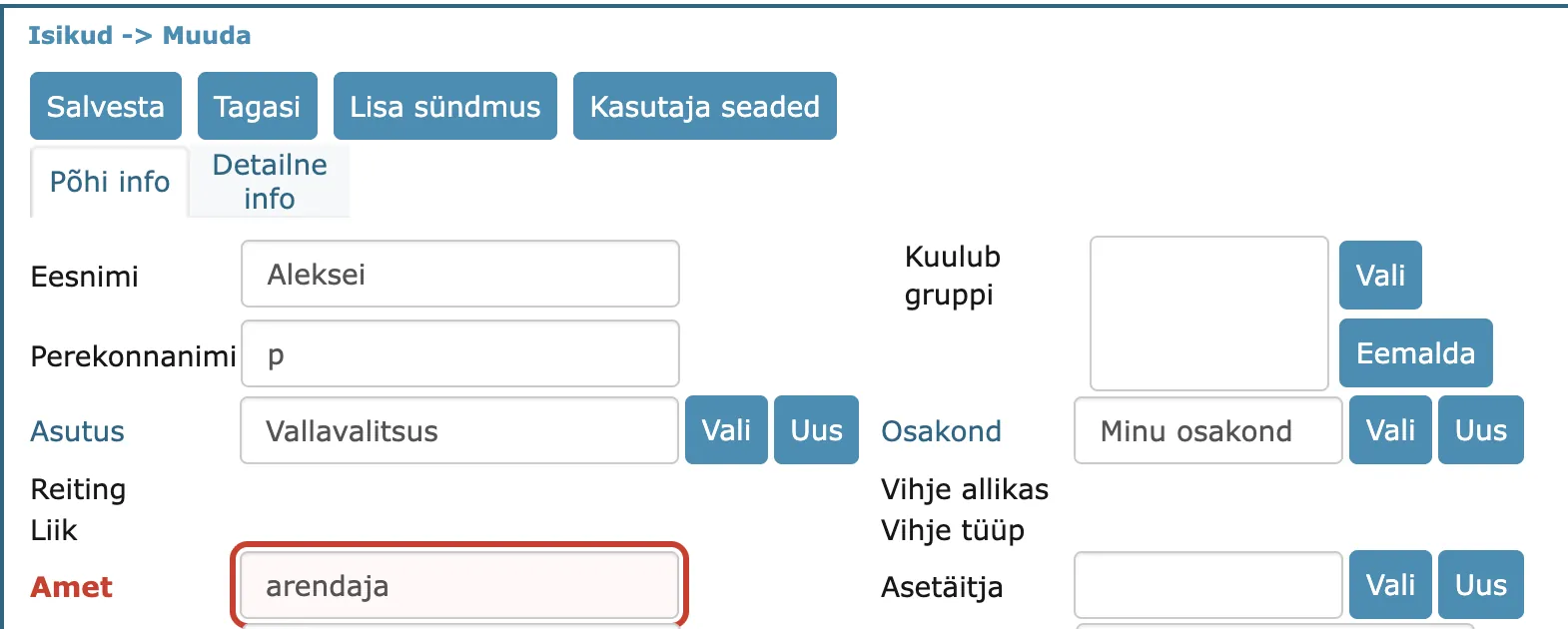
Deleting a person's "Amet" (occupation). Fixed a bug where a person's occupation could not be deleted: saving produced no error message, but the old occupation reappeared on the next open. The bug affected only persons linked to a system user and only deletion — changing the occupation always worked, and the occupation was always displayed correctly. The occupation can now be deleted for every person; for persons saved incorrectly before, simply delete it again.
-
Queued process ended by mistake. Fixed a bug where a waiting queued process — a process added after the currently running one and set for parallel execution — was ended immediately when a party was removed from it. The process was marked as ended even though it had not started yet, and it did not start after the previous process had finished either — it could only be activated manually, with the "Paranda menetlus" (Fix process) button. A waiting queued process is now kept when a party is removed; removing all parties also keeps the process (with no parties), whereas previously it was ended unnoticed.
Other improvements
-
File storage in a central file store. In addition to the server's disk, Amphora can now also keep an organization's files in a separate central file store. This makes maintaining the system and moving it to a new server easier and safer. This is a technical change — nothing changes for the user, files open and save just as before. An organization's administrator can enable the feature if wanted.
-
Various internal technical fixes and improvements.
Last modified: 07 October 2026, 15:42:46