How to get started
Login
Every organization that has joined Amphora receives a unique web address where that organization's environment is located. The environment's web address is usually sent along with new user data. If this has not been sent, please contact the person who sent the user data.
Important
You must not log in through the amphora.ee website.
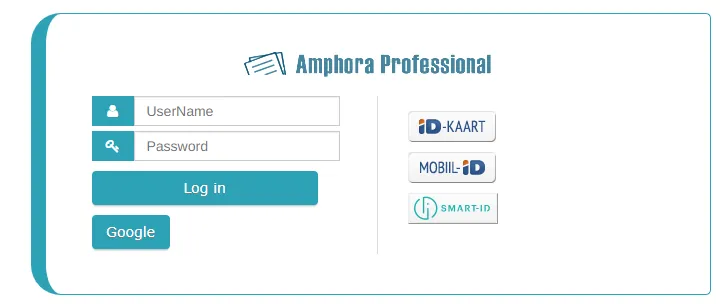
Login view:
 You can read more about logging in from the login guide.
Personal settings
After logging in, check your personal settings to ensure that the necessary data is available:
- Personal identification code - for signing documents and logging in with ID card.
- E-mail address - for receiving information about tasks.
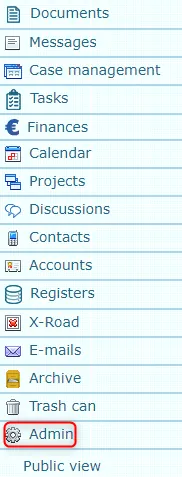
To change settings, click on the Admin module, which is located at the bottom of the left menu.
 You can read more about changing personal settings from the personal settings guide.
If you cannot change your personal settings, contact the environment administrator.
Homepage
The homepage contains very important information for the user. All tasks assigned to the user, calendar events, reports, etc. appear there.
You can read more about homepage features from the homepage guide.
Documents
The documents module covers the entire lifecycle of documents:
- Creation and formatting of documents;
- Official confirmation and registration of documents;
- Processing, handling and sharing of documents;
- Storage and archiving of documents;
- Secure destruction of documents
The module enables easy storage and retrieval of documents using a classification scheme and supports electronic document registry management.
You can find more information in the documents guide.
Case view
Case view allows documents to be grouped according to topics or cases. For example, you can bring together an initial letter and response letters on the same topic or documentation related to a single legal act.
You can read about case view from the case view guide.
Last modified: 07 October 2026, 15:42:46