Amphora 14.5 Version Guide
- Version 14.5.0
- Publishing delivery content
- Deleting access restriction basis enhanced
- Document annex number fix within case
- Case relationships are also copied when creating document annex
- Downloading document files in archive file view fixed
- Case forms are now selectable in search profile settings
- Delivery status display fixed in situation where both "Delivered" and "Failed" logs exist
- Other changes
Version 14.5.0
Publishing delivery content
Delivery content can now be published separately. This functionality is primarily useful for Outbound deliveries where the delivery method is email. Previously, Amphora lacked the ability to publish each email content, which was an Amphora shortcoming. It was possible to publish text editor content, but for example, comment to recipient/cover letter could not be published. When sending with @ icon, it was also not possible to publish email content in any way. Additionally, text editor content could change over time.
Each delivery row now has a Content public checkbox. The Content public checkbox is added automatically if the text editor content is public. Otherwise, the Content public checkbox is not added automatically, but it can always be added manually.
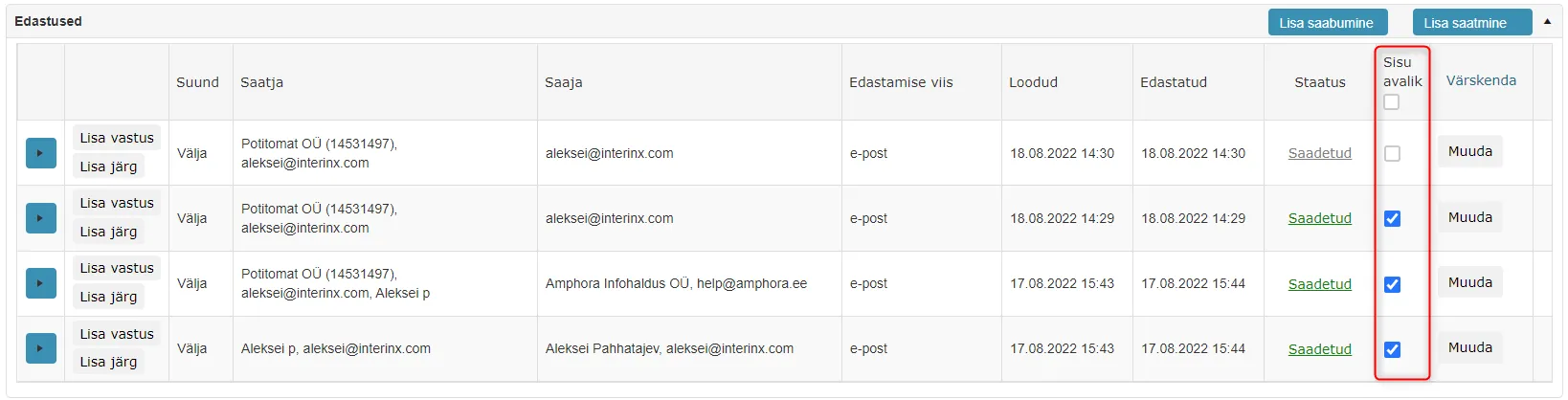 Delivery content can also be made public for deliveries where the delivery method is DHX, post, phone call, etc. For these delivery methods, the comment to recipient/cover letter is published if it is selected.
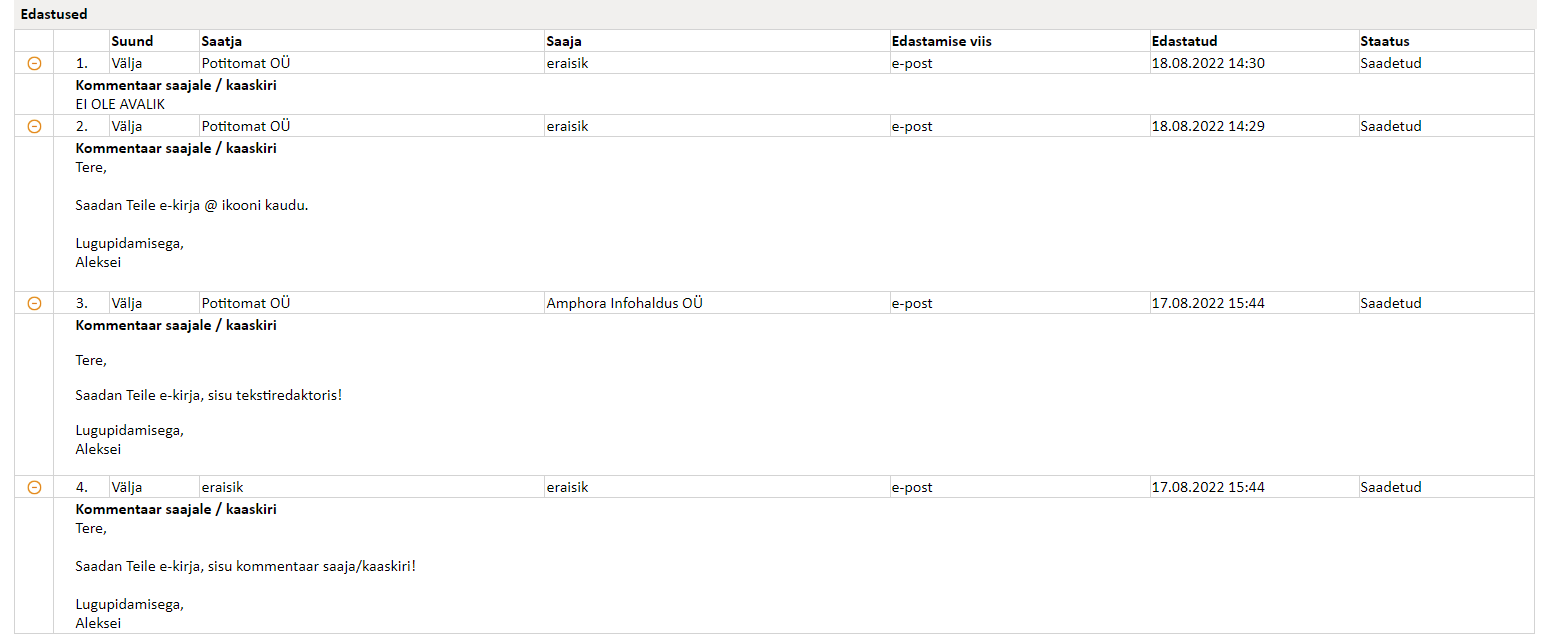
In the public view, each delivery now has + icons, clicking on which opens the delivery content.
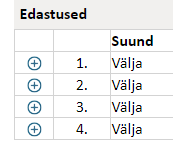 If delivery content has not been made public, then NOT PUBLIC is displayed in the public view.
Example of delivery content in public view:
 !!! warning "NB!"
In form settings (Admin -> Form setup), the Deliveries panel must be public for deliveries to be visible in the public view.
!!! warning "NB!"
In form settings (Admin -> Form setup), the Deliveries panel must be public for deliveries to be visible in the public view.
** The implementation of this development was supported by Amphora client Harku Municipality. ** ** Thank you! **
Deleting access restriction basis enhanced
Access restriction bases can be added or deleted in Admin -> Institution settings -> Choice field content panel. In previous versions, it was possible to delete access restriction bases that were configured as catalog default access restrictions. This action could in turn cause problems. In this version, we added a check that does not allow deleting access restriction bases that are configured as defaults for catalogs.
Document annex number fix within case
For a long time, Amphora has had a problem with registering an annex document to a document within a case. The problem occurred with documents that had received a number through the case (file). Namely, when registering an annex, Amphora could not add the correct number to the document annex.
Adding number to document annex before version 14.5: Document gets number through case – 5-1/150-1. When registering document annex, the new document got number 5-1/150-2, i.e., the next case object sequence number.
Adding number to document annex starting from version 14.5: Document gets number through case – 5-1/150-1. When registering document annex, the new document gets number 5-1/150-1-1, i.e., the correct document annex number.
Case relationships are also copied when creating document annex
If the original document belongs to a case (file) composition, then when creating a document annex, Amphora automatically adds the new annex to the case composition. If the original document belonged to multiple case compositions, then the document annex is also added to multiple case compositions. Previously, when creating a document annex, the case had to be added manually.
Downloading document files in archive file view fixed
In the archive file view, it is possible to directly download document main files and signature containers.
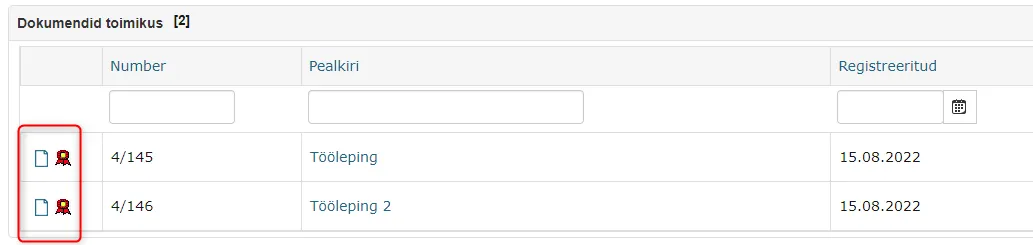 Previously, it was not possible to download document main files and signature containers if the first version of that document lacked a main file. When clicking on the file icon, Amphora displayed an error message. In version 14.5, this bug has been fixed and there should no longer be problems with file downloads.
Case forms are now selectable in search profile settings
In search profile settings (Admin -> Searches), case forms are selectable starting from version 14.5. In search profile settings, you can now select specific case form fields that are visible in the search form and search results. This fix provides the ability to create new search profiles that can be used in the Cases module.
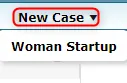 In previous versions, only Documents module forms were available in the selection.
Delivery status display fixed in situation where both "Delivered" and "Failed" logs exist
When sending by email to some recipients, a situation may occur where both "Delivered" and "Failed" logs are created. The "Delivered" log indicates that the email was still successfully delivered, so the delivery status should be "Sent". Previously, in such situations, there was a "Sending failed" status, which was incorrect because the email was delivered. Now the delivery status display in such situations has been fixed, showing "Sent" status.
Other changes
- Updated Telerik components 2022.1.302 -> 2022.2.622. More details about updates can be read HERE.
- Optimized accounting template selection for purchase invoices – previously accounting template selection was very slow.
Last modified: 07 October 2026, 15:42:46