Chat with customer support in Amphora environment
Chat window with customer support
The Amphora environment has a direct communication option with customer support. This allows real-time conversation, calling and screen sharing without having to interrupt Amphora usage or dial a separate customer support number.
Chat window features
- Chat can be started directly from the Amphora environment.
- It is possible to write, call and share screen with customer support
- The chat window remains open even when continuing to work in Amphora
Usage
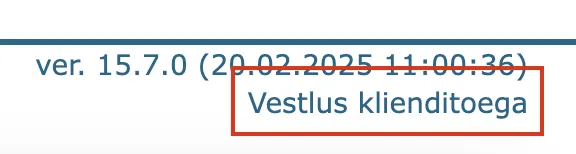
To start a chat, click on the link Chat with customer support located in the bottom right corner (below the Amphora version).
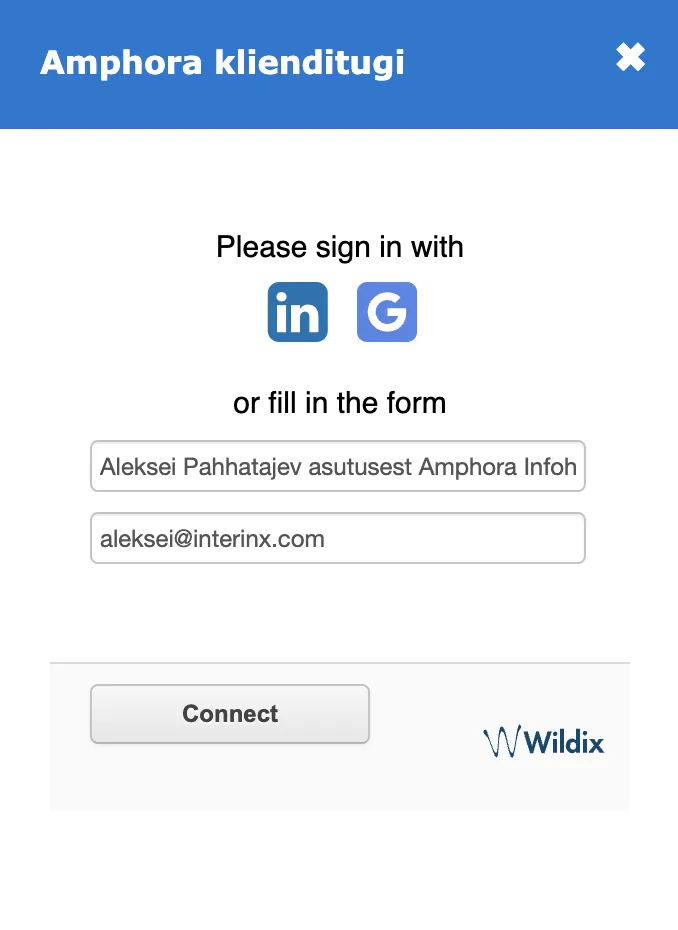
Then a chat view opens with pre-filled:
- Name with organization (for example: Aleksei Pahhatajev from Infohalduse Arendajad OÜ).
- Email address (your email address).
- The organization name is added so that the customer support specialist can immediately identify and open the correct Amphora environment. The user's email address is added to the email address field.
- Although it is possible to change the pre-filled data, we do not recommend doing so as this may make it difficult for customer support to solve the problem/answer questions.
Press the Connect button to establish a connection. Please note that establishing a connection may take time as customer support specialists may be busy at the moment.
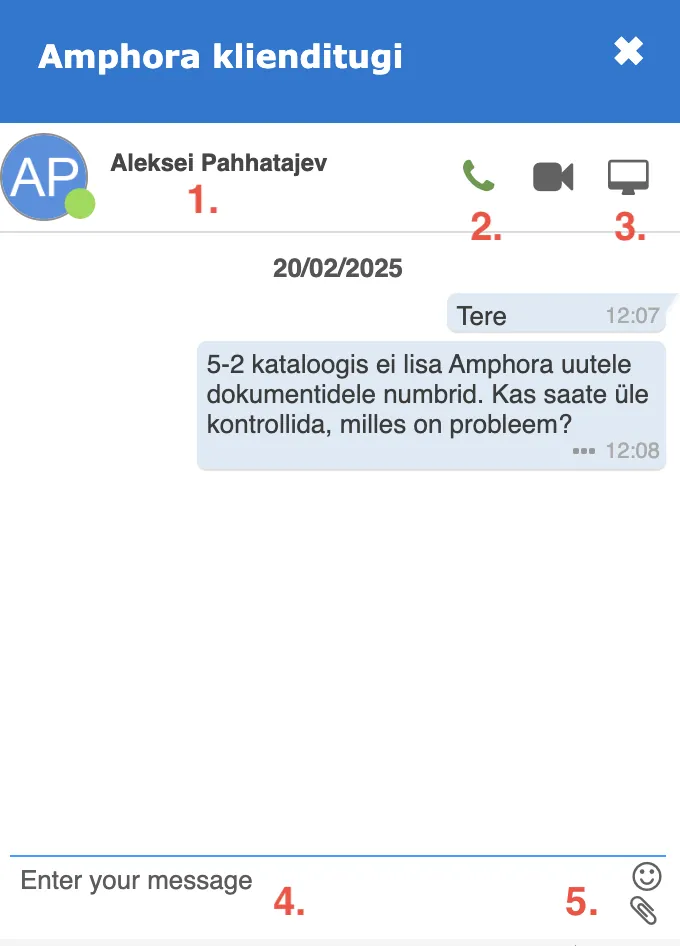
After establishing a connection, a chat window opens where you can see:
- Customer support specialist's name
- Call button.
- Screen sharing button
- Text message sending option (confirm with ENTER key)
- File/image addition
- To end the chat, close the window with the "x" button
When pressing the call or screen sharing button, the web browser may ask for microphone access if permission is not given by default. A permission confirmation request window will appear to the left of the address bar.
The functionality is available to all Amphora users, including sub-organization users.
Last modified: 17 October 2026, 21:45:47