Mailgun
Until version 14.0, the email service provider in all Amphora environments was Sendgrid. This means that most emails sent from Amphora environments (except those sent through the client's own SMTP) were sent out via Sendgrid. However, Sendgrid does not comply with GDPR requirements as their servers are located in the USA.
MailGun is a certified and audited service provider that offers necessary services through API (sent email event logs, email address validation), and MailGun has servers located in the European Union.
You can learn more about MailGun HERE.
Configuration
Before configuration, you need to open the unit settings in the Amphora environment, where the necessary DNS records for email address domains related to the unit are located. For this, the user must have administrator rights.
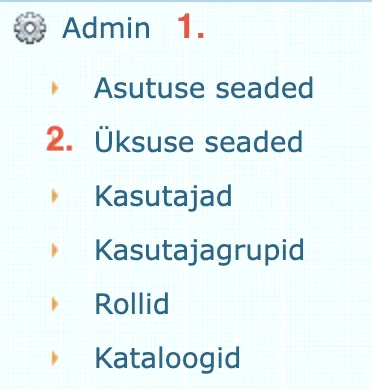
Unit settings can be opened as follows:
- Open the Admin module.
- Open Unit settings.
Under unit settings, you need to select the organization. Below is the Email domains panel.
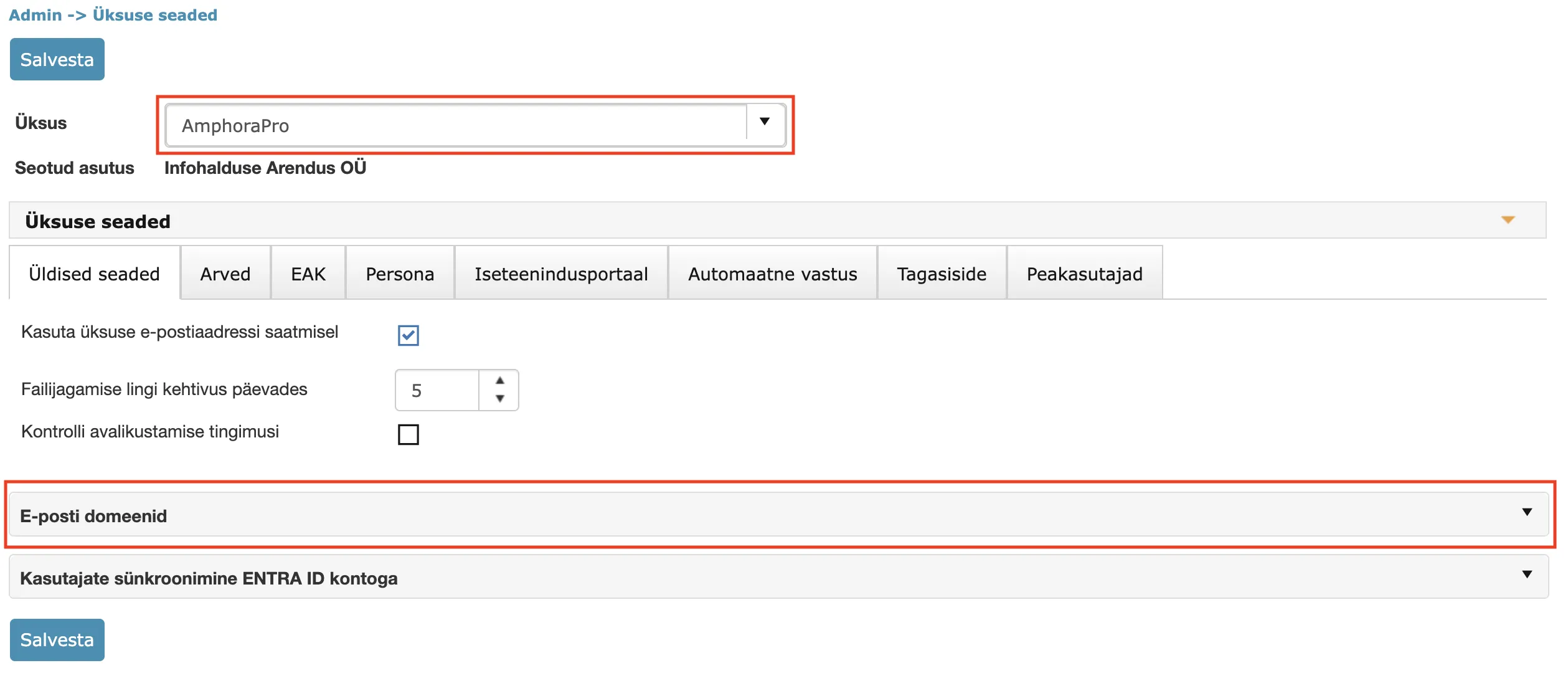 This panel contains DNS records for email address domains related to the unit. Amphora automatically detects all domains related to the unit. These domains are taken from the unit's own email address and also from email addresses of organizations related to the unit (there may be several).
If the configuration is not yet done, the Email domains panel looks like this:
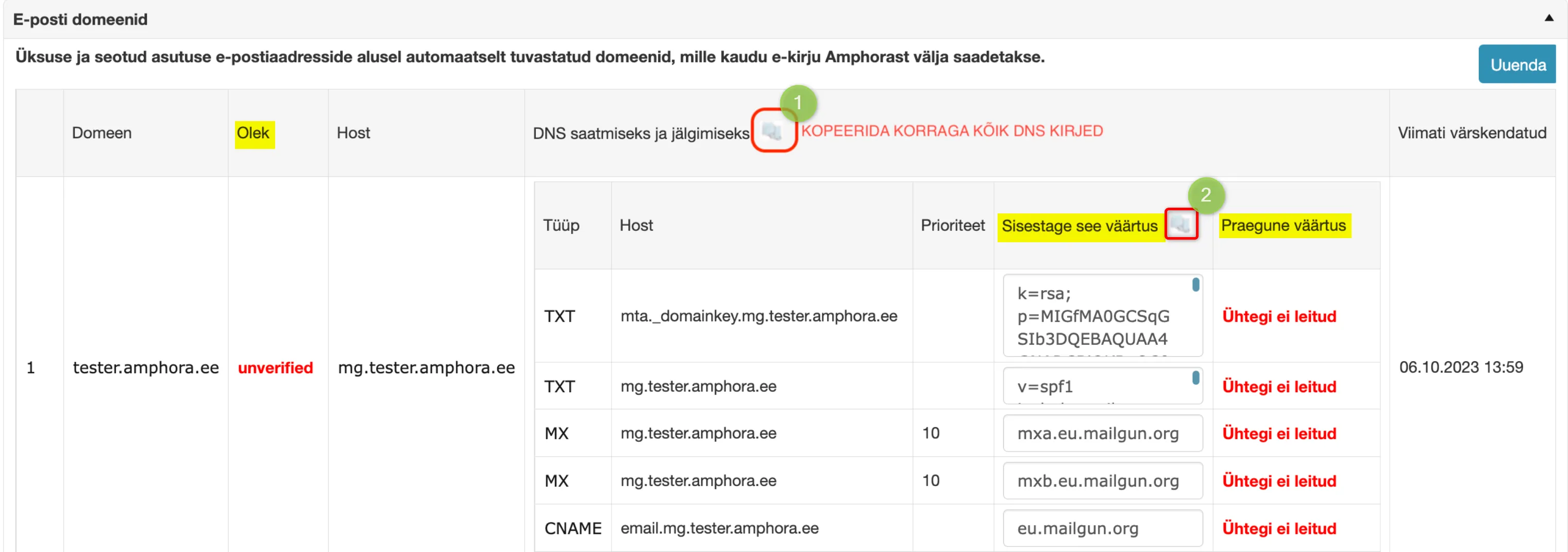 The status is unverified and current values are missing. As long as the status is unverified, emails will still be sent out via Sendgrid.
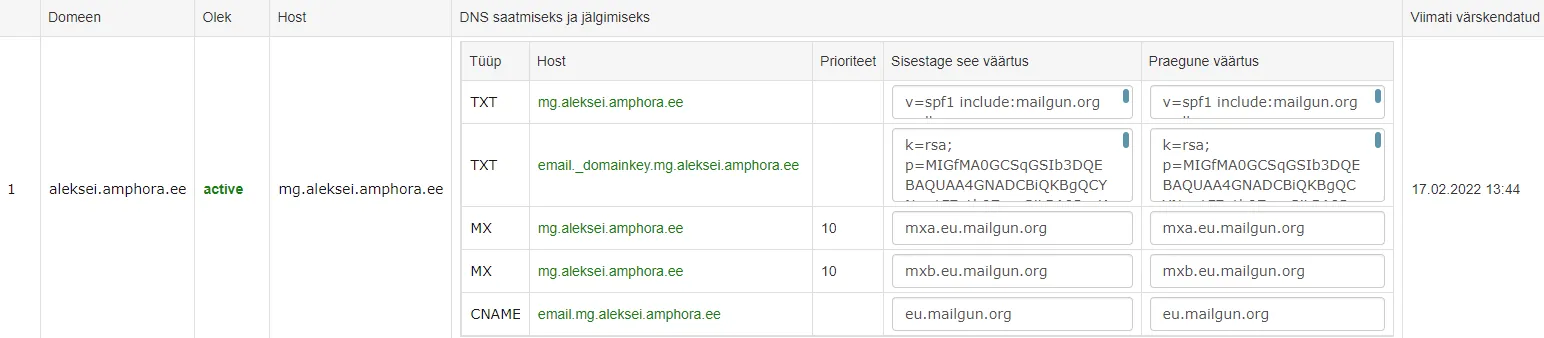
The values in the Enter this value column need to be added to your DNS. Mailgun recommends also adding MX records, and during testing it became clear that emails do not reach some recipients if MX records are not added. When adding MX records, attention should be paid to the fact that MX records should not be added to the main domain (tester.amphora.ee). They should be added to the subdomain created with the "mg." prefix (mg.tester.amphora.ee). In this case, it will not affect the main domain's email traffic.
Additionally, the Amphora allocated IP 185.250.238.195 needs to be added to the main domain (tester.amphora.ee) SPF record.
After this, you need to wait up to 24 hours and then check it in the unit settings Email domains panel.
Google Cloud example configuration:
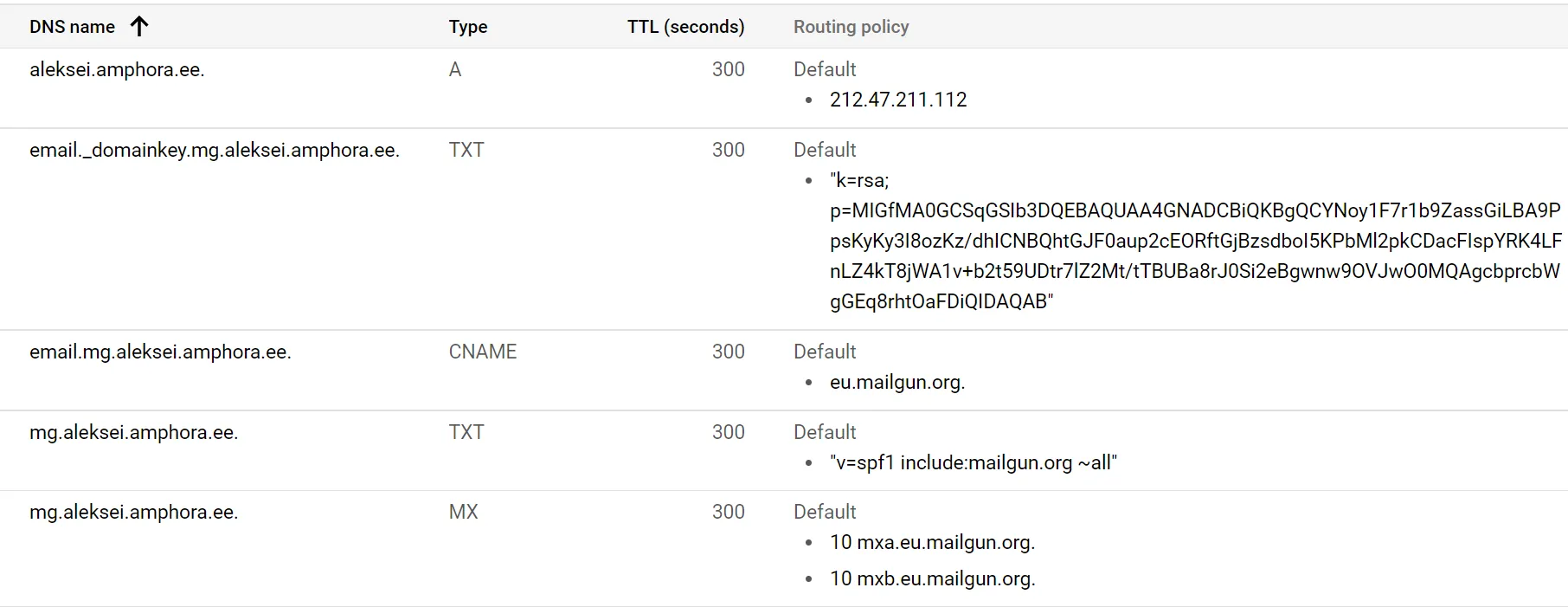 Final result:
MailGun and Sendgrid differences
There is not much difference between MailGun and Sendgrid directly. Mailgun similarly logs sent email events. Events are email delivery (Delivered event) and email opening (Open event).
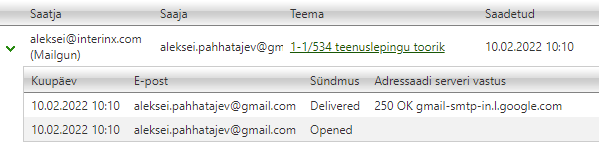 In case of failed sending, Sendgrid could have different events (Dropped, Bounce, Deferred), while MailGun always has one event – Failed and the Recipient server response column has a more detailed problem description. The Recipient server response column contains information about whether it's a permanently failed attempt (permanent_fail – recipient email address is added to Bounce list) or a temporarily failed attempt (temporary_fail).
Additionally, MailGun lacks the Processed event, immediately there is either Delivered or Failed event.
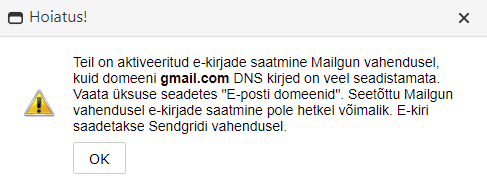
 MailGun has stricter sender email address checks compared to Sendgrid. Mailgun does not allow sending emails if the sender domain DNS settings are missing. If the sender email address domain DNS records are not configured, a red icon is displayed next to the sender email address, which can be clicked and the opened window displays the problem description. It is still possible to send from such an email address, but these are sent via SENDGRID.
Deliveries panel example:
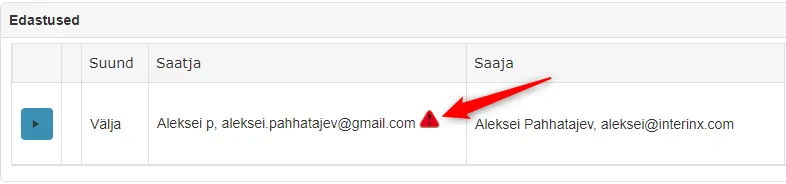 @ icon and Emails module view example:
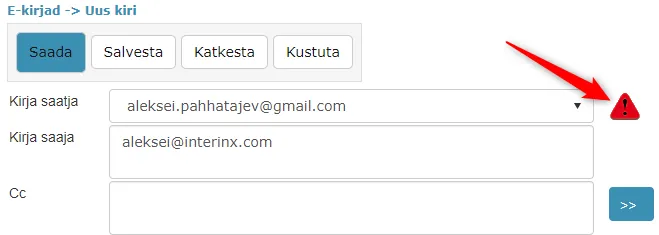 Opened window content:
 A situation may arise where there is a yellow icon next to the sender email address. Such an icon is displayed in a situation where the CNAME record is missing. MailGun sending is allowed in such a situation, but email opening logs (Open event) are not displayed.
Example:
 ***
***
Last modified: 07 October 2026, 15:42:46