Amphora 13.7 Version Guide
- Version 13.7.0
- Amphora Self-service Portal "For Information" task enhancements
- Deleted persons are not visible in process/delegation selection
- Party display in public view enhanced
- Delivery title (subject) change with new file addition fixed
- Case object addition error fixed
- Documents with faulty signature container can now be opened
- Person and organization additional file saving fixed
- When user doesn't have sufficient permissions to save document to directory, directory ID is now added to error messages
- Main file check on forms with State Gazette sending functionality redone
- Case object numbering fixes
- Unicode symbol support added for signature container files
- Minor fixes
- Other changes
- Version 13.7.2
- Version 13.7.3
Important
The purpose of this guide is to describe Amphora's changed functionality that comes with the new 13.7 version of Amphora Professional. The version guide is continuously updated.
** * The change is relevant for environments that no longer use the correspondence module.**
Version 13.7.0
Amphora Self-service Portal "For Information" task enhancements
In Admin -> Directories settings, it's now possible to add text that is displayed in Amphora Self-service Portal when opening unfinished For Information task view. In the unit editing view, there's an Self-service (for information) text editor added for this purpose where this text can be added.
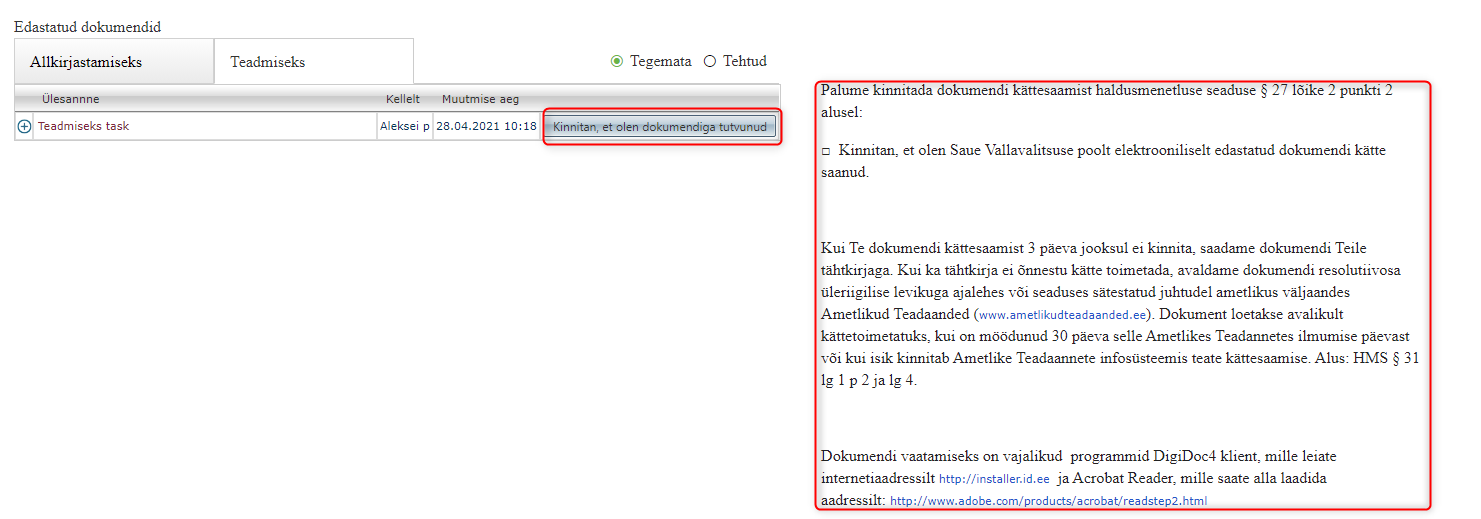
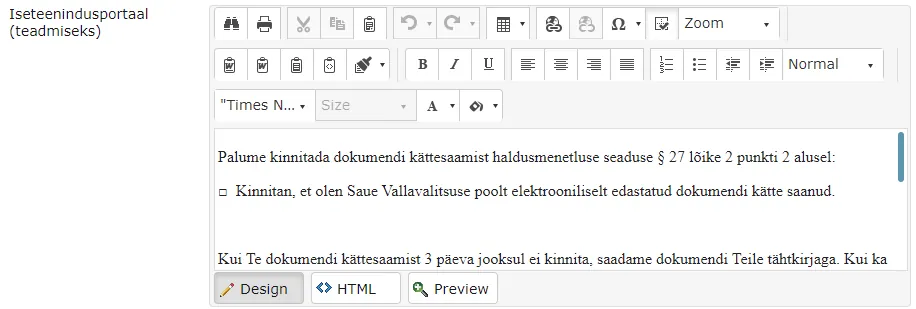 This possibility has been added primarily so that it would be possible to convey necessary information to external persons (for example, how many days you need to confirm that you have received the document and which software is needed to open files). This is not a mandatory setting and this text doesn't necessarily need to be added.
Additionally, the For Information task completion button name in Amphora Self-service Portal has been changed. Previously it was Mark as done, now it's I confirm that I have reviewed the document.
 ** This development was supported by Amphora client Saue Municipality Government **
** Thank you! **
** This development was supported by Amphora client Saue Municipality Government **
** Thank you! **
Deleted persons are not visible in process/delegation selection
In previous versions, it was possible to select persons that were deleted and located in the trash module when creating process/delegation. Notifications were sent to such persons by e-mail, but they couldn't log into Amphora Self-service Portal.
In version 13.7, we added an additional check and from now on it's no longer possible to select deleted persons when creating process/delegation.
Party display in public view enhanced
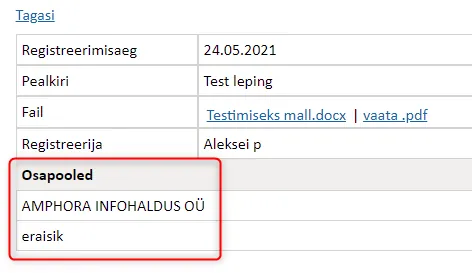
In previous versions, Amphora displayed all document parties in public view and didn't distinguish whether an organization or person was added as a party. Therefore, names of persons added as parties were visible in public view.
In this version, we added a check with which Amphora determines whether a person or organization is added as a party and if a person is added, then private person is displayed in public view. It's checked whether the added party is related to the Persons module and if not, then it's additionally checked whether the added party has a correct personal code (starts with 3,4,5,6 digits and is 11 characters long).
Delivery title (subject) change with new file addition fixed
Delivery title (subject) is the title of the e-mail/DHX document being sent. Amphora currently has logic where outgoing unsent delivery title is synchronized with document title. When a user changes the document title, Amphora changes the delivery title.
In previous versions, there was one situation where Amphora didn't change the delivery title. This happened when the document got a title through a newly added file. If a document is missing a title (for example, has been deleted) and a new file is uploaded as the main file, then Amphora adds the file name as the document title. In such a situation, Amphora didn't change the delivery title.
In version 13.7, this bug has been fixed and the delivery title is now always synchronized with the document title.
Case object addition error fixed
In some situations, Amphora displayed the following error message when saving a new case object – Unable to cast object of type 'Amphora.CaseManagement.Case' to 'Amphora.Document.Document'
This error message wasn't critical since Amphora still saved the document and data wasn't lost.
Such an error message could occur in a situation where the user added one document through the case objects panel and then opened one of the already added documents in the case objects panel and tried to add a response or follow-up document. When saving the response or follow-up document, Amphora displayed this same error message.
Starting from version 13.7, Amphora no longer displays this error message.
Documents with faulty signature container can now be opened
In previous versions, it wasn't possible to open documents with faulty signature containers. Rarely, a situation may occur where the signature container gets corrupted for some reason during saving or the originally uploaded signature container is already faulty. When opening such a document, Amphora displayed an error message and the document content wasn't visible to the user.
 In this version, this problem has been solved and documents with faulty signature containers can now be opened in Amphora. If a document has a faulty signature container, then a corresponding notification is displayed in the Signatures panel Signature column.

Person and organization additional file saving fixed
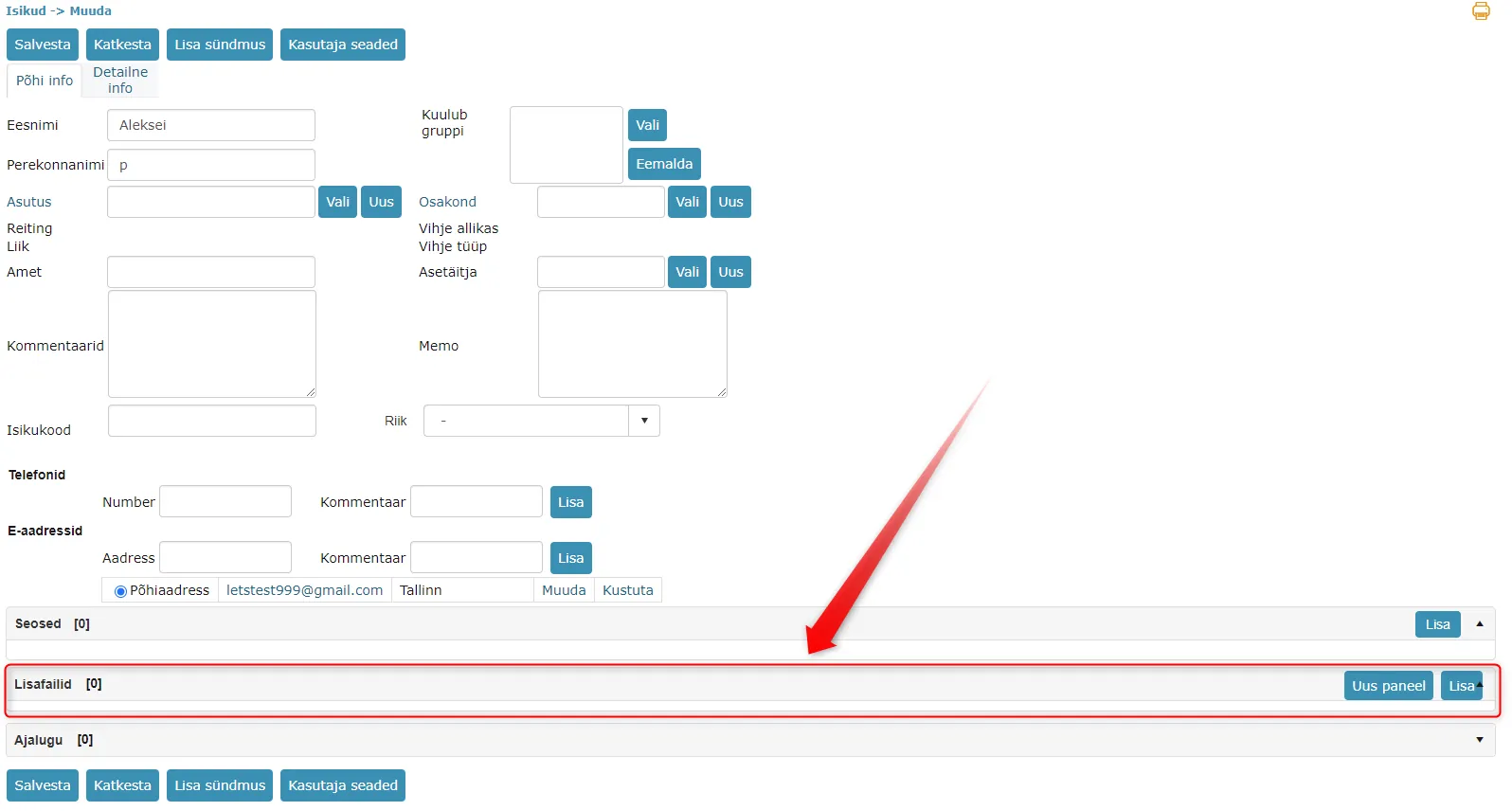
In person and organization detail views, there's an additional files panel where files related to the person and organization can be added. In previous versions, although the additional files panel existed, it wasn't possible to add files. Added files disappeared when saving the person or organization.
In version 13.7, this bug has been fixed.
When user doesn't have sufficient permissions to save document to directory, directory ID is now added to error messages
Often situations have occurred where users try to save a document but get an error message that they don't have sufficient permissions. From the error message sent to Amphora customer support, it wasn't possible to read which directory had the problem. Adding directory ID to error messages helps Amphora customer support investigate such problems in the future since then it's known which directory permissions need to be checked.

Main file check on forms with State Gazette sending functionality redone
Under form configuration, it's possible to add State Gazette sending functionality to a form. This requires adding the "Adopted legal act is sent to State Gazette" checkbox in the form detail view. This functionality adds main file check, which didn't work correctly in previous versions. Namely, Amphora checked that a .akt file was always uploaded as the main file. If the user wanted to upload a signature container with .akt file afterwards, Amphora displayed an error message and such a document couldn't be saved.
In this version, we enhanced the main file check and from now on Amphora shouldn't display error messages when uploading main files.
Case object numbering fixes
Fixed case object number problem occurred in situations where the directory had Use only case counter functionality enabled, the case number prefix was in format A-B/C/ and the user had manual number addition mode selected. When creating a new case object, Amphora added the C number value that belongs to the prefix composition to the value field. Thanks to this, case and case object numbers weren't identical and when adding the next case object, Amphora didn't consider the previously added case object and added the wrong number.
Prefix:
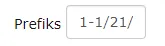 Number added to case object (number 21, which should be in prefix composition, is in a separate value field)
 In version 13.7, this bug has been fixed.
Unicode symbol support added for signature container files
If signature container composition files had Unicode symbols in their names, then Amphora could unpack such a signature container, but it was no longer possible to sign this signature container in Amphora environment. Additionally, unpacked file names had strange symbols.
In version 13.7, we added Unicode symbol support when unpacking signature containers, which unpacks files in correct form and from now on it's possible to sign this signature container in Amphora.
Minor fixes
- In user settings (Admin -> Users), role boxes have been made wider.
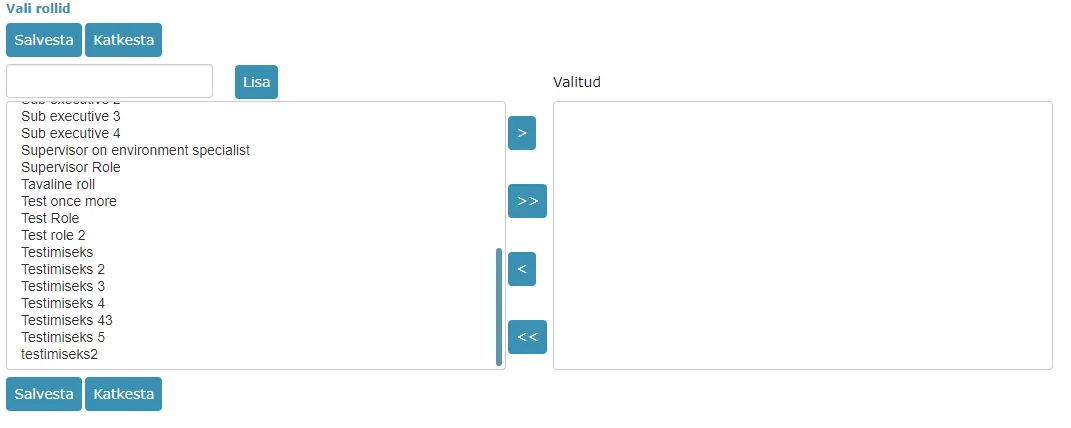 2. When registering e-mail, the e-mail ID is added to the database. The allowed length of this ID has been increased so that Amphora can register all e-mails received in the E-mails module.
 - When changing case process (adding a new person to existing process composition), Amphora could display Index was out of range error message. Added additional checks that should prevent this error message in the future.
Other changes
- Updated Telerik components 2021.1.224 -> 2021.1.330.
Version 13.7.2
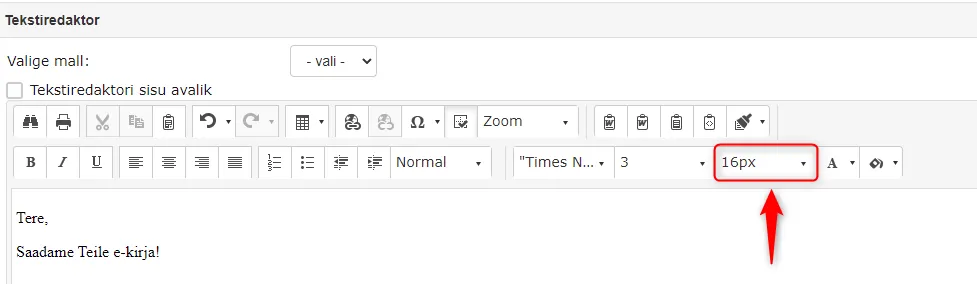
Text size selection in pixels added to text editor
In version 13.7.2, we added text size selection in pixels (px) to the text editor. Previously, it was possible to change text editor text size with numbers (1-7), but this way it was difficult to understand what size text would ultimately be created.
 !!! warning "NB!"
In Office Word, the default text size unit is points (pt). You can find a points and pixels comparison table HERE.
!!! warning "NB!"
In Office Word, the default text size unit is points (pt). You can find a points and pixels comparison table HERE.
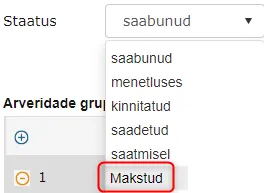
New status added to purchase invoices – Paid
Starting from version 13.7.2, it's possible to select Paid as the purchase invoice status. This status selection allows better management of purchase invoices in Amphora by marking paid purchase invoices with this status.
Fixed e-mail registration from E-mails module and Outlook
In certain situations, Amphora didn't add delivery to documents registered from e-mails. The problem could occur when using registration profiles where the Copy e-mail content as document or message content option was disabled. In version 13.7.2, this bug has been fixed.
Version 13.7.3
Selected document template no longer gets lost after adding outgoing delivery
In previous versions, there was a problem where the selected document template file got lost after adding outgoing delivery and changing directory/adding responsible person. This bug occurred in situations where the document hadn't been saved in the meantime.
In version 13.7.3, this bug has been fixed and the document template file no longer gets lost.
Last modified: 09 October 2026, 10:25:03