Global Search
Global search allows you to search for objects in the Amphora environment by their metadata, files, and text editor content.
Functionality
The global search looks like this:

-
The Advanced button opens a panel where search modes can be selected.
-
The ?-icon opens the new global search guide in a separate window.
-
Legacy search activates the old global search. Initially, this option is available in all environments, but it will be removed over time.
-
When By reference is activated, Amphora searches only by object reference numbers.
-
When Exact search is activated, Amphora searches for the exact entered search phrase. If the search phrase consists of multiple words, e.g., "Employment contract Janis", then only objects where these words appear in exactly the same order in the metadata, file content, or text editor content are displayed in the search results.
-
When Search archive is activated, Amphora also searches archived objects.
Using search modes is not mandatory. You can enter a search word or phrase in the search field and perform a search without using any search modes.
NB!
Search modes can be combined. Multiple modes can be activated at the same time. For example: By reference and Search archive -- Amphora searches by object reference numbers for both active and archived objects.
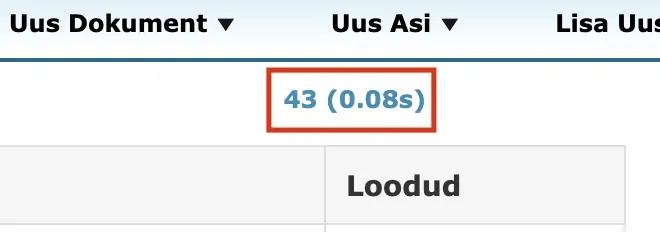
The search results now also display the time spent on the search in seconds alongside the number of results.
Rules
Symbols that can be used in the new global search:
-
OR | contract OR act OR protocol | Searches for objects that contain at least one of the words/numbers.
-
- (minus sign) | Janis -contract | Searches for objects that contain the word "Janis" but do not contain the word "contract". It is important that there is no space after the minus sign.
-
"" | "Contract appendix" | Searches for objects by exact phrase, where the order and spelling of words/numbers matters.
-
Single number search does not work (Example: 8). A word must also be included -- Viljandi 8.
These rules can be combined. Some examples:
-
Contract -appendix -Janis | Searches for objects that contain the word "Contract" but where the words "appendix" and "Janis" are absent.
-
contract OR act OR protocol | Searches for objects that contain at least one of the words between the OR operators.
-
"Contract appendix" -Janis | Searches for objects that contain the exact phrase "Contract appendix" but where the word "Janis" is absent.
-
"Contract appendix" Janis | Searches for objects that contain the exact phrase "Contract appendix" and the separate word "Janis".
-
Municipal government protocol OR municipal council protocol | Searches for objects that contain the words "Municipal government" and "protocol" and "protocol" or "municipal council". Formula: Word1 + Word4 + (Word2 or Word3).
Last modified: 07 October 2026, 15:42:46