Roles
Role configuration
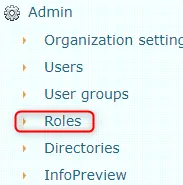
Roles are located under Admin -> Roles.
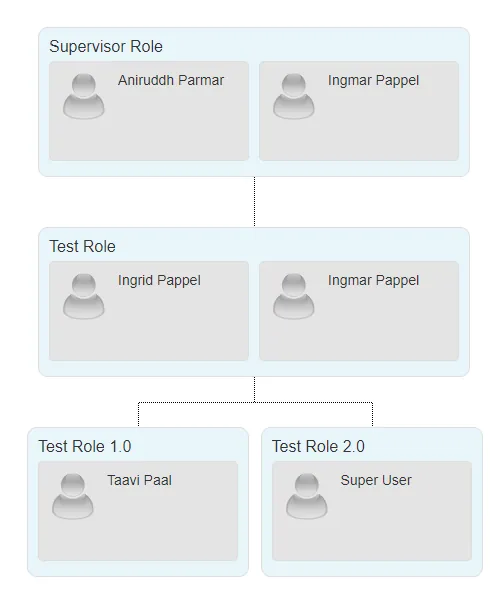
 Using roles, it is possible to create your organization's hierarchy tree. Roles can be used in automatic processes. Additionally, it creates a visual overview of how roles are distributed in the organization.
Adding roles
To add a new role, click the Add new button.
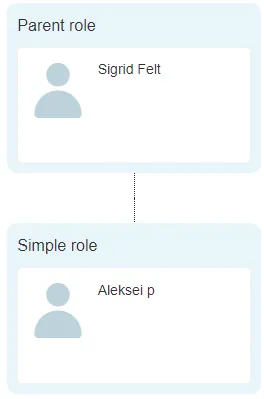
 It is mandatory to select Parent role from the dropdown menu and enter Role name(et) (role name). The remaining fields are not mandatory. However, Description(et) (description) should also be filled in. Then click the Add button.
Parent role is the name of the parent role under which the new role will be created.
 To add a new role, click the Add new button.
Modifying roles
To modify, use the Edit button. The Edit button is located on the right side of the same row as the role.
You can modify the role name, description, and parent role. This can be done in all three languages.

Deleting roles
There are two ways to delete roles:
- Using the Delete button. This button is located on the right side of the same row as the role
- At the top, there is a button called Delete selected. With this button, it is possible to delete multiple roles at once. Add checkmarks in front of the roles and then click the Delete selected button.

 You can only delete roles that are empty. If at least one user belongs to a role, it is not possible to delete that role.
It is possible to delete a role that has sub-role(s). In this case, the sub-roles will be attached to the deleted role's parent role.
Adding persons to roles
To add persons to a role, click on the arrow button.
 Under the role, a place for adding and viewing persons opens. Using the Persons button, it is possible to add persons.
 A person selection window opens where you need to move the desired persons to the right box. Then click the Done button.
Persons can always be deleted. To do this, click the Delete button that is on the same row as the person.
 Roles are currently only used in automatic processes. To set up an automatic process, go to Admin -> Automatic processes and click the New process button.
 ***
***
Last modified: 09 October 2026, 10:25:03