GovSSO Service
Starting from version 15.4, the State SSO (technical name GovSSO) service has been added to Amphora.
The State SSO service (technical name GovSSO) is a service provided centrally by the Information System Authority, with which an organization can authenticate ID-card, mobile-ID, smart-ID and European Union eID users in their e-service with single sign-on.
You can read more about this service and joining HERE.
NB!
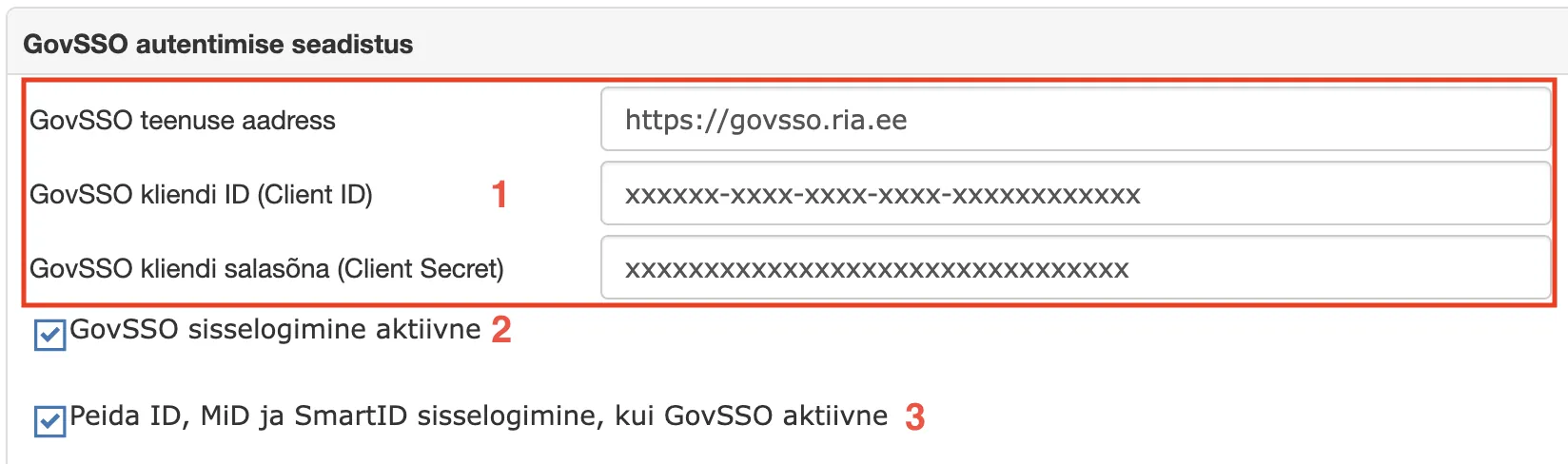
To use this service, the organization must sign a connection agreement with RIA. Once the connection agreement is signed and RIA has sent the encrypted envelope, the necessary configuration must be done in the Amphora environment. For this, open Admin - Organization settings - GovSSO authentication configuration (panel) and enter the GovSSO service address, client ID (Client ID) and client secret (Client Secret) (1).
Additionally, to activate the service, the GovSSO login active checkbox must be checked (2).
GovSSO configuration view in Amphora environment:
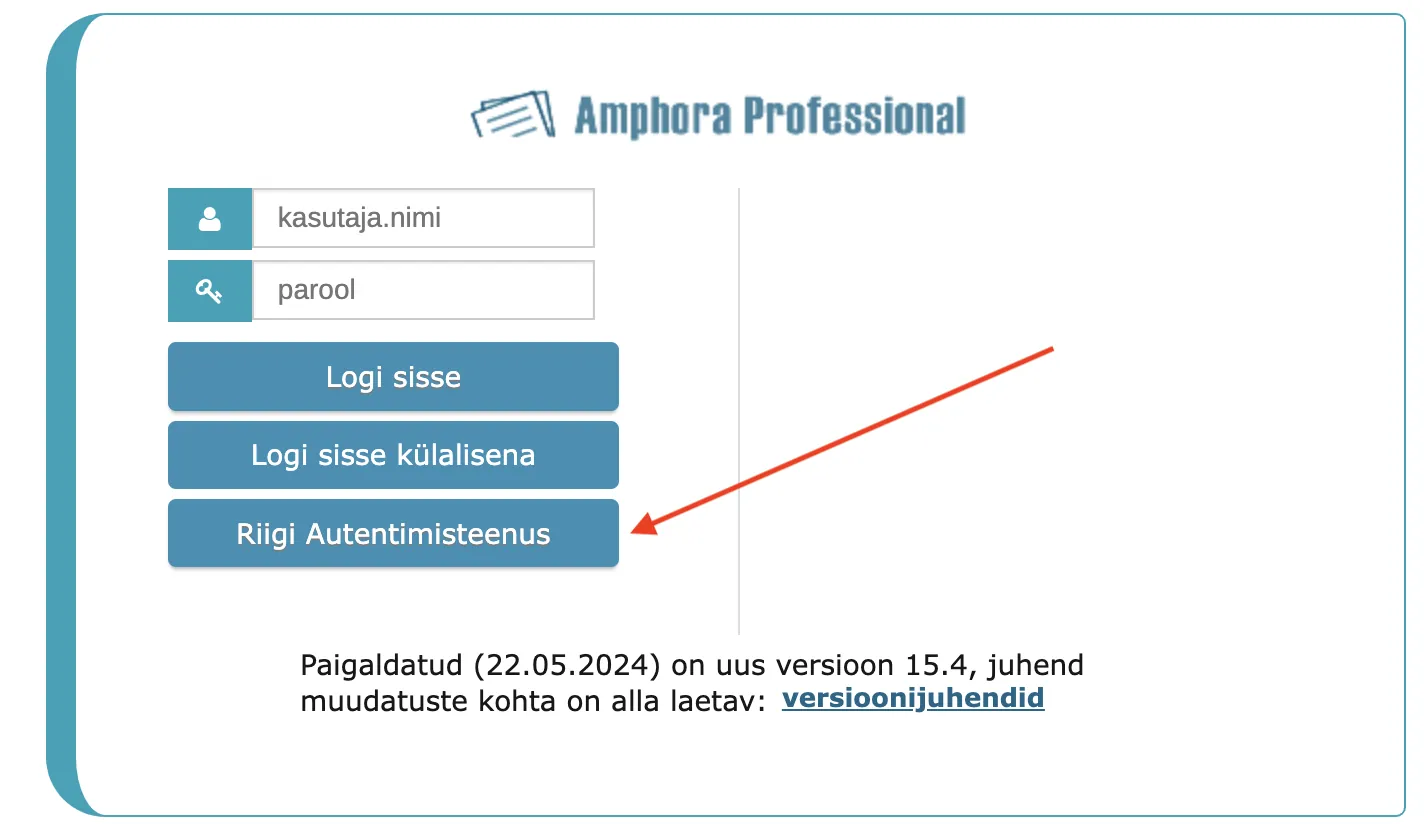
Once the configuration is done and the service is activated, authentication must be tested in both the Amphora internal environment and the Self-service portal. In the Amphora internal environment login page, a separate State Authentication Center button appears for authentication.
In the Self-service portal, a separate State Authentication Center button also appears for authentication.
If authentication works, then the regular authentication picture buttons (ID-card, Mobile-ID, Smart-ID) should be hidden. This can be done in the Admin - Organization settings - GovSSO authentication configuration panel - the Hide ID, MiD and SmartID login when GovSSO active checkbox (3) must be turned on.
Last modified: 07 October 2026, 15:42:46