Amphora 14.0 Version Guide
Version 14.0.0
MailGun support
Until version 14.0, the email service provider in all Amphora environments was Sendgrid. This means that most emails (except those sent through the client's own SMTP) sent from Amphora environments were sent out through Sendgrid. However, Sendgrid does not comply with GDPR requirements because their servers are located in the USA.
MailGun is a certified and audited service provider that offers necessary services through API (sent email event logs, email address validation) and MailGun has servers located in the European Union.
You can learn more about MailGun HERE.
Setup
Before setup, you need to open the unit settings in the Amphora environment, where the necessary DNSs for email address domains related to the unit are located. For this, the user must have administrator rights.
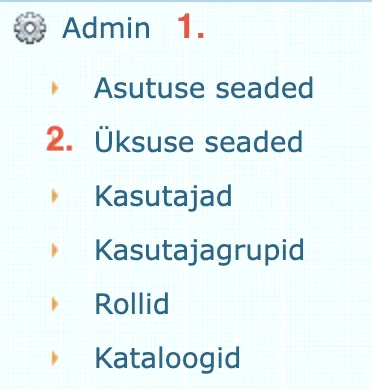
Unit settings can be opened as follows:
- Open the Admin module.
- Open Unit Settings.
Under unit settings, you need to select the institution. Below is the Email domains panel.
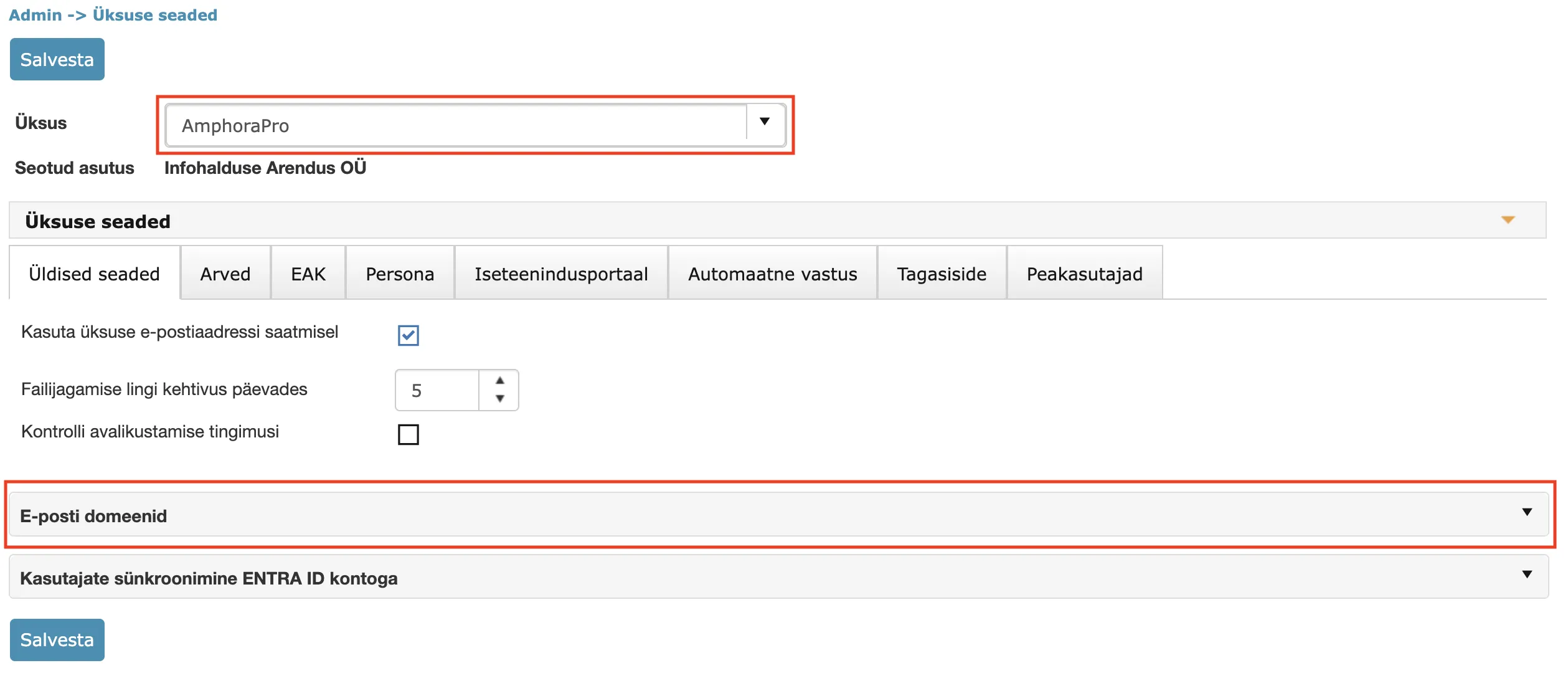 This panel contains the DNSs for email address domains related to the unit. Amphora automatically detects all domains related to the unit. These domains are taken from the unit's own email address and also from the email addresses of institutions related to the unit (there may be several).
If the setup has not been done yet, then the Email domains panel looks like this:
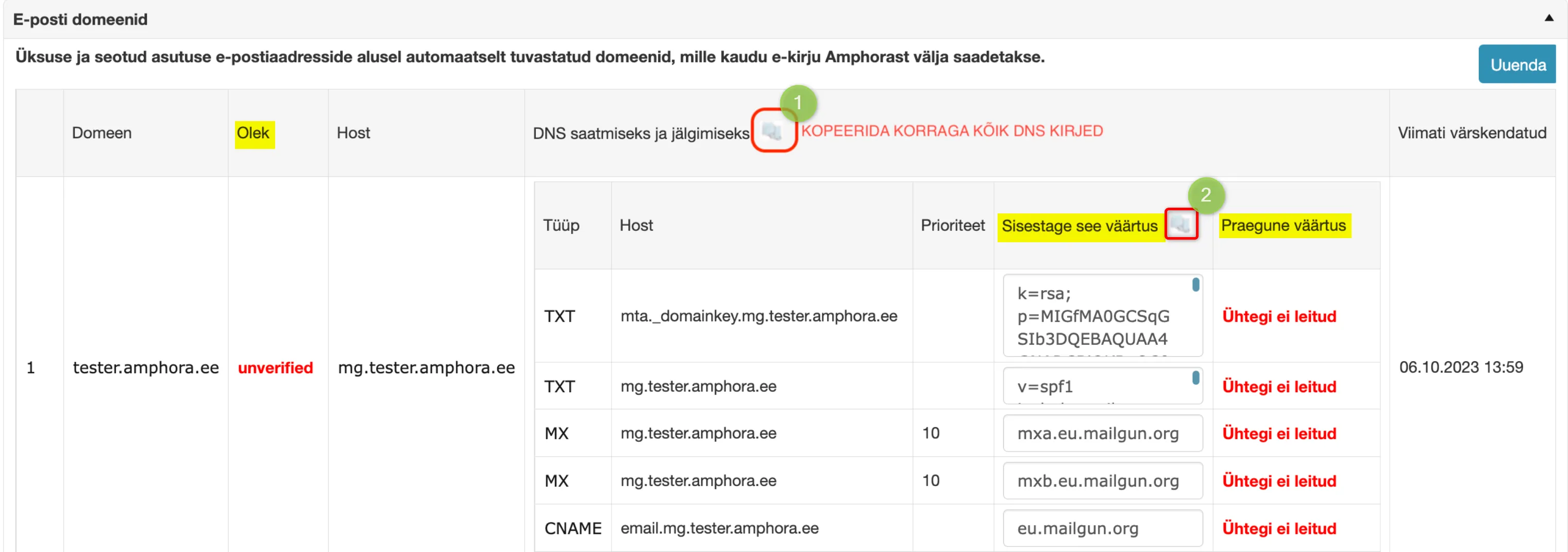 The status is unverified and current values are missing. As long as the status is unverified, emails are still sent out through Sendgrid.
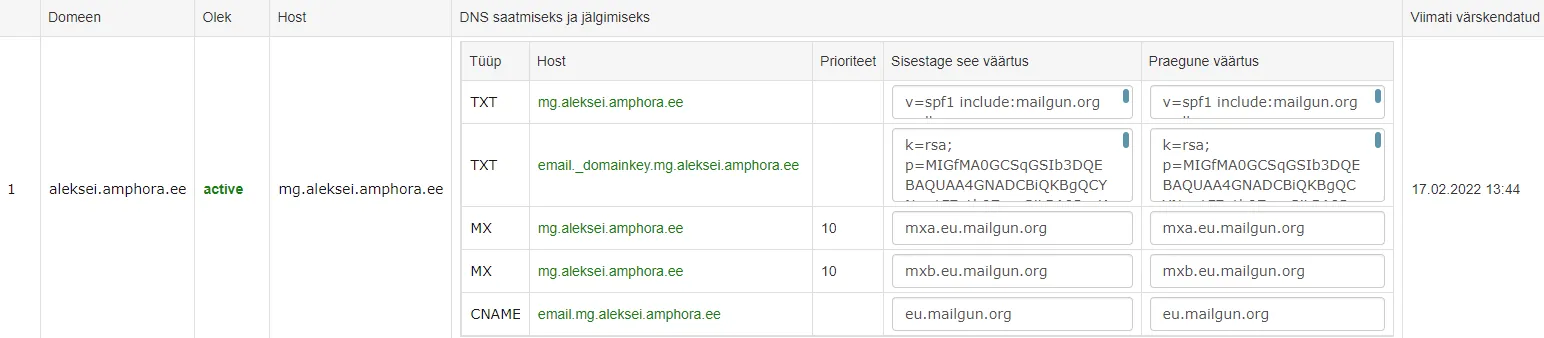
The values in the Enter this value column need to be added to your DNS. Mailgun recommends also adding MX records and during testing it became clear that emails do not reach some recipients if MX records are not added. When adding MX records, attention should be paid to the fact that MX records should not be added to the main domain (tester.amphora.ee). They should be added to the subdomain created for this purpose with the "mg." prefix (mg.tester.amphora.ee). In this case, it will not affect the email traffic of the main domain.
In addition, the IP 185.250.238.195 allocated for Amphora needs to be added to the main domain (tester.amphora.ee) SPF record.
After that, you need to wait up to 24 hours and then check it in the unit settings Email domains panel.
Google Cloud example setup:
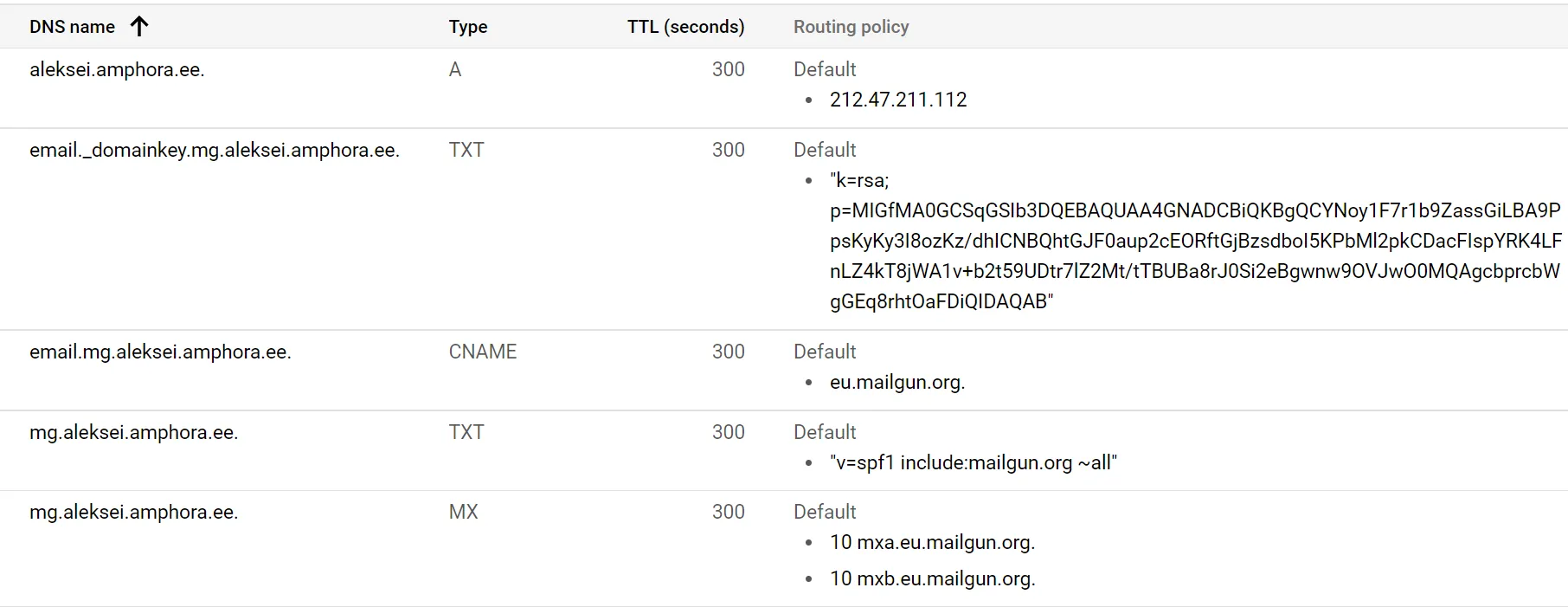 Final result:
MailGun and Sendgrid differences
There are not very many differences between MailGun and Sendgrid directly. Mailgun also logs sent email events in the same way. Events include email delivery (Delivered event) and email opening (Open event).
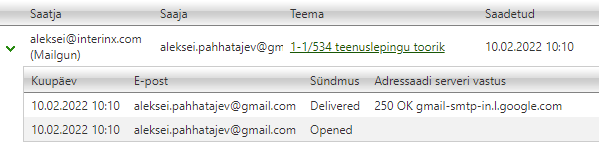 In case of failed sending, Sendgrid could have different events (Dropped, Bounce, Deferred), in MailGun there is always one event – Failed and the Recipient server response column has a more detailed description of the problem. The Recipient server response column contains information about whether it is a permanently failed attempt (permanent_fail – recipient email address is added to the Bounce list) or a temporarily failed attempt (temporary_fail).
Additionally, MailGun lacks the Processed event, immediately either a Delivered or Failed event occurs.
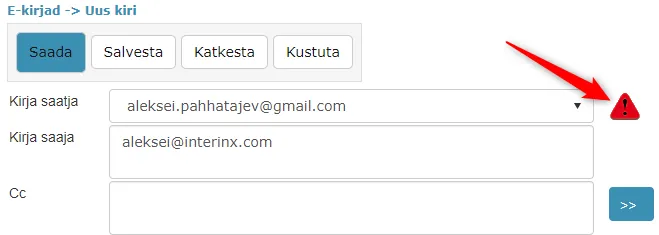
 MailGun has stricter sender email address checks compared to Sendgrid. Mailgun does not allow sending emails if the sender domain DNS settings are missing. If the DNS records for the sender email address domain are not configured, a red icon is displayed next to the sender email address, which can be clicked and the opened window displays the problem description. It is still possible to send from such an email address, but these are sent through SENDGRID.
Delivery panel example:
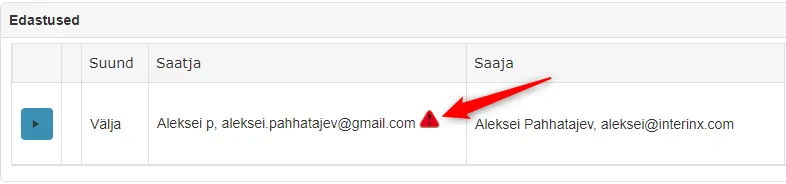 @ icon and Email module view example:
 Opened window content:
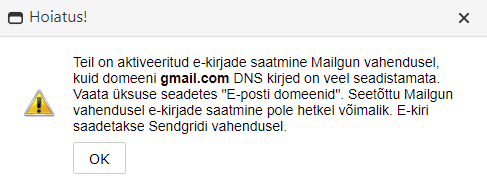 A situation may occur where there is a yellow icon next to the sender email address. Such an icon is displayed in a situation where the CNAME record is missing. MailGun sending is allowed in such a situation, but email opening logs (Open event) are not displayed.
Example:

Recipient email address validation changed (SendGrid -> MailGun)
In the @ icon view and in the Email module when composing emails, it is possible to validate recipient email addresses (check if it is a valid email address). Validation results may not always be 100% accurate, but such checking helps to detect typos in the recipient email address domain early, for example.
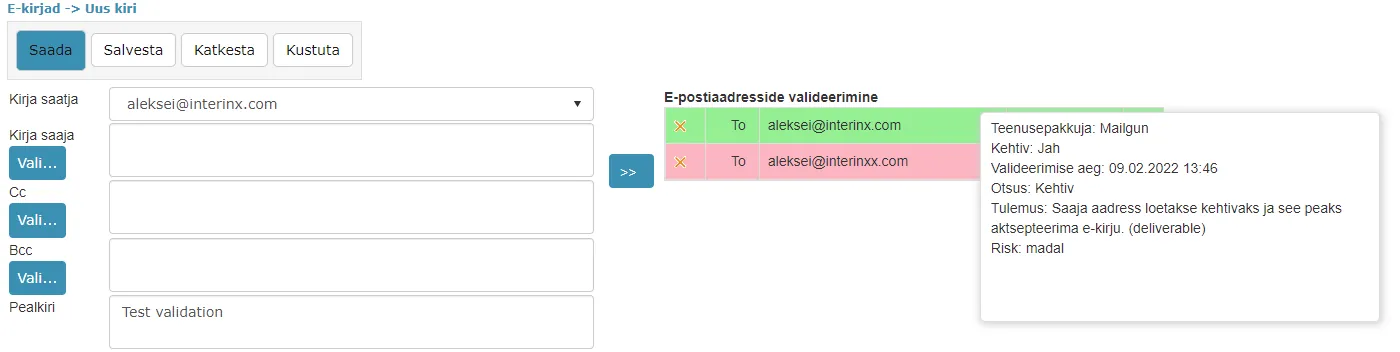 Until version 14.0, SendGrid validation support was used in all environments. Starting from version 14.0, environments that participate in archive developments or are Elite/Premium level clients are moved to MailGun validation support.
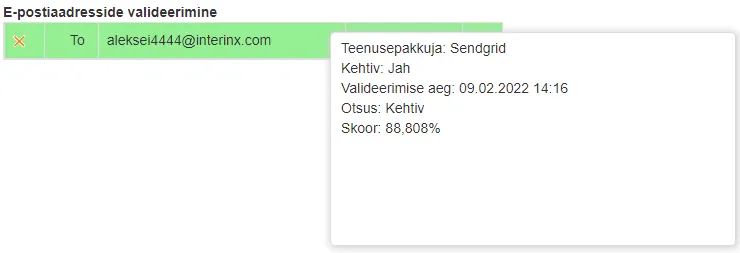
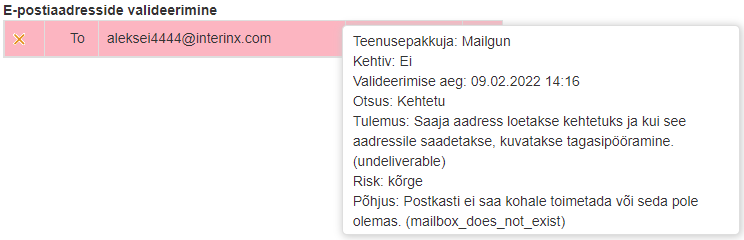
Test results showed that MailGun validation support can better detect email addresses that are not valid.
Sendgrid validation (email address is not valid):
 MailGun validation (email address is not valid):
Reports input "Unit" has been fixed
For some reports, it is possible to add a unit selection as input. Unit selection can be activated on those reports that allow outputting documents or some data within one unit.
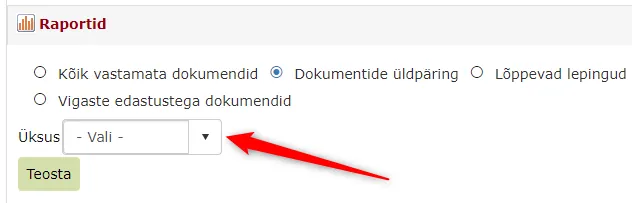 In previous versions, the unit selection did not work. The unit dropdown was visible, but Amphora did not take the selected unit into account. In this version, this bug has been fixed.
Other changes
- Updated Telerik components 2021.3.1111 -> 2022.1.119
Last modified: 09 October 2026, 10:25:03