Amphora 13.3 Version Guide
- Version 13.3.0
- Mobile-ID REST API authentication
- Case copying fixed
- Incoming email registration fix in Emails module
- Text editor removal from process detail view
- Unsent and failed delivery icons have been fixed
- Parties selection optimized
- WebDAV component update
- Signature file upload fixed
- Fixed bug where Amphora did not add "Response date" to original letter when creating response letter
- Report selection fixes
- Parties panel info disappearing when pressing "Send" button has been fixed
- Rights added via process fix
- Amphora environment service level
- Text editor content is transferred to document when replying
- Version 13.3.1
- Version 13.3.2
- Version 13.3.3
- Responsible person "Conditional" task days fix
- Recipient email address does not change when registering incoming email
- Changed delivery panel location in document reading view
- Document module quick query page problems fixed
- Quick menu links hidden
- Incoming email display and registration
- Letter form default HTML template selection
Important
The purpose of this guide is to describe the changed functionality of Amphora that comes with the new version 13.3 of Amphora Professional. We continuously update the version guide.
** * Change is relevant for environments where the correspondence module is no longer used.**
Version 13.3.0
Mobile-ID REST API authentication
Mobile-ID REST API authentication has been added both for logging into Amphora and for logging into Amphora Self-Service Portal.
Overall, nothing changes for users, but now personal code presence is mandatory for users when authenticating with Mobile-ID. Therefore, it should be checked that users who use Mobile-ID have a personal code.
Case copying
Each case has a number showing how many case compositions this case belongs to. This number is not visible through the user interface. This number is needed, for example, to run quick queries in the case module.
In previous versions, when copying such a case that belonged to one or more case compositions, Amphora also copied the case number, although the new copied case no longer belonged to those case compositions. Due to this, some case module quick queries also worked incorrectly (e.g., "Agenda pending drafts").
In version 13.3.0, this bug has been fixed.
Incoming email registration fix in Emails module
When registering incoming email in the Emails module, Amphora could display Object reference not set to an instance of an object error message. The problem occurred when there was an image in the email content and the image element had a ? symbol in the src value. The bug has been fixed in this version.
Text editor removal from process detail view
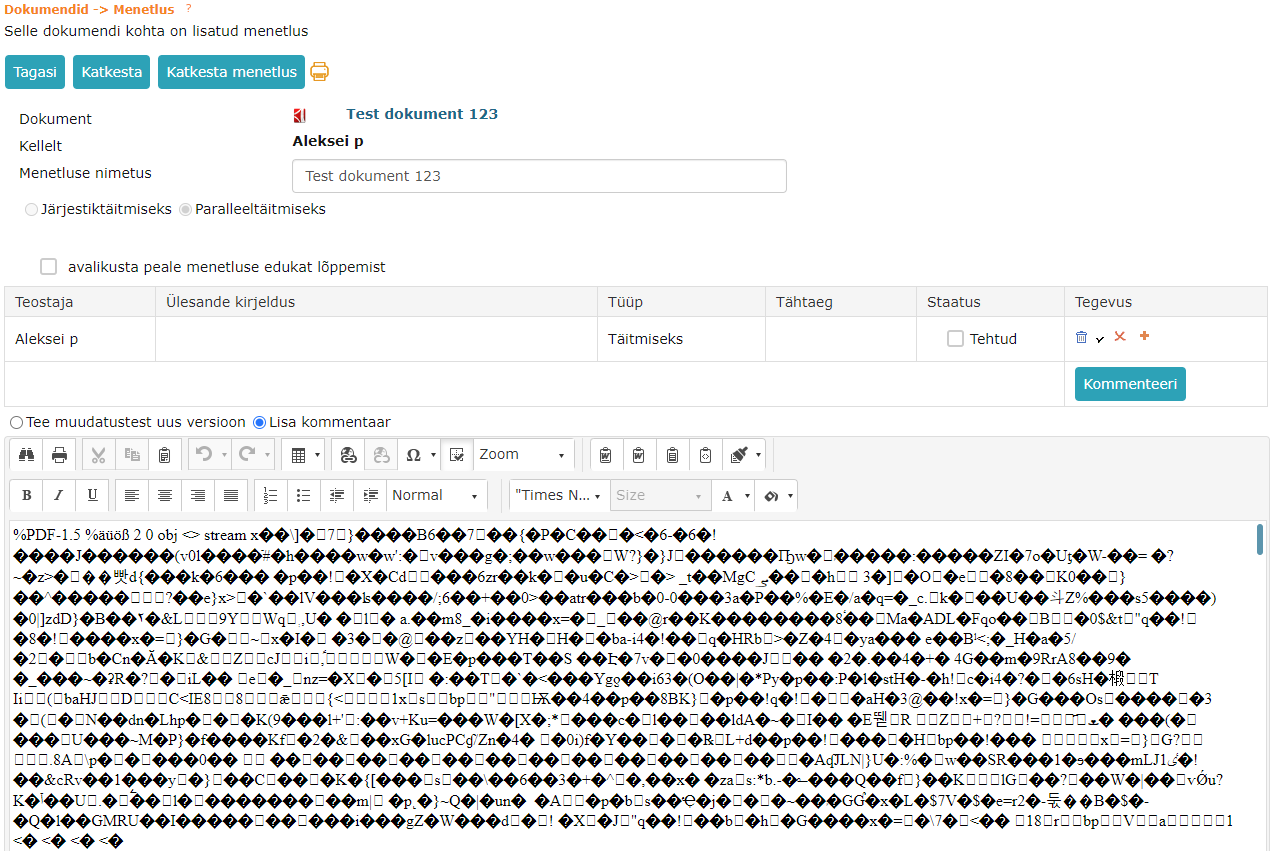
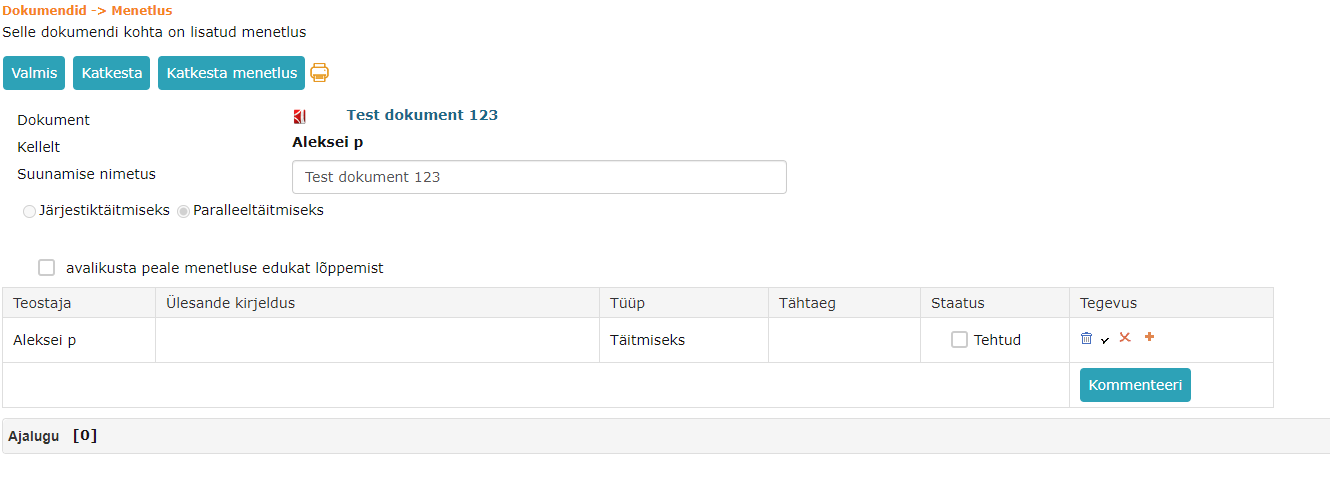
Text editor content with strange symbols was visible in process detail view if the document was initially registered with a writing form and later the form was changed to a loading form. Additionally, to see this bug, the task had to be opened with a direct link. The bug has been fixed in this version.
Before:
 After fix:
Unsent and failed delivery icons have been fixed*
This version fixes a bug where removing an unsent or failed delivery did not remove the delivery icon from the list view. The problem occurred only on documents that had multiple versions.
Unsent and failed delivery icons in list view:

Parties selection optimized
Saving selected parties in the parties panel in the document module was sometimes slow and could take up to 7 seconds. As a result of optimization, saving selected parties became much faster.
WebDAV component update
From this version, it is possible to use the new WebDAV version (v. 5.16). With this WebDAV version, it is possible to edit files in Microsoft Edge web browser (tested with version 85.0.564.44).
The new WebDAV version is downloadable HERE.
Signature file upload fixed
This problem occurred when the first user had opened a document (signature container was missing) and after that another user signed this document. If the first user saved the document after the second user's signing, then the signature file was not visible in the new version.
Additionally, we fixed the same situation where there was already a signature container originally. In such situation, when the first user saved, Amphora displayed an error message.
Fixed bug where Amphora did not add "Response date" to original letter when creating response letter*
When composing a response letter, Amphora should add the current date to the "Response date" field of the original letter. In previous versions, Amphora did not add "Response date" to the original letter if a main file was added to the response letter before the first save and this main file was modified with WebDAV.
In version 13.3.0, this bug has been fixed.
Report selection fixes
If a user had a report open and a column filter was used in this report, then when opening another report, Amphora did not display report results. This bug has been fixed in this version.
Parties panel info disappearing when pressing "Send" button has been fixed*
This version fixes a bug where parties panel info (parties) disappeared when pressing the "Send" button. This was a visual bug and if the document was reopened, the parties were still there.
Rights added via process fix
Adding and calculating rights through process was buggy in situations where a user had multiple active processes on one object. Amphora could not calculate rights correctly and Amphora sometimes gave the user a smaller right than should have been.
Adding and calculating rights through process has been fixed in version 13.3.0.
Amphora environment service level
In Amphora environment, you can now see what service level is in the environment. By clicking on the service level (Standard, Premium, Elite), a service level comparison table opens.
Service level is visible in Amphora environment on the upper left under "Amphora Professional" logo.
Text editor content is transferred to document when replying*
From this version, it is possible to enable a policy in the Documents module that makes Amphora transfer the text editor content of the initiative document to the response document and sequence document. The policy name is Copy message content when replying to letter and in user group settings the policy is located under correspondence policies.
Version 13.3.1
Favicon added
Favicon is a webpage icon displayed in the web browser tab. Previously, it was just a globe icon, but now it is the correct Amphora icon.
Previously:
 Now:
Now:

Destruction view rights fixed
In the Archive module, Amphora has a destruction view where it is possible to destroy archived files. In previous versions of Amphora, there were rights errors in the destruction view and users did not always see all archived files. This bug has been fixed in this version.
Adding document number to "Subject" field in delivery panel*
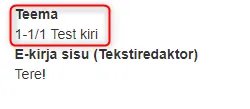
For "Outgoing" deliveries, we added functionality in this version that automatically adds the document number to the "Subject" field in the delivery panel. The document number is added before the title and when sending an email, this number is in the email title. Amphora adds the number to the subject composition both when adding the original document and when adding a response letter.
Previously, @ icon email sending has worked with the same principle. There, Amphora has always added the document/letter number to the title composition.
Default search by title in "Link to main document" panel
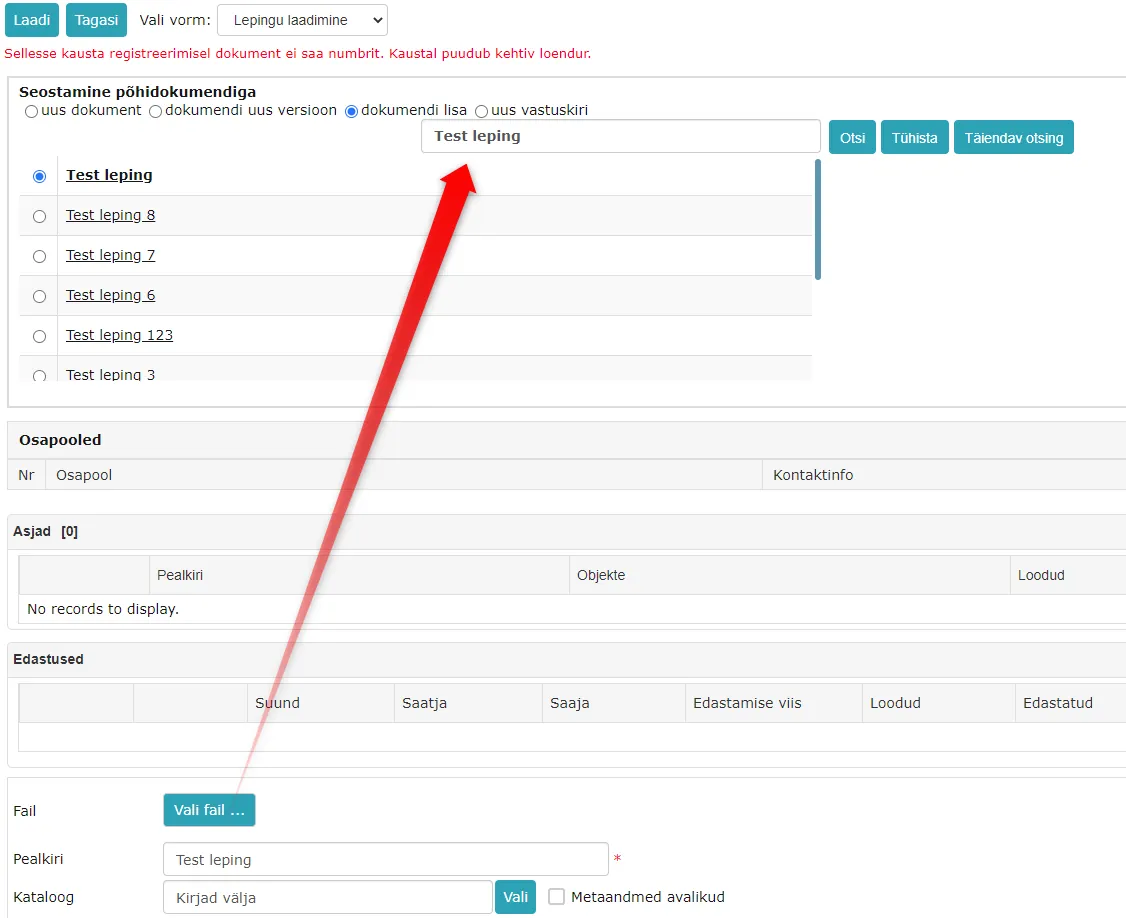
Link to main document panel now starts Amphora automatic search by title. When adding a new document, if you select "Document new version", "Document attachment" or "New response letter" in the Link to main document panel, then Amphora adds the title of the document being added to the search box and automatically starts the search.
"Sent outside Amphora" button for outgoing delivery
Sent outside Amphora button should be used in situations where the document was sent outside Amphora, but the document has been registered in Amphora environment and it is necessary to mark that the document has been sent out.
 For example, this button would be reasonable to use in situations where an email was sent from elsewhere (Outlook), but the document needs to be registered in Amphora and the delivery status must be "Sent".
Sent outside Amphora button is visible only on "outgoing" "Not sent" status delivery. When pressing the button, the status is changed to "Sent" and "External system" is added as the delivery method.
Version 13.3.2
Document module search enhancements*
NB!
Now users can create quick queries related to document sending status themselves (e.g., unanswered documents, overdue documents, etc.)
My unanswered documents and My overdue unanswered documents quick query addition tutorial is located HERE
We added new search fields to document module search:
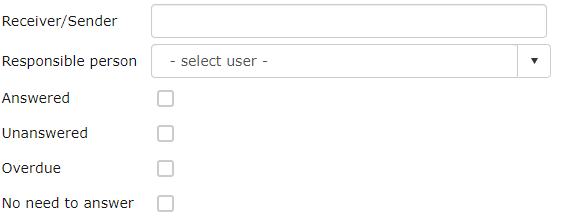
Responsible Person (ResponsiblePerson) - adds a dropdown menu to the search form with users in selection. With this selection, it is possible to search for documents by responsible person.
Recipient/Sender (DeliverySenderRecipient) - regular text field. Searches by delivery panel recipient and sender data. It is possible to enter both email address and person or institution name.
Unanswered (IsUnanswered) - checkbox. Searches all documents that have response/completion deadline entered but response/completion date is empty.
Answered (IsAnswered) - checkbox. Searches all documents that have response/completion date filled.
Overdue (IsOverDeadline) - checkbox. Searches all documents whose response/completion deadline has passed, including documents that have already been answered.
No need to answer (IsNoNeedAnswer) - checkbox. Searches all documents that lack response/completion deadline.
These checkboxes can be combined with each other. For example, Overdue and Unanswered checkboxes give a result with only unanswered overdue documents.
New HTML template element for response documents*
In this version, we added a new HTML template element ::SOURCE.EDITOR::
This template element is intended for response document template. When composing a response document, Amphora replaces the template element with the text editor content of the original document.
Example of HTML template where this template element can be used:
Hello,


Best regards,
::CURUSER::

::SOURCE.EDITOR::
When composing a response document, we select this template (or Amphora selects the template itself if it is a default template) and Amphora replaces the ::SOURCE.EDITOR:: template element with the text editor content of the original document. ::CURUSER:: in this example is the logged-in user's first and last name.
Default institution email address on response document*
Use unit email address when sending checkbox has been added to unit (Admin -> Directories) settings.
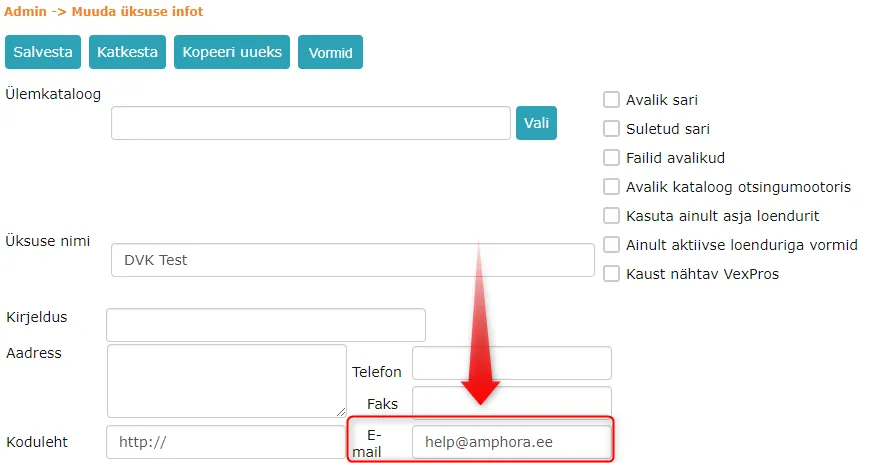
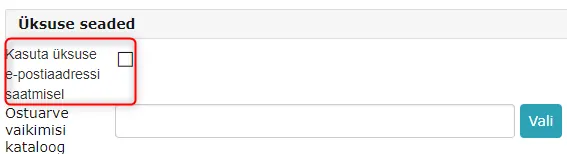 If the checkbox is not added, then when composing an outgoing response document, the user's personal email address is by default in the sender column in the delivery panel. If the checkbox is added, then when composing a response document, the unit's email address is added as sender, which is added to the Email field in unit settings.
 ***
***
Version 13.3.3
Responsible person "Conditional" task days fix
In Amphora, you can create a conditional task for the responsible person. For example, for contracts, you can create a task 30 days before the "Valid until" date arrives.
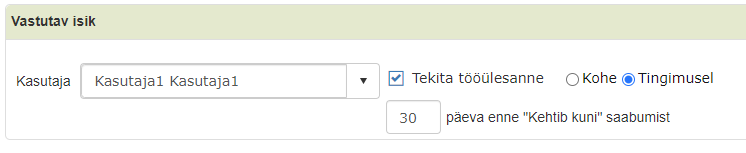 When selecting "Conditional" option, Amphora adds the default number of days. The fixed bug occurred in situations where the user changed the number of days. When saving, the number of days entered by the user was added to the database, but the default number of days was still visible through the user interface. If the user saved this document again, then Amphora also overwrote the number of days entered by the user in the database.
Additionally, the problem where manually entered number of days was canceled with document refresh (e.g., file loading, directory change, adding parties, etc.) has been fixed.
Recipient email address does not change when registering incoming email*
When registering incoming email from Outlook or through the emails module, Amphora no longer changes the recipient email address if the user presses the "Change" button on the delivery. The recipient email address should never change.
Changed delivery panel location in document reading view*
In document reading view, the delivery panel has been moved up and now is located right after the metadata panel. Previously, the delivery panel was the bottom panel in document reading view.
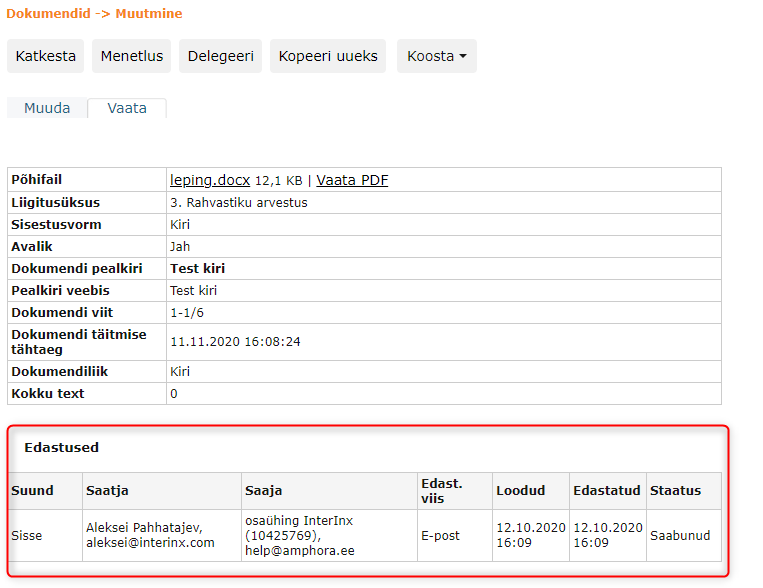
Document module quick query page problems fixed
When creating a new quick query in the document module, the quick query was buggy. On the second page, the quick query displayed only five documents. Additionally, exporting quick query results was also buggy (Amphora exported only first page results, i.e., first 20 documents).
Quick menu links hidden
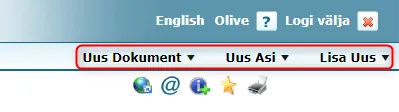
In Amphora internal environment, now those quick menu options are displayed that are allowed to the user with user group rights. If the case module is turned off in the user group, then Amphora no longer displays the "New case" option.
Quick menu:
Incoming email display and registration
In the Emails module, there could be problems with displaying and registering incoming emails in previous versions. Namely, when opening certain emails, the Amphora environment design could become strange or an error message could appear when registering the email. Problems were caused by elements in the incoming email HTML code.
Bugs identified in previous versions have been fixed.
Letter form default HTML template selection*
Letter form default HTML template selection has been redone. Now the template that is associated with the directory unit where the document is registered is always selected by default. If no default template is associated with the directory unit, then a default template that has no unit is selected. If there is no such template either, then Amphora does not add a default HTML template.
Before the first save of the document, when changing the directory, the default template also changes if the selected directory is in another unit and a default template is associated with this unit.
This functionality is aimed at users who have rights for multiple different institutions (units) in Amphora and who send emails from both institutions. It is possible to create outgoing email HTML templates (e.g., email signature with institution details) for each institution on the Letter form. When composing a new initiative document or response document, Amphora selects by default the template that is associated with the unit under which the directory is located where the letter is registered. Therefore, the user does not have to select the template themselves and monitor that the correct template is selected.
NB!
HTML template guide is located HERE
Last modified: 17 October 2026, 11:05:57