Amphora 13.5 Version Guide
- Version 13.5.0
- Organization merge functionality
- Added responsible person functionality in Case module
- Case templates
- Fixed login when user had @ symbol in password
- Double-click fix in document list view
- Google Authentication
- Sales invoice PDF generation fixed
- Homepage report results export to Excel enhanced
- Number display in public view object view fixed
- Homepage optimizations
- Documents and cases opening optimized
- E-mail sent file name fixes
- Finance module filtering and export changes
- Original document "Title on web" is added to response document
- Google translate translation support
- E-mail module templates
- Sorting in public view "Correspondence" tab fixed
- Search in public view "All" tab enhanced
- Other changes
- Version 13.5.1
Important
The purpose of this guide is to describe Amphora's changed functionality that comes with the new 13.5 version of Amphora Professional. The version guide is continuously updated.
** * The change is relevant for environments that no longer use the correspondence module.**
Version 13.5.0
Organization merge functionality
The organization merge functionality helps solve problems where there are multiple duplicate organizations in the Amphora environment (for example, Ministry of Finance) and all these organizations are visible everywhere in selections. Users always have a question about which organization to choose.
Now it's possible to merge such organizations into one organization.
In the Organizations module, we made the Merge button active.
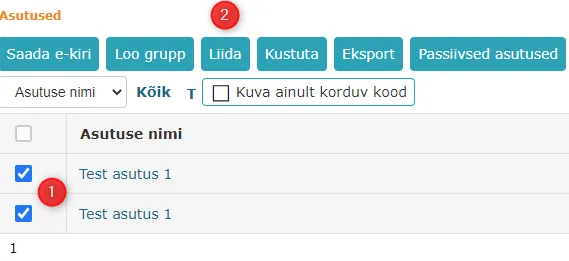
 To merge organizations, you need to add checkmarks in front of the organizations and press the Merge button.
"Show only duplicate code" is a filter that, when enabled, displays only organizations whose registry codes are duplicated. Organizations are also sorted by registry code. The filter makes it easier to find duplicate organizations.
 The organization merging view looks like this:
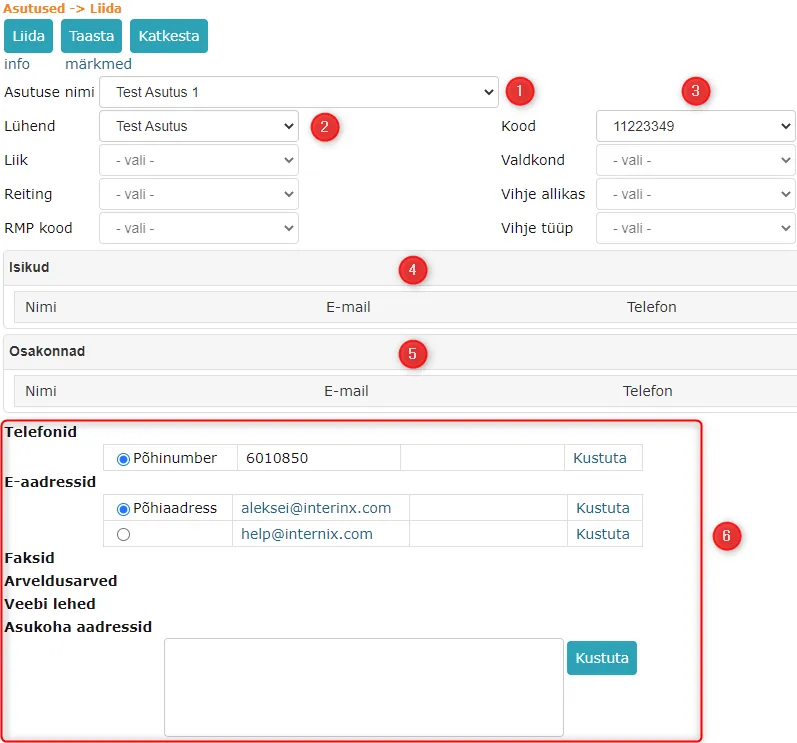 1. Organization name selection. If the organizations being merged have different names, then all these names are displayed in the "Organization name" dropdown and the user can choose which name to add the merged organization with.
2. Abbreviation selection. Similarly, all abbreviations of the organizations being merged are available for selection.
3. Registry code selection. Registry codes of all organizations being merged.
4. If persons are added to the organizations being merged, then all organization persons are displayed in this panel. If necessary, persons can be removed.
5. If departments are added to the organizations being merged, then all organization departments are displayed in this panel. If necessary, departments can be removed.
6. Contact information of merged organizations. Contact information of all organizations being merged is displayed and by default (main data) the first organization's data in the list is selected. If necessary, the main data can be changed.
1. Organization name selection. If the organizations being merged have different names, then all these names are displayed in the "Organization name" dropdown and the user can choose which name to add the merged organization with.
2. Abbreviation selection. Similarly, all abbreviations of the organizations being merged are available for selection.
3. Registry code selection. Registry codes of all organizations being merged.
4. If persons are added to the organizations being merged, then all organization persons are displayed in this panel. If necessary, persons can be removed.
5. If departments are added to the organizations being merged, then all organization departments are displayed in this panel. If necessary, departments can be removed.
6. Contact information of merged organizations. Contact information of all organizations being merged is displayed and by default (main data) the first organization's data in the list is selected. If necessary, the main data can be changed.
The dropdown is locked if there are no options in it.
When all data has been reviewed and correct selections made, press the Merge button.
In the new organization's history panel, you can see which organizations were merged. Merged organizations can be opened but cannot be modified.
 All merged organizations become passive organizations. These organizations are not visible in the Organizations module list view and are also not visible or selectable elsewhere.
Added responsible person functionality in Case module
The responsible person functionality in the Case module can be used starting from version 13.5.0.
The functionality works similarly to the Document module. If a responsible person panel is configured on the case form, then when creating a new case/modifying an existing case, the responsible person panel is visible.
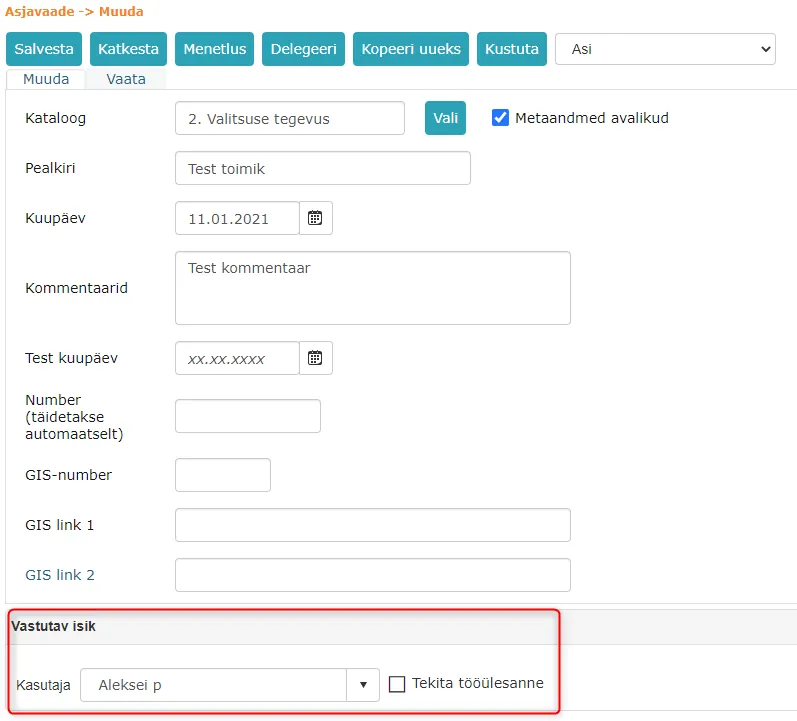 In the responsible person panel dropdown, you can select a person whom Amphora adds as the responsible person to the case file, and if you add the "Create task" checkbox, Amphora adds a processing task for completion to this responsible person.
The responsible person functionality has been added to the Case module so that it's possible to designate who deals with and is responsible for a given case.
Case templates
It's now possible to add case templates to case forms. Case templates apply to case objects and the case template is used to check whether the necessary case objects are present in the case composition.
More detailed information about case templates can be read in our guide located HERE
Fixed login when user had @ symbol in password
If a user had an @ symbol in their password and the user logged in with username and password, then Amphora displayed the following message in the upper left corner: !! username AS "password characters before @ symbol" !!
 This didn't affect the user's activities in Amphora in any way, but displaying such a notification wasn't correct.
In version 13.5.0, this small bug has been fixed.
Double-click fix in document list view
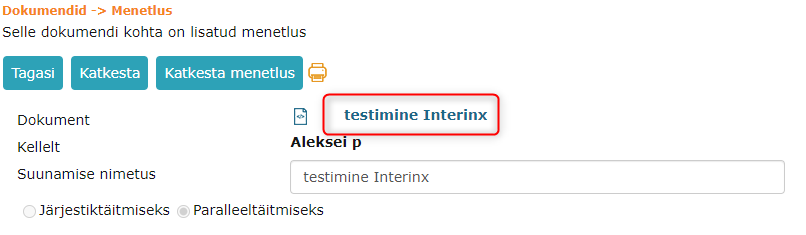
Fixed a situation where the user could open a document by double-clicking on the document title in the list view.
If the user clicked multiple times on the document title in the list view, then Amphora opened this document in an incorrect form. When opening the document, the Public metadata and Public file checkboxes were missing, the Document type dropdown value, Text editor content, and in the Restrictions panel, the access restriction basis and discloser.
In version 13.5.0, it's no longer possible to click multiple times on the document title in the list view. After the first click, Amphora makes the title inactive.
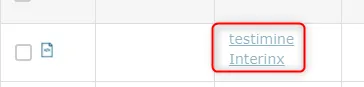 However, this bug still exists in Amphora. You definitely shouldn't click anywhere else in Amphora (for example, on another document title or module) after clicking on a document title before the document opens.
Additionally, you shouldn't double-click on the document title in the process/delegation detail view.
Google Authentication
Google account authentication (login) has been added to Amphora. Users can link their Amphora user with a Google account and log into Amphora using the Google account.
Google account authentication is only possible at Premium and Elite levels. In organization settings, this must first be enabled Admin -> Organization settings -> General settings -> "Activate Google authentication (Only for Premium and Elite users)"
To link with a Google account, you need to open Admin module -> Personal settings -> Authentication and SSO panel.
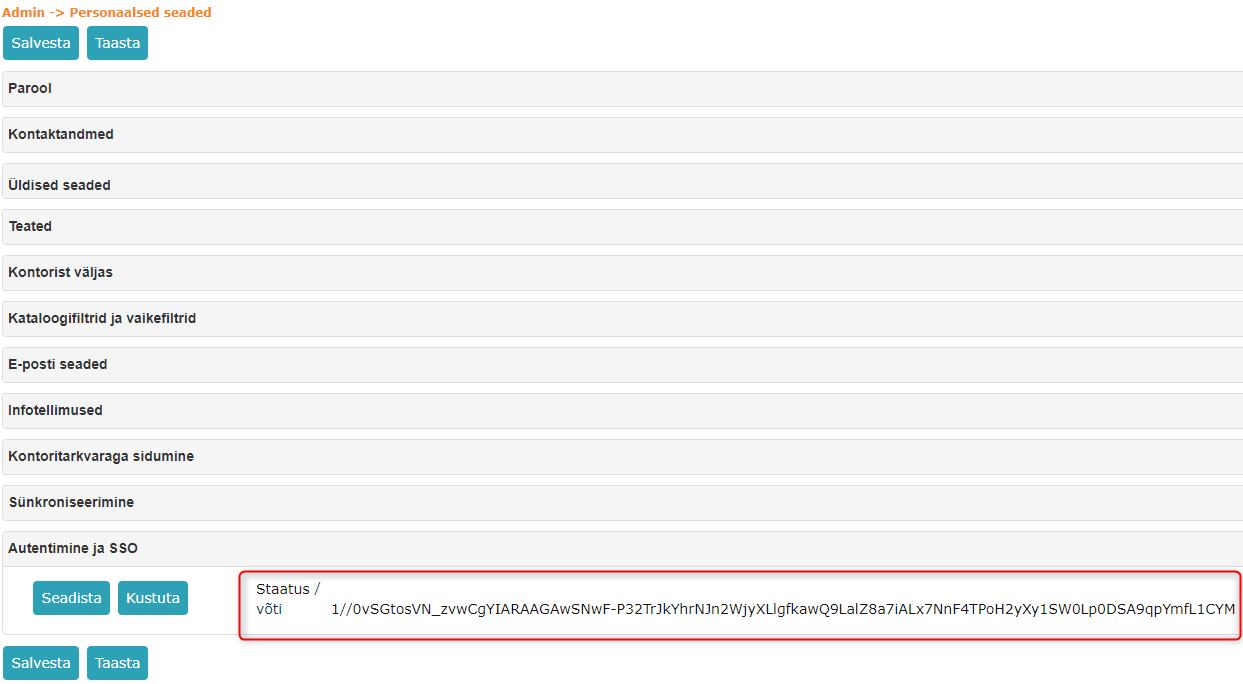
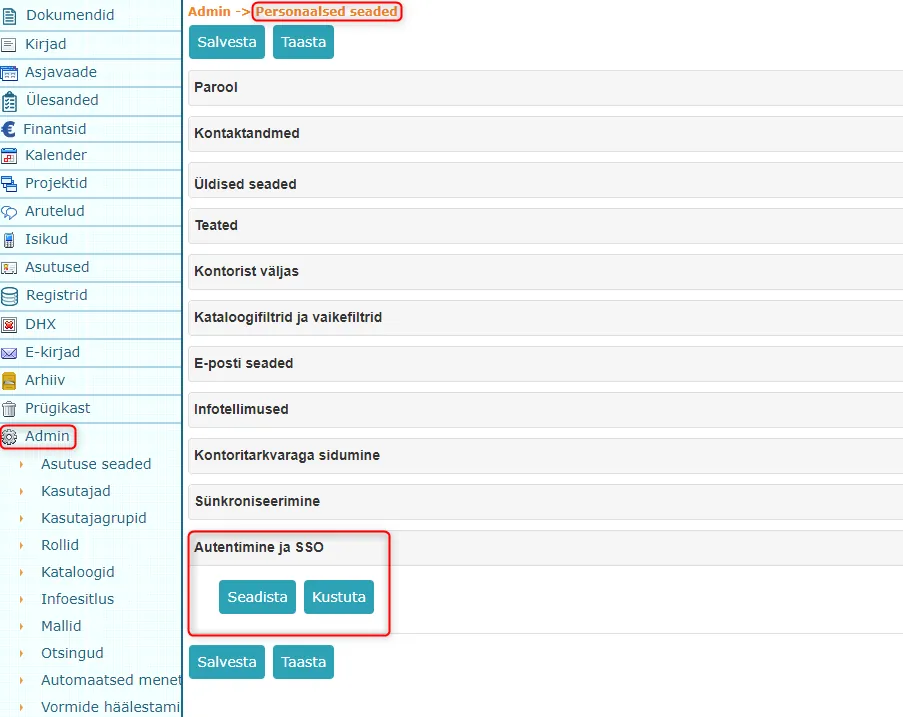 By pressing the Setup button, a Google account selection/addition view opens where you need to select an existing Google account or add a new one. Once this is done, the user is taken back to Amphora and the Status key appears.
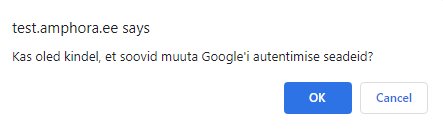
 If the Amphora user is already linked with a Google account, then when adding a new setup, Amphora displays a confirmation window.
 Once the status key is visible, press the Save button at the top or bottom.
NB!
Currently, it's not possible to remove an already added Google account through the user interface. Please contact Amphora customer support with this question.
NB!
We recommend explaining to users before enabling the setup that they should enable two-factor authentication on their Google accounts.
Sales invoice PDF generation fixed
For imported sales invoices, it wasn't possible to generate PDF if VAT was missing (empty field). In this version, this bug has been fixed and PDF generation works correctly.
Homepage report results export to Excel enhanced
On the homepage in the Reports panel, it's possible to export report results to different formats. There were some minor problems with Excel in previous versions, which have now been fixed.
- Excel file compilation has been redone. Now when downloading and opening an Excel file, Office no longer displays an error message.
- Object numbers in the Excel file are in correct format. Previously, Excel displayed some numbers as years.
Number display in public view object view fixed
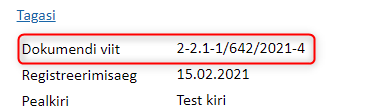
When updating the public view, there was an error in displaying object numbers in the public view. Namely, in the object detail view, Amphora didn't display the response document number (-1) and suffix.
In version 13.5, this bug has been fixed and from now on, numbers are displayed correctly in the public view.
Homepage optimizations
Some users have recently reported that homepage opening is slow. We analyzed and identified some areas that needed optimization.
- The Calendar panel made homepage opening slow if there were many calendar events in the environment.
- The Assignments panel made homepage opening slow. The problem was displaying object numbers.
Both speed problems were solved in this version.
Documents and cases opening optimized
Starting from this version, opening documents and cases should be faster than before. The speed difference should be noticeable in environments with many different forms.
E-mail sent file name fixes
Some recipients of e-mails sent from Amphora have reported that they cannot open sent files.
The problem was with files whose names contained non-ASCII symbols (diacritical marks, Word quotation marks, special symbols, etc.). For example, Document „Test".asice sent from Amphora arrived as Document b.dat, which cannot be opened in any way. Additionally, there was a problem with diacritical marks. Diacritical marks were replaced with symbols.
In version 13.5, this problem has been fixed and files sent by e-mail from Amphora always arrive in correct form.
Finance module filtering and export changes
In this version, date column filtering has been changed in the finance module. Two date fields (Start and End) have been added.
This change was primarily made so that it would be possible to search for invoices from a specific period (for example 01.01.2020 - 31.12.2020). The change has been made in both purchase invoices and sales invoices views.
Both start and end dates need to be entered and then Enter pressed to apply the filter.
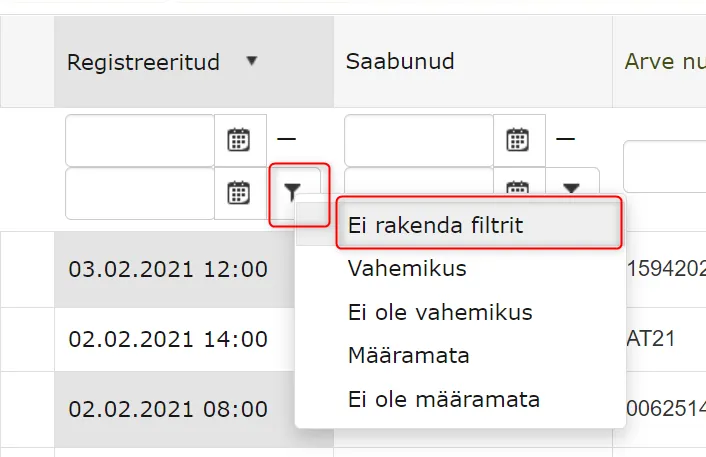 To cancel the filter, click on the filter icon and select Don't apply filter.
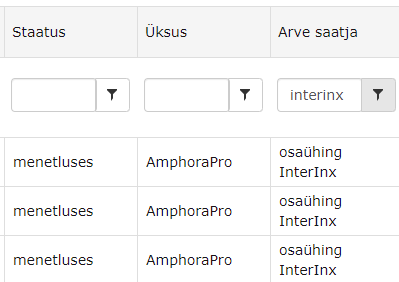
Additionally, an Invoice sender column has been added to the sales invoices view, by which sales invoices can be filtered and the Invoice sender information is available during export. A useful addition for environments with multiple organizations sending sales invoices.
 The export button has been moved to the same line where other buttons are located (previously export buttons were inside the table on the right). When pressing the Export button, export options open: XLSX and CSV.

Original document "Title on web" is added to response document
When responding to a document, Amphora previously always added the original document's internal environment title as both the response document title and the "Title on web" field. This created problems because the internal environment title could contain data that shouldn't be visible in the public view. The user always had to check and if necessary correct the Title on web when creating a response document.
In version 13.5, this problem has been solved. When creating a response document, Amphora always takes the original document's Title on web.
Original document titles:
 Response document titles:

Google translate translation support
Google translate support automatically translates:
- Form field names and DropDownList, CheckBoxList, RadioButtonList options.
- Report names and report table columns.
- All missing translation words in all Amphora languages
Field name and dropdown options in Estonian Amphora:
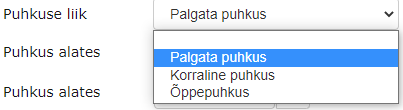 Field name and dropdown options in English Amphora:
 Report name and column names in Estonian Amphora:

 Report name and column names in English Amphora:

 Google translate support has been added so that users don't have to manually enter translation equivalents in all languages in a multilingual environment.
Amphora is now usable in all eight languages: Estonian, English, Russian, Latvian, Lithuanian, Finnish, Swedish and Greek.
E-mail module response templates
E-mail module response templates can be used directly in the E-mail module when responding to e-mails. When composing a response, the template text is displayed in the text editor. These templates only work when composing responses and don't work when composing new e-mails.
E-mail templates can be used, for example, to send standard responses to e-mail senders. From template elements, the ::SOURCE.EDITOR:: template element works, which allows transferring the original e-mail content to the response text editor.
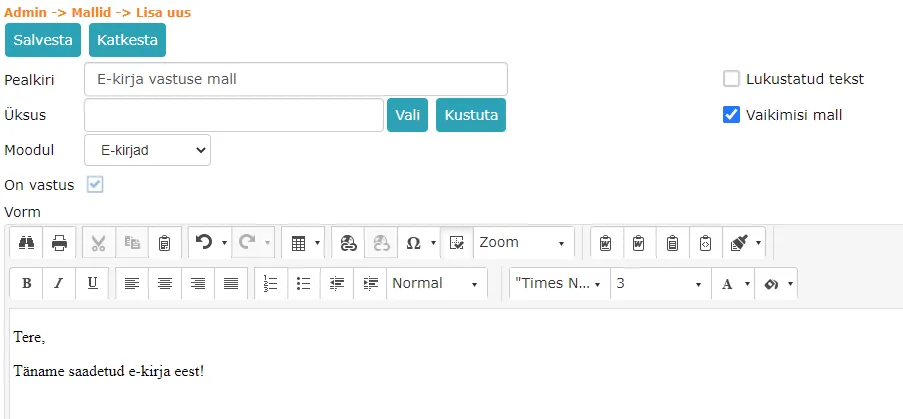
An e-mail template can be added at Admin -> Templates -> Add new.
In the template addition view, you must enter the template title, select E-mails as the module, and Default template must be selected. If default template is not selected, then the added template cannot be used.
A correctly configured e-mail template looks like this:
Sorting in public view "Correspondence" tab fixed*
The problem occurred in environments that have Document and Correspondence modules connected.
Sorting in the "Correspondence" tab was done by last modification date. When older letters were modified, these letters immediately appeared on the first page.
In version 13.5, sorting has been developed by initial creation date.
Search in public view "All" tab enhanced
In the public view "All" tab, it's now possible to search for documents by delivery panel data (for example, recipient or sender data).
In previous versions, such a possibility didn't exist and it was only possible to search for documents by delivery panel data in the "Correspondence" tab.
Other changes
- Updated Telerik components 2020.3.915 -> 2021.1.119.
- WebDAV server components v6.1.4325 -> v11.0.10281.
- Fixed synchronization of events to Google calendar.
WebDAV is used for direct opening and editing of files in Chrome, Edge and Firefox browsers.
NB!
Due to WebDAV component updates, a new WebDAV (IT Hit) software version is also available. It can be downloaded from Chrome Webstore
Amphora works with older WebDAV software (from ver. 5.16), but we still recommend updating the component.
Version 13.5.1
Case object ordering fixed
In version 13.5.0, it wasn't possible to order case objects. Ordering with numbers and arrows didn't work.
In version 13.5.1, we fixed this bug and now case object ordering works correctly with both arrows and numbers.
Last modified: 09 October 2026, 10:25:03