Amphora 15.4 Version Guide
- Version 15.4.0
- Enhanced archiving of document (contract) attachments
- State SSO service (GovSSO)
- Data export added in Case view module
- When sending document through Transmissions panel, saving now occurs instead of registration
- Fixed public view link generation for objects
- Fixed case selection in archive file composition
- Fixed adding procedure/delegation where task was missing task type
- Destruction act changes in Archive module
- Added validation error display at top of page on document and case forms
- Fixed display of procedure tasks in document/case view
- Fixed Case view module search
- Logging of "Out of office" panel data
- Fixed deletion in Trash module
- Other changes
- Version 15.4.3
- Added user group policy change log
- Enhanced completion of signing tasks
- Fixed Number field validator when registering document draft
- Fixed adding comment to rejected task
- Task reminders are now deleted together with task deletion
- Fixes related to document registration via Spoku and E-service
- Other changes
Version 15.4.0
Enhanced archiving of document (contract) attachments
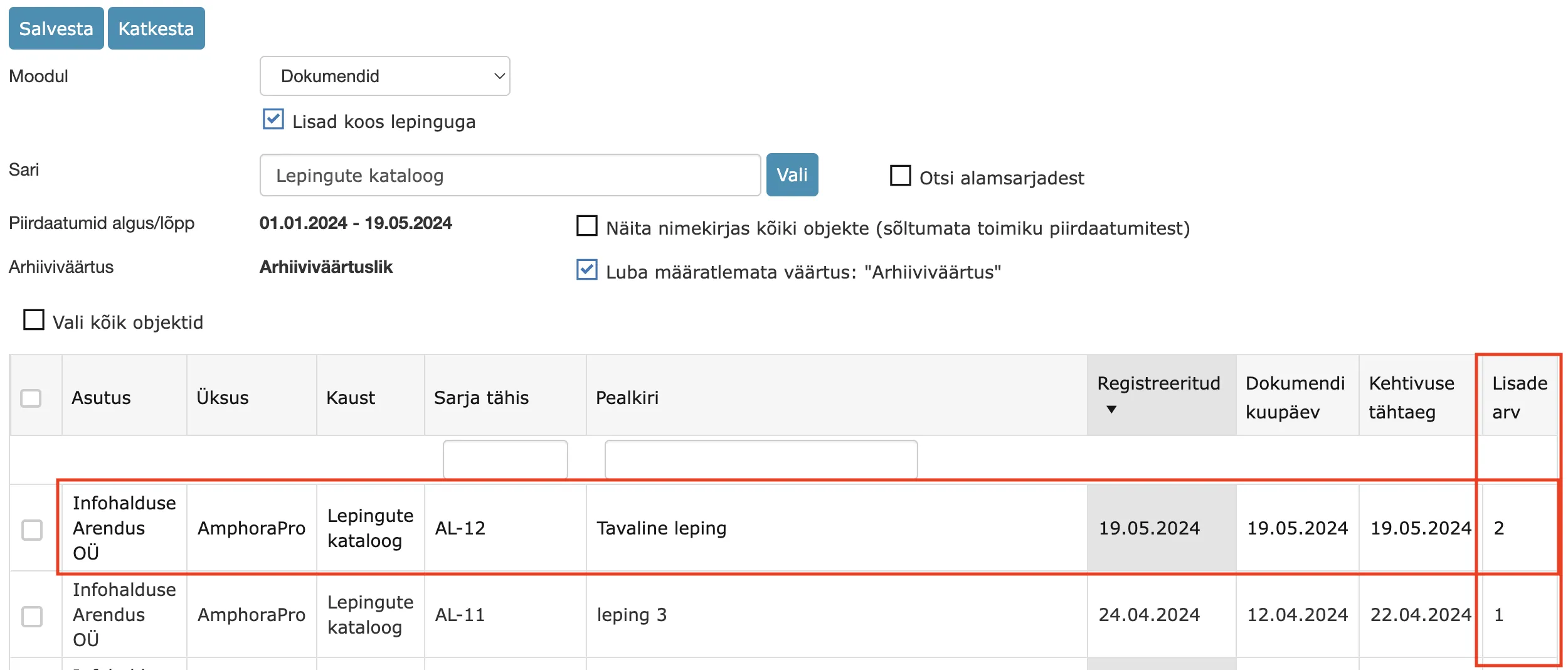
When composing an archive file, new functionality was added in this version – it is possible to select a document and all attachments related to this document at once. This functionality significantly simplifies document search and their addition to archive file composition.
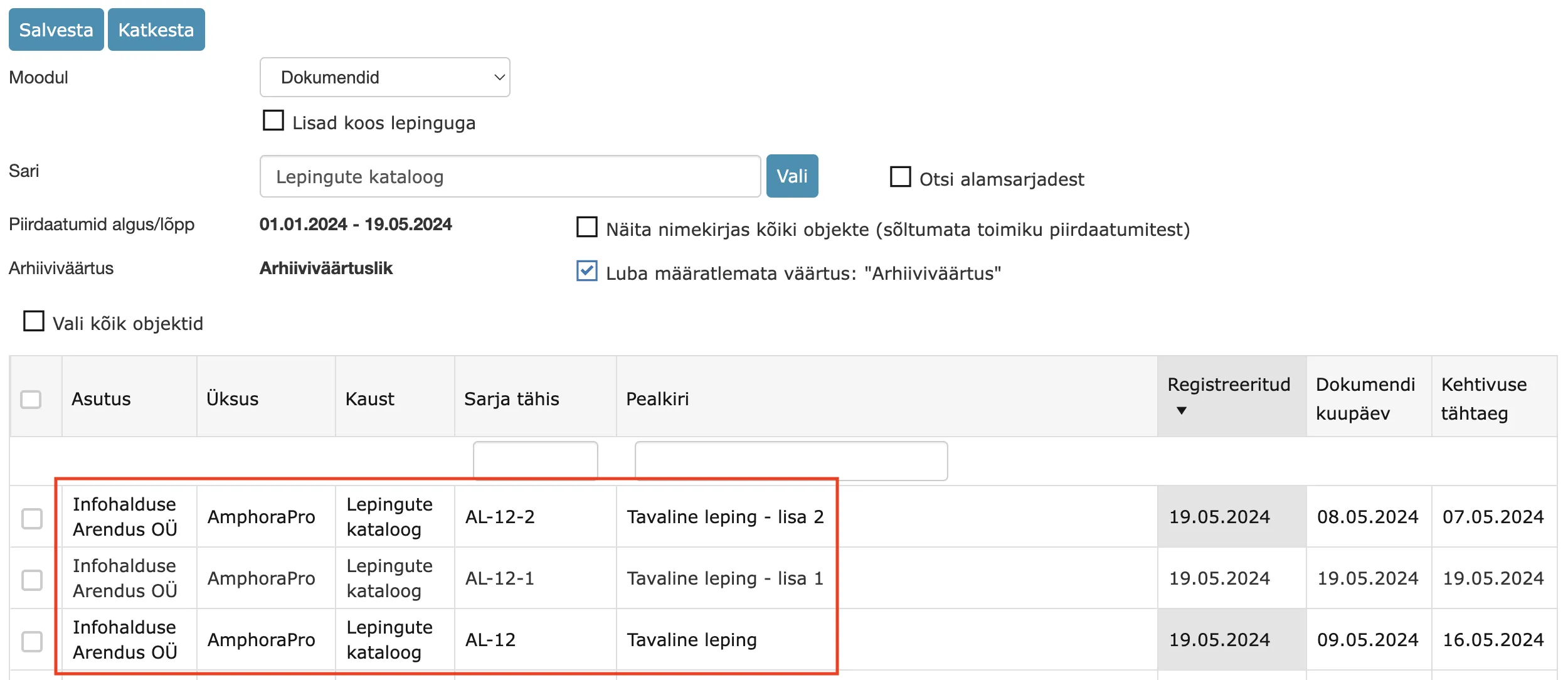
A new checkbox "Attachments with contract" was added to the archive file object search view. When this checkbox is added, Amphora displays only the original document in search results (does not display document attachments separately). Amphora considers the validity date of the contract and attachments (takes as basis the MAX validity time of the original document and attachments) and adds the original document (main contract) and attachments to the archive file at once. In addition, a new Number of attachments column has appeared, which displays the number of attachments related to a specific document.
Attachments with contract checkbox is enabled:
Attachments with contract checkbox is not enabled (works as before - displays both the original document and document attachments separately):
** This development was supported by Amphora client Saue Municipality Government. ** ** Thank you! **
State SSO service (GovSSO)
Starting from version 15.4, the State SSO service (technically called GovSSO) was added to Amphora.
The State SSO service (technically called GovSSO) is a centrally provided service by the Information System Authority, with which an institution can authenticate ID-card, mobile-ID, smart-ID and European Union eID users with single sign-on in their e-service.
You can read more about this service and joining HERE.
NB!
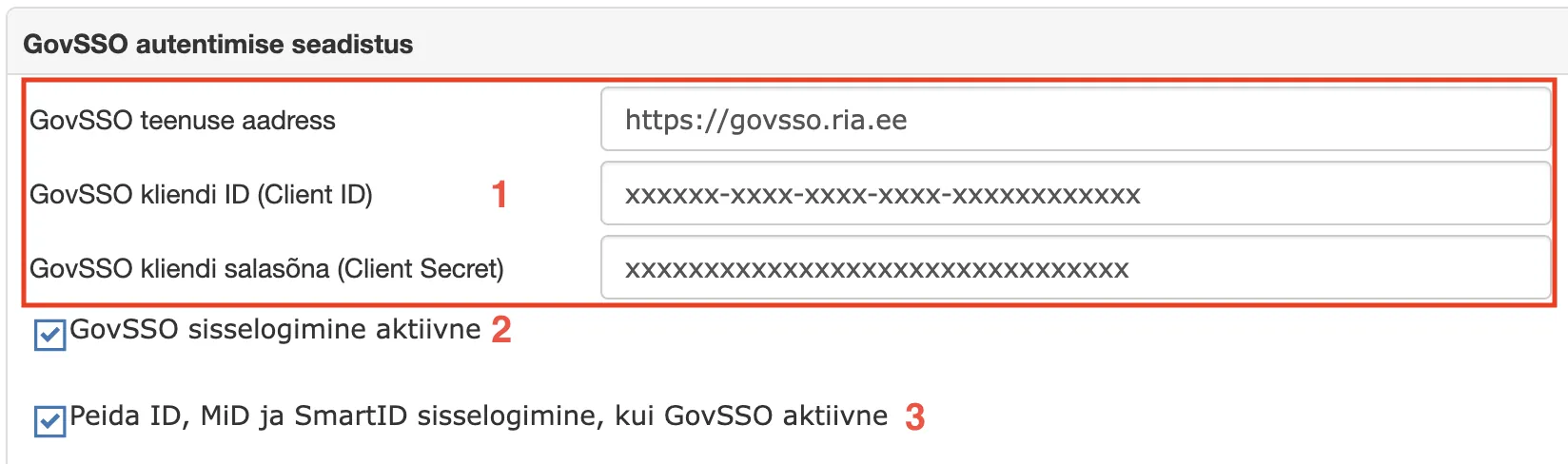
To use this service, the institution must send an application to RIA. When the application is sent and RIA has sent back an encrypted envelope, then the necessary configuration must be made in the Amphora environment. For this, you need to open Admin - Institution settings - GovSSO authentication setup (panel) and enter GovSSO service address, client ID (Client ID) and client secret (Client Secret) (1).
In addition, to activate the service, you need to add the GovSSO login active checkbox (2).
GovSSO setup view in Amphora environment:
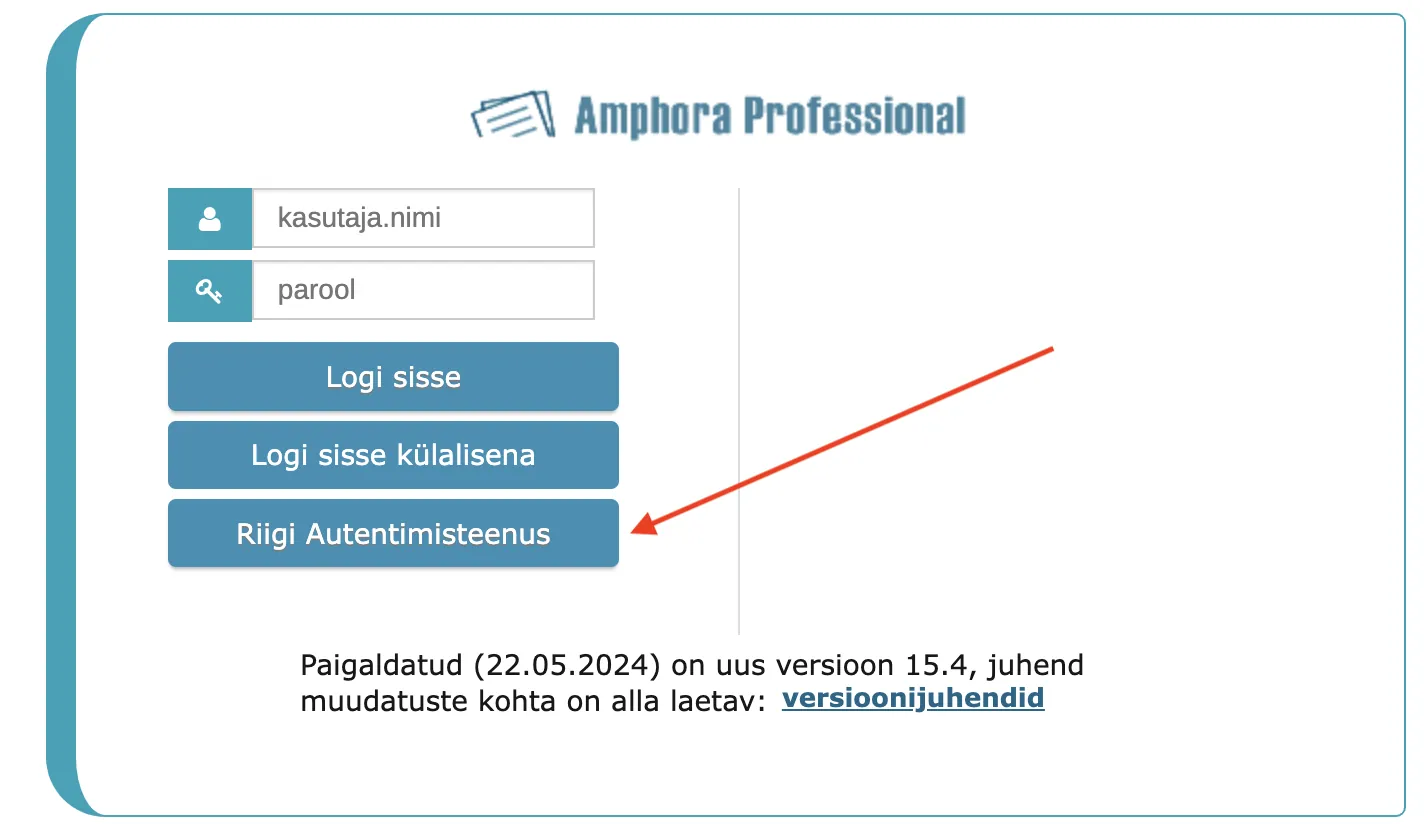
When the setup is done and the service is activated, you must test authentication in both the Amphora internal environment and the Self-service Portal. In the Amphora internal environment login page, a separate State Authentication Center button appears for authentication.
In the Self-service Portal, a separate State Authentication Center button also appears for authentication.
If authentication works, then the regular authentication buttons (ID-card, Mobile-ID, Smart-ID) should be hidden. This can be done in the Admin - Institution settings - GovSSO authentication setup panel - you need to enable the Hide ID, MiD and SmartID login when GovSSO active checkbox (3).
Data export added in Case view module
In the Case view module, it is now possible to export a list of cases in a catalog. In addition, it is also possible to export search and quick query results.
To export case data, you need to select a catalog/perform a search/run a quick query and click on the "print" icon.
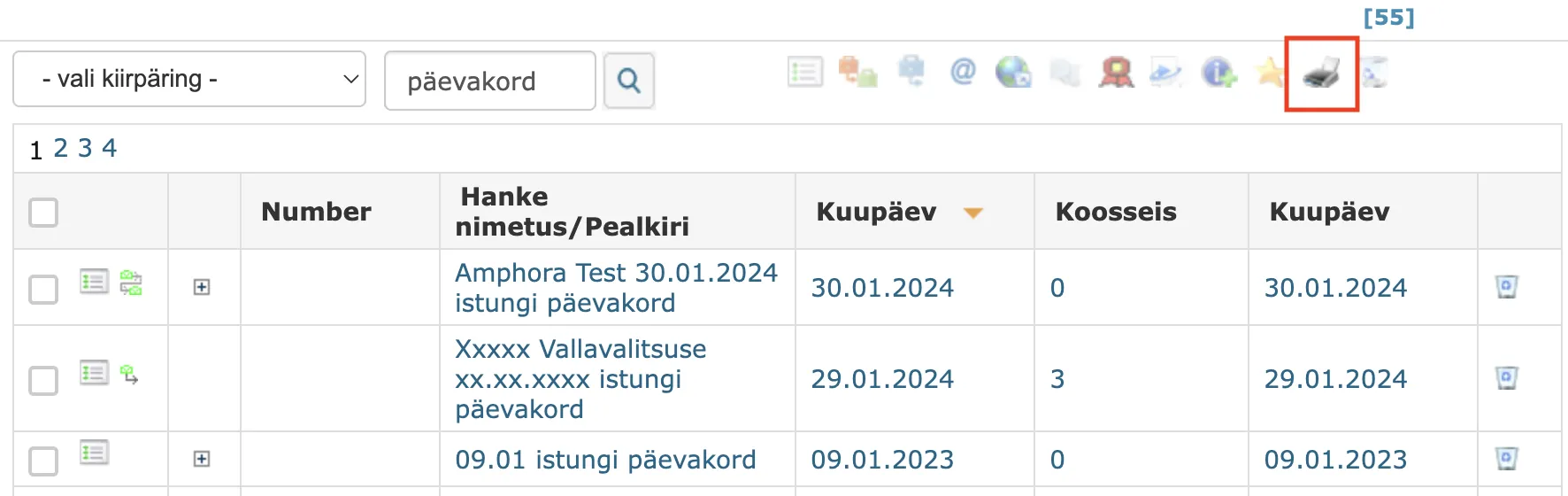
We added two new buttons to the print view - Excel and Word export buttons.
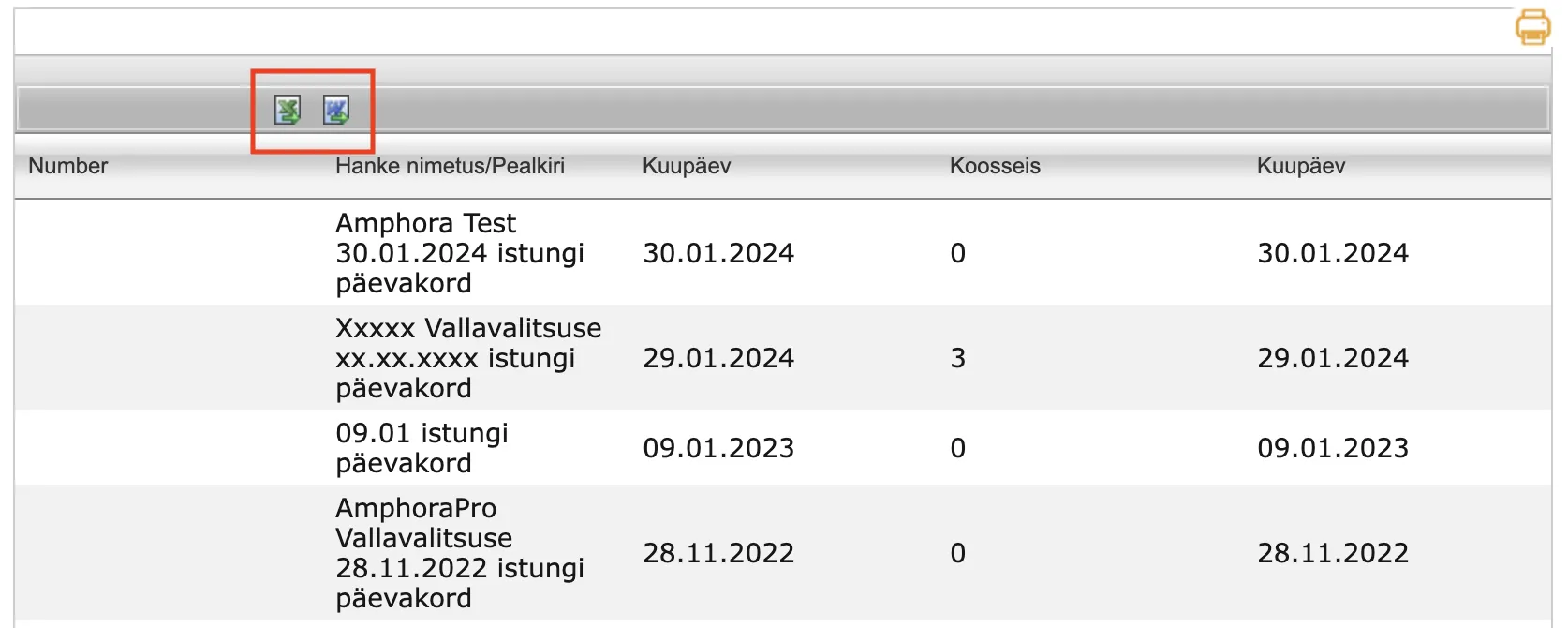
All columns that are visible on the screen are exported.
** This development was supported by Amphora client Harku Municipality Government. ** ** Thank you! **
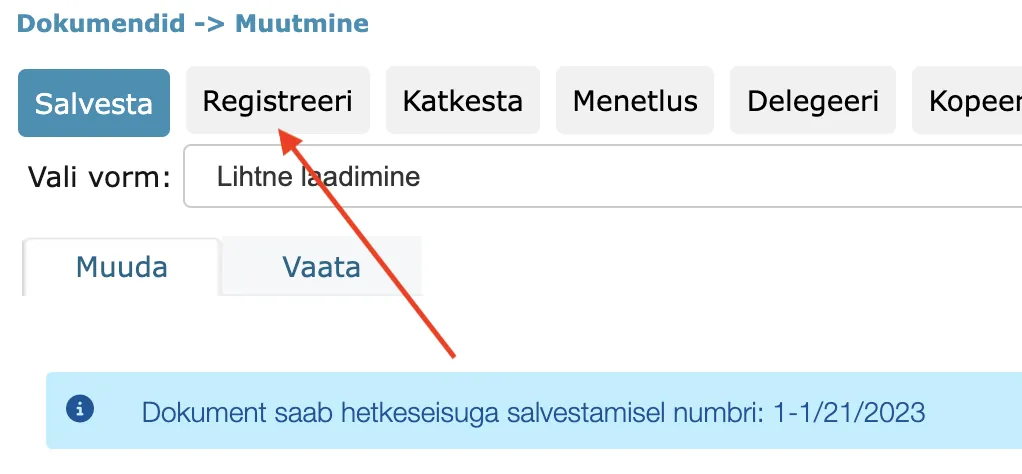
When sending document through Transmissions panel, saving now occurs instead of registration
This change only affects documents that are saved as drafts. When sending a document saved as a draft, Amphora now saves the document. Previously, Amphora registered the document and the document immediately got a number according to the counter. In the future, the user must manually press the Register button for the document to get a final number.
Fixed public view link generation for objects
The object's public view link consists of the object ID and also the institution ID. The object's public view link can be found in the object's own view or, for example, in the list view, by clicking on the "globe" icon.

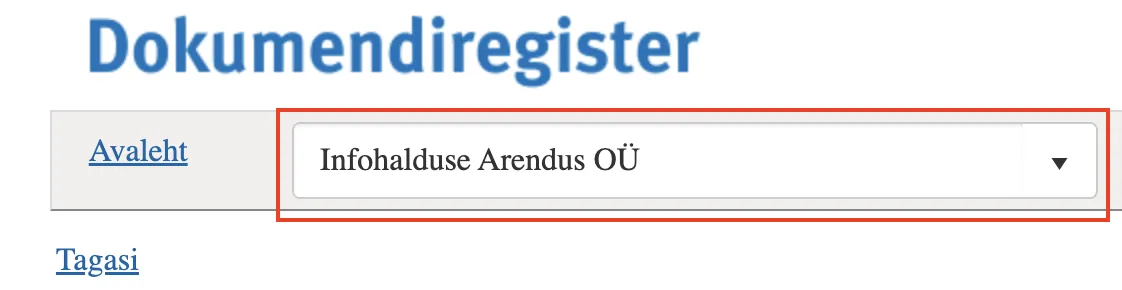
In previous versions, Amphora generated the object's public view link based on the user's unit. Now, when composing the object's public view link, Amphora uses the location (catalog) institution.
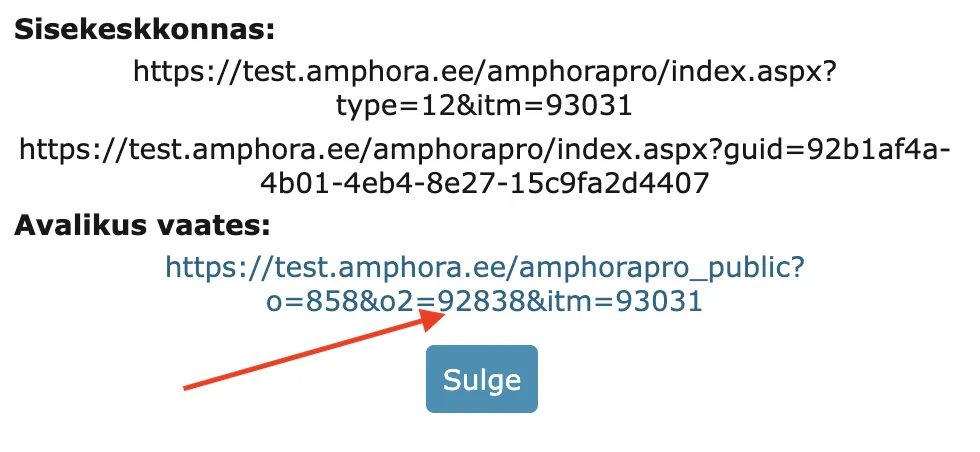
Therefore, when opening the object in the public view, the correct institution is selected by default.
Fixed case selection in archive file composition
Starting from version 15.4, it is possible to select cases in archive file composition where some case objects are archived within another archive file. Previously, such cases did not appear visible in the search. Archived case objects are not displayed and not added to the file. In addition, a control has been added to prevent multiple archiving of case objects if the object is already in the archive.
Fixed adding procedure/delegation where task was missing task type
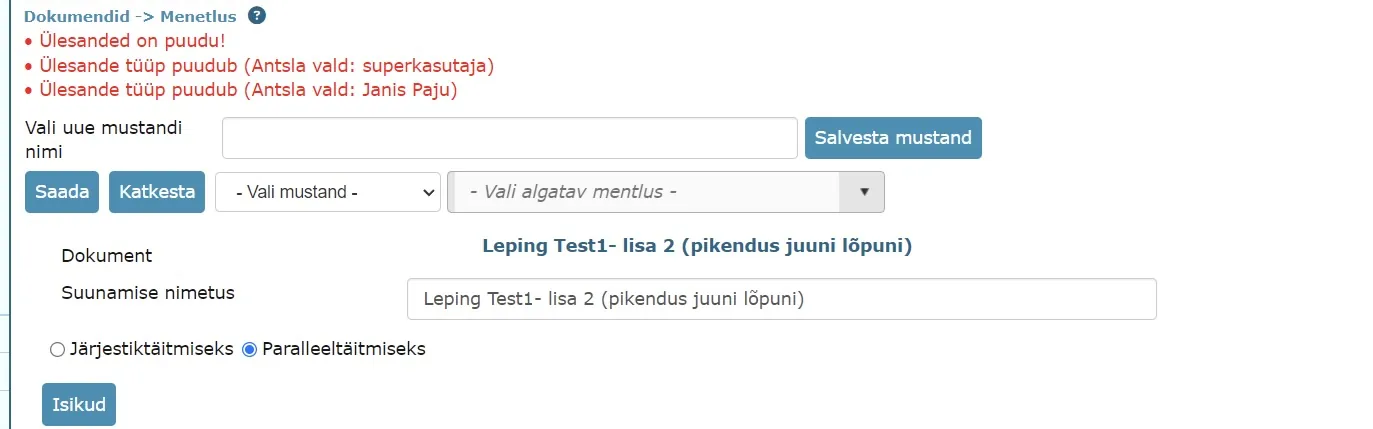
Recently, our clients have increasingly turned to us with a problem where procedure or delegation tasks are missing the task type and these tasks have a gray background color in the Routing panel. This essentially means that it is a faulty procedure or delegation. To avoid such problems in the future, we added a control that does not allow adding a procedure/delegation where task types are missing for some reason. Amphora also displays the corresponding error message.
Destruction act changes in Archive module
- Three fields of the destruction decision (given archive, number and date) have been replaced with one field Assessment decision data.
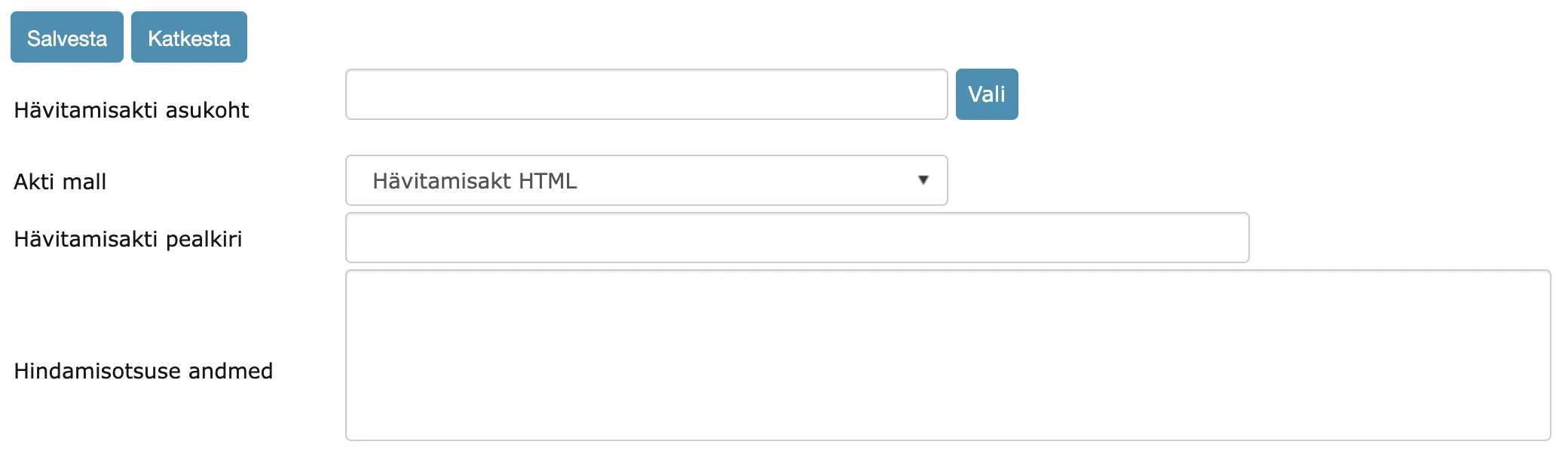
- For the new Assessment decision data field, a new template element ::DisposalDecisionInfo:: has been created, with which this field's information reaches the template.
- Added new template element ::DisposalYear:: which replaces the double same year number in archive file periods ("2020" instead of "2020-2020"). ::DisposalMinYear:: and ::DisposalMaxYear:: template elements remain and these template elements can be used further.
- Added new template element ::ActDocumentNumberNoSufix:: which adds the destruction act number without suffix (suffix usually contains the year). ::ActDocumentNumber:: template element, which adds the entire destruction act number with suffix, remains and can be used similarly.
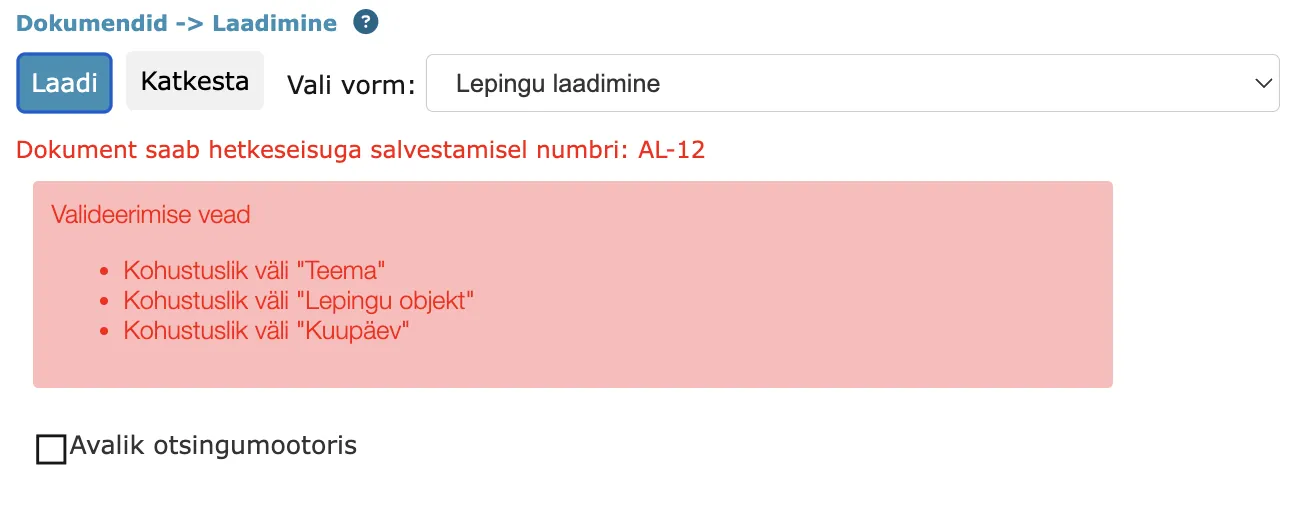
Added validation error display at top of page on document and case forms
Often our clients have complained that Amphora does not allow saving/registering a document or case and it was difficult to understand what the reason was. Usually the reason was an unfilled mandatory field. Previously, detecting this was not very simple, because Amphora displayed the corresponding notification only next to the specific form field.
In version 15.4, Amphora now displays the unfilled mandatory field notification at the top of the page. The user can now immediately understand which mandatory fields are unfilled.
Fixed display of procedure tasks in document/case view
Rarely, a problem could occur where Amphora displayed procedure or delegation tasks in the document or case view, but these tasks were actually deleted (located in the Trash module and marked as deleted in the database). These tasks were not visible in the user's Routing panel. We added a control that no longer allows displaying procedure or delegation tasks if they have been deleted.
Fixed Case view module search
The Case view module search in previous versions did not consider the catalog filter. This means that when a user selected a specific catalog and ran a search, Amphora searched for cases from all catalogs.
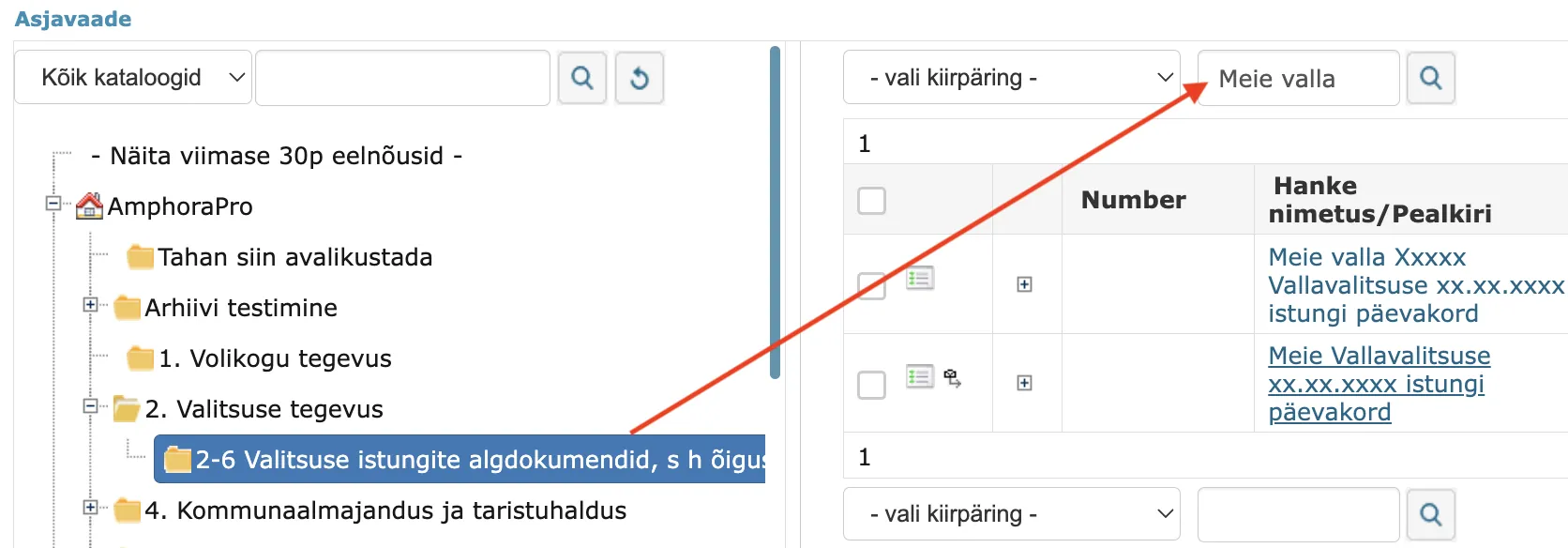
In version 15.4, we enhanced the Case view module search. In the future, Amphora considers the selected catalog (the module search in the Documents module has worked with the same principle for a long time).
Logging of "Out of office" panel data
In user personal settings, there is an "Out of office" panel where the user can mark their vacation time and assign a substitute. Previously, Amphora did not log changes in the "Out of office" panel, which made investigating various problems much more difficult, as there was no information about what data was previously entered. Starting from version 15.4, Amphora logs all "Out of office" panel changes. Administrators can see these logs in Admin – Institution settings – Logs.
Fixed deletion in Trash module
Deletion in the Trash module was somewhat buggy in previous versions. In some situations, after deleting objects, Amphora did not refresh the view, so deleted objects were still visible on the screen. Only after page refresh did the deleted objects disappear. This bug has been fixed in this version.
In addition, we added rights control to object display in the Trash module.
Other changes
- In the Persons module, the Merge button has been hidden because the person merging functionality currently does not work.
Before:
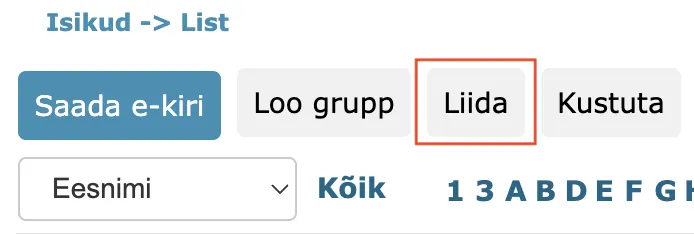 Now:
Now:
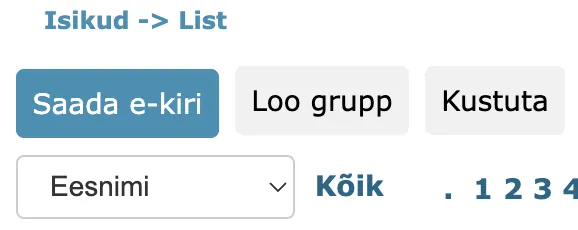
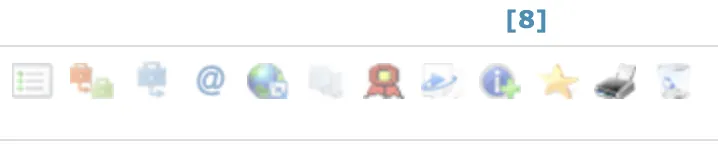
- In the Case view module list view, the green "Export" button has been hidden because the export functionality in the Case view module currently does not work.
Before:
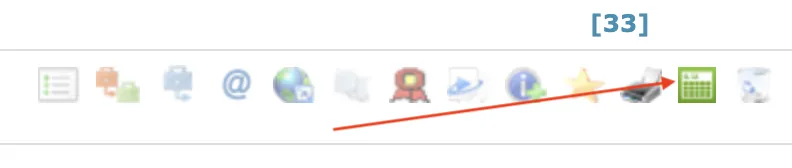 Now:
Now:
- Global search input box width now 100% usable (previously text was cut off halfway). In addition, in some situations, the cancel button was not visible after searching.
Before:
 Now:
Now:

- Signature container dismantling enhanced. Some signatures (Latvian citizens' signatures) were not visible in the Signatures panel after dismantling the signature file. Starting from version 15.4, this problem has been fixed.
- Fixed discount display in invoice detail view - error occurred when the discount in XML was a positive number.
- PDF updating no longer occurs automatically when saving and sending invoices if it was an imported sales invoice and PDF was present (forwarding invoices imported from PMEN). With policy, you can make the PDF creation button visible (you can manually update the PDF). Policy name - PDF file generation.
Version 15.4.3
Added user group policy change log
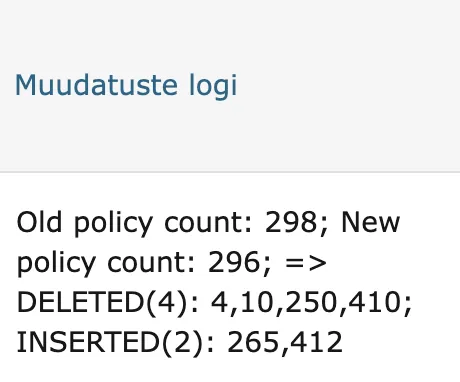
Starting from version 15.4.3, user group policy changes are logged. Both removed and added policies are logged. In addition, you can see who made these changes.
These logs are visible to administrators in the Admin – Institution settings – Logs view. Instead of policy names, policy IDs are displayed to the administrator. These logs are primarily intended for Amphora client support to make it easier to solve client support problems.
Enhanced completion of signing tasks
In the future, Amphora completes signing tasks only when the document actually has the user's signature. Also added control so that Amphora does not add an empty signature container (very rarely an empty signature container can occur during mass signing). Therefore, if for some reason the user fails to add a signature, Amphora does not complete the signing task and the user can sign again after some time.
Fixed Number field validator when registering document draft
On document forms, it is possible to mark the Number field as mandatory (both when saving and when registering). The problem occurred specifically with registration. If a document was saved as a draft and the Number field on the form was marked as mandatory for registration, Amphora did not allow registering such a document draft in a situation where the document was supposed to get a number according to the counter. The following notification was displayed - Mandatory fields for registration are unfilled! Therefore, it was not possible to register the document in such a situation.
In version 15.4.3, this problem has been fixed. If the document gets a number during registration (either according to the counter or manually added number), then Amphora now allows registering such a document.
Fixed adding comment to rejected task
The fix is related to the functionality added in version 15.3 - Task rejection.
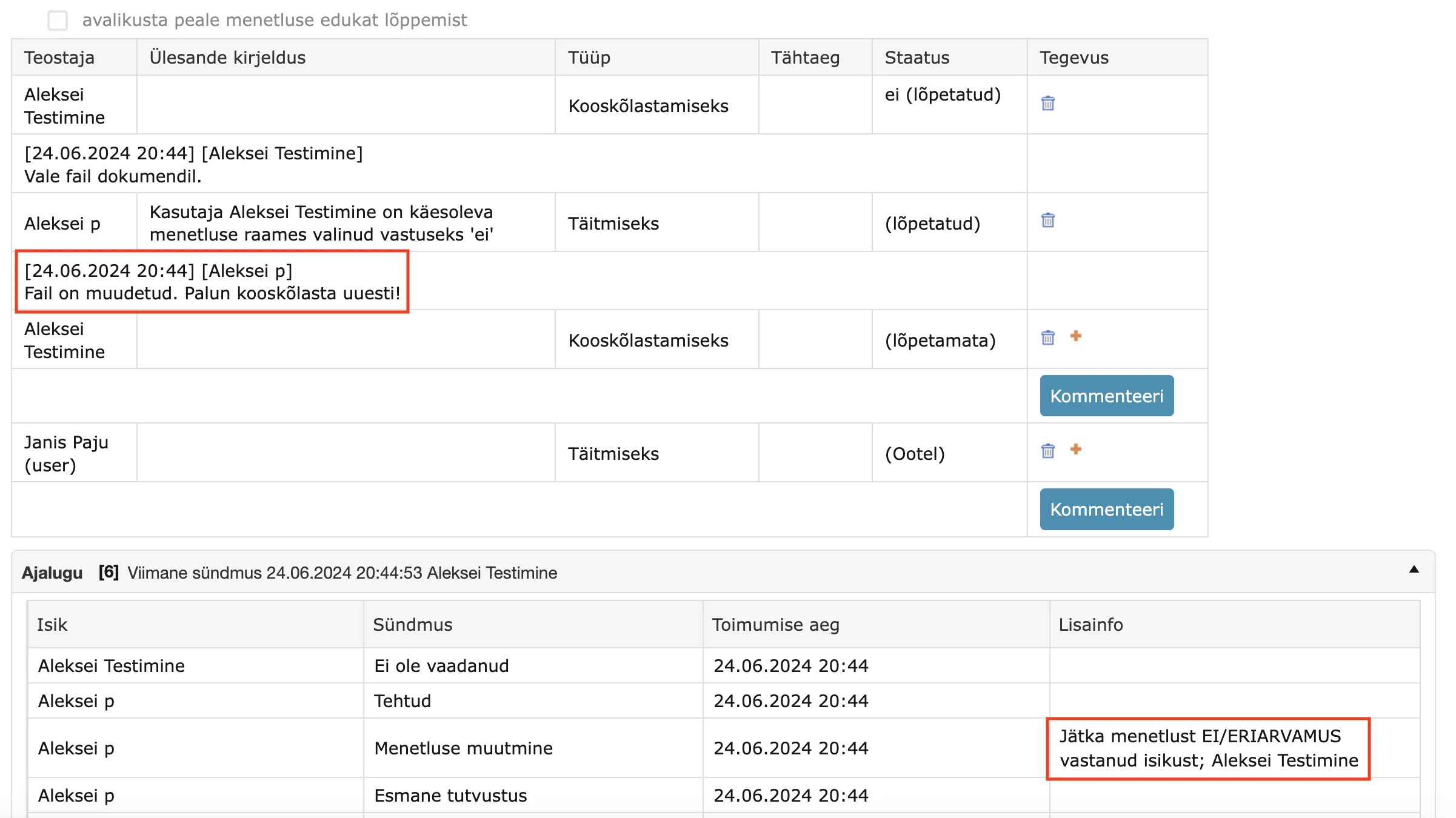
Adding a comment to a rejected task did not work before. The problem was caused by the selection information being added on top of the comment. Therefore, the previously added comment was replaced with the selection information and the comment information was lost.
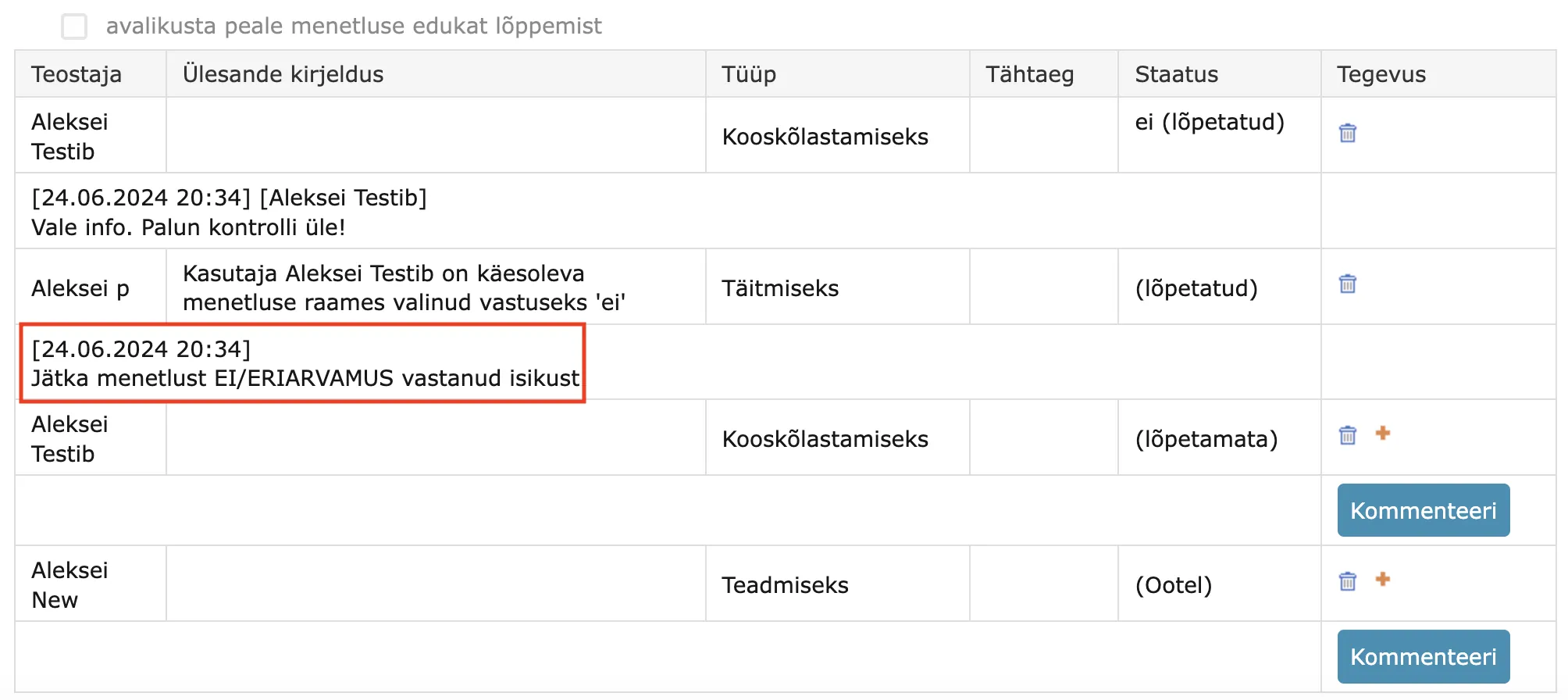
Starting from version 15.4.3, the selection information is now added to the procedure/delegation history panel. The added comment now remains.
Task reminders are now deleted together with task deletion
In Admin – Institution settings – General settings, it is possible to configure procedure and delegation task reminders. If the corresponding setting is made and the task has a deadline, then Amphora creates reminders when creating the procedure/delegation, which it sends out in the future.

In previous versions, Amphora did not delete reminders in situations where the procedure/delegation or individual task was deleted. This created a situation where the user received an email notification about an unfinished task, but this task no longer existed in Amphora. In version 15.4.3, this bug has been fixed and reminders are deleted together with the procedure or delegation task.
Fixes related to document registration via Spoku and E-service
- Fixed bug where the case rule disappeared in the registration profile. This bug occurred when a document with an updated form (some form field was deleted or changed) arrived in Amphora via Spoku or E-service.
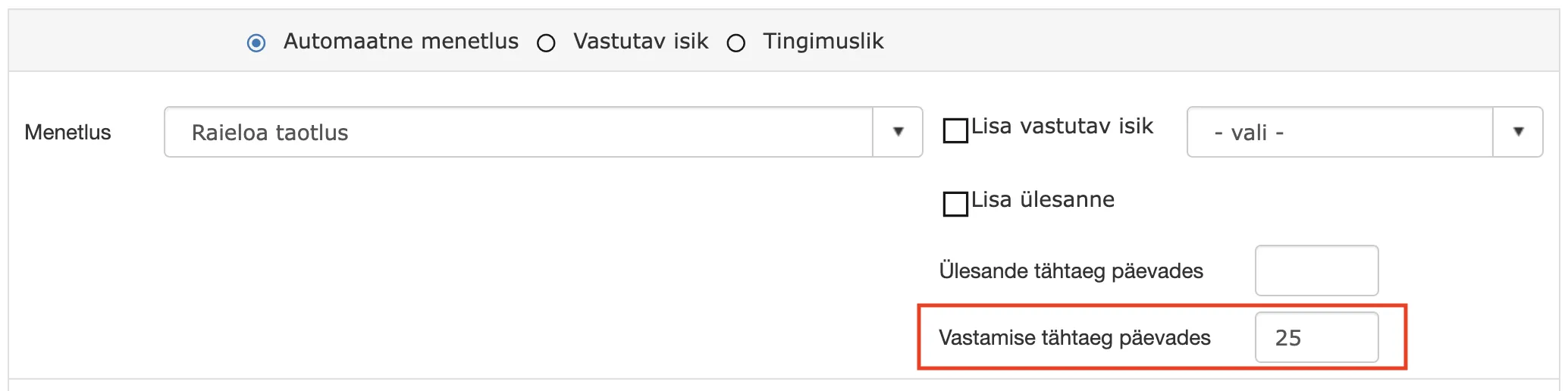
- Fixed Response deadline in days field functionality in the registration profile Automatic procedure selection. In previous versions, Amphora did not add the date when registering the document if the responsible person was not selected and the Add task checkbox was not added. This logic was not correct, because Response deadline in days is not related to the responsible person in any way.
Other changes
- Fixed adding cases to archive files. If documents added to the case composition got a new version after being added to the case composition, this case might not appear in archive file search results in some situations.
- When sending a sales invoice, the invoice.regNumber field value is automatically added if it is missing (without it the invoice does not reach its destination).
Last modified: 09 October 2026, 10:25:03