Amphora 14.1 Version Guide
- Version 14.1.0
- Displaying sender name in Routing panel
- Archive developments
- Additional field added for contract annexes
- Document printing in Firefox browser has been fixed
- Page refresh disappeared when publishing additional files
- "Pending email notifications" report enhanced – Error column added
- Dimension values (Invoices module) archiving now working
- DHX icon removed from Documents list view/Document edit view
Version 14.1.0
Displaying sender name in Routing panel
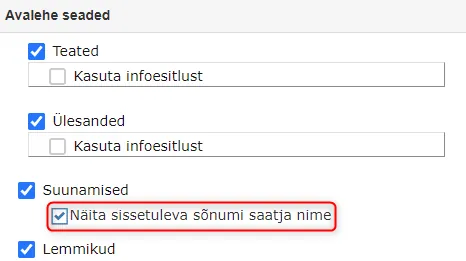
Added the ability to display the sender institution and/or person name of a received document (Inbound routing delivery) in the Routing panel. Sender data is displayed in the Work column. If the sender data contains both institution and person name, then the data is displayed in the format – Person name (Institution name).
 This is a configurable functionality. The setting is located in Admin -> Institution settings -> Front page settings, "Show incoming message sender name" checkbox.
 ** The implementation of this development was supported by Amphora client Saue Municipality **
** Thank you! **
** The implementation of this development was supported by Amphora client Saue Municipality **
** Thank you! **
Archive developments
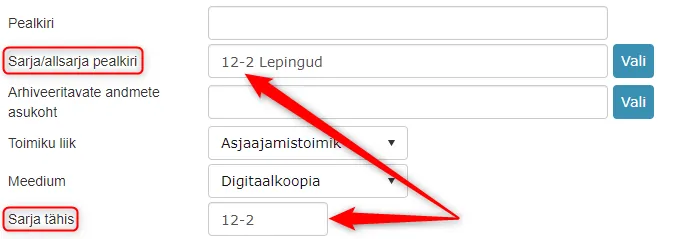
- Terminology changes: Number -> Series designation Catalog -> Series/subseries title
- When selecting a series, Amphora now automatically adds the series designation if it exists in the catalog.
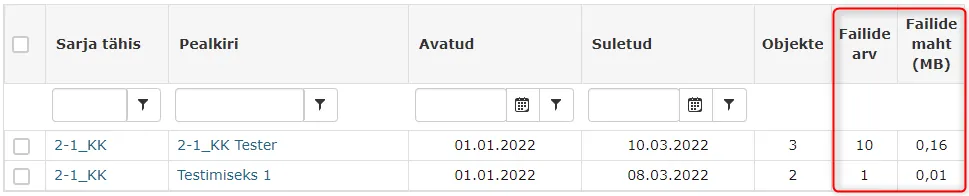
 3. Two new columns added to the list view in the Archive module – Number of files and File size (MB).
Number of files – shows how many files are in total in the archive file objects.
File size (MB) – shows the total size of the archive file object files (MB).
3. Two new columns added to the list view in the Archive module – Number of files and File size (MB).
Number of files – shows how many files are in total in the archive file objects.
File size (MB) – shows the total size of the archive file object files (MB).
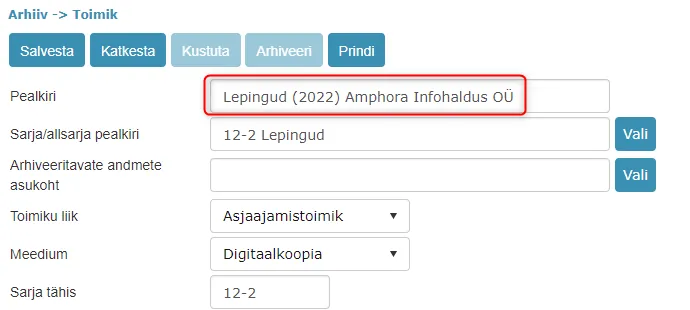
 4. When generating archive files, the catalog number is no longer added to the archive file title composition. Generated files now have a title in the format – Catalog name (Year) Unit.
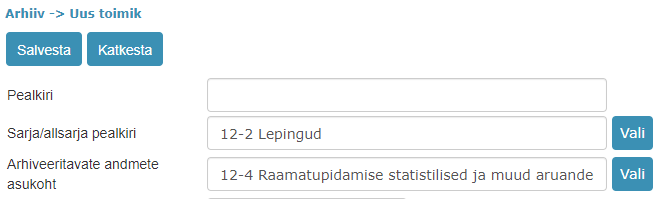
 5. Added new catalog selection field to archive file view – Location of data to be archived.
So currently there are two catalog selections in the archive file view:
Series/subseries title – catalog where Amphora saves the archive file.
Location of data to be archived – catalog from which objects can be selected for archiving. This catalog is not mandatory. If this catalog is not selected, then objects are selected for archiving from the "Series/subseries title" catalog.
5. Added new catalog selection field to archive file view – Location of data to be archived.
So currently there are two catalog selections in the archive file view:
Series/subseries title – catalog where Amphora saves the archive file.
Location of data to be archived – catalog from which objects can be selected for archiving. This catalog is not mandatory. If this catalog is not selected, then objects are selected for archiving from the "Series/subseries title" catalog.
Additional field added for contract annexes
When adding a contract, it is now possible to enter the number of annexes. For this purpose, a separate "Number of annexes" field was added, where it is possible to enter the annex number. This functionality may be useful in a situation where multiple annexes are added to one contract and the next annex should get the number not -1, but for example -5.
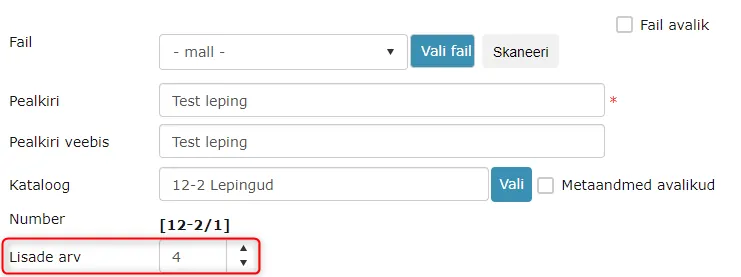 If an annex is registered for the contract shown in the picture above, it will get the number 12-2/1-5.
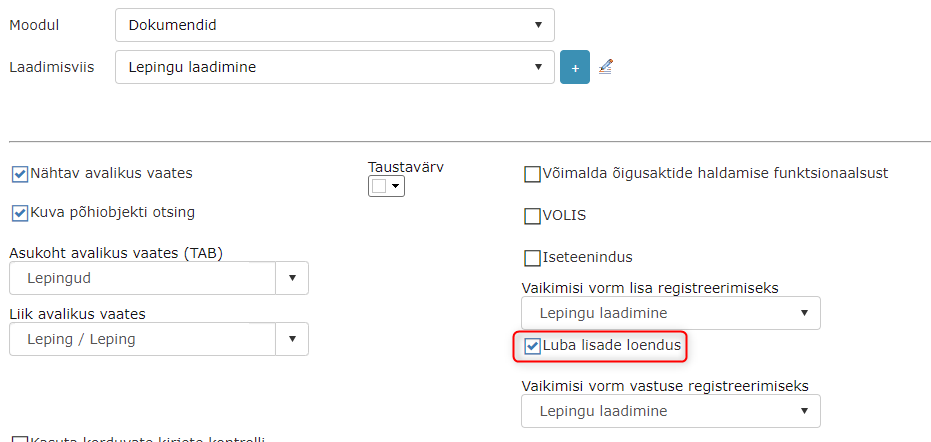
The "Number of annexes" field is disabled by default on all forms. It can be turned on/off in Admin -> Form setup -> Form settings -> Allow annex counting checkbox.
 ** The implementation of this development was supported by Amphora client Pärnu City Government **
** Thank you! **
** The implementation of this development was supported by Amphora client Pärnu City Government **
** Thank you! **
Document printing in Firefox browser has been fixed
In previous versions, it was not possible to print documents in Mozilla Firefox browser because the print icon did not work. In this version, this bug has been fixed and the printing capability is available again in Mozilla Firefox browser.
Page refresh disappeared when publishing additional files
In version 13.9.0, catalog-level additional file publishing functionality was added, which caused page loading when publishing additional files at the document level. Every time an "Public" checkbox was added, a web page refresh occurred.
In version 14.1.0, we redesigned additional file publishing and from now on, web page refresh no longer occurs.
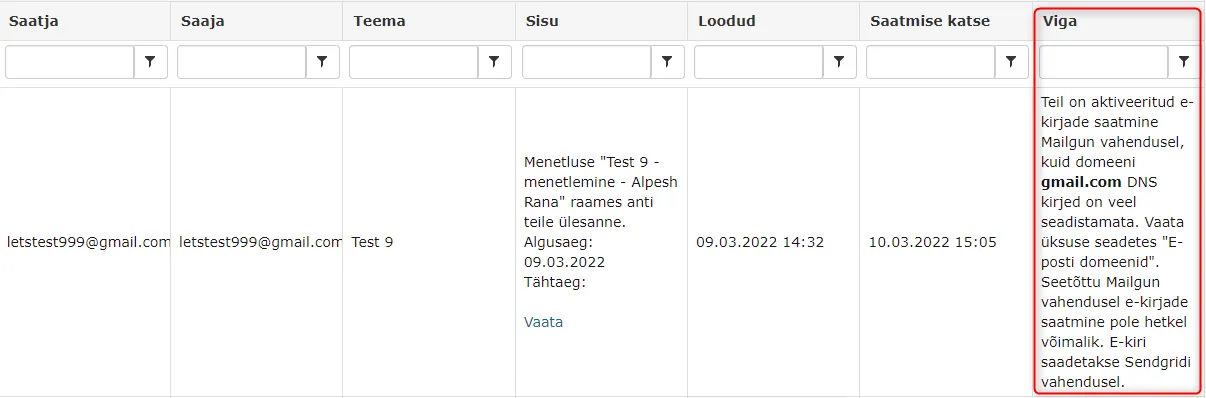
"Pending email notifications" report enhanced – Error column added
The Error column was added primarily so that it would be possible to understand as quickly as possible why Amphora did not send out an email notification.
Dimension values (Invoices module) archiving now working
In Admin -> Tables view, it is possible to archive Dimension values. In previous versions, archiving worked visually, but in reality the archived dimension value was still selectable in the Purchase invoice.
 Starting from version 14.1.0, archived Dimension values are no longer selectable when creating a new purchase invoice.
DHX icon removed from Documents list view/Document edit view
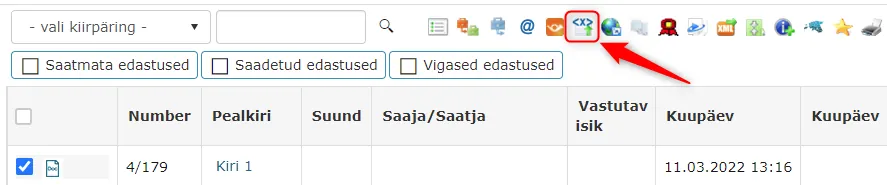
In the Documents list view and Document edit view, there was still a DHX icon in previous versions, clicking on which took the Amphora user to the Correspondence module. Since many environments no longer use the Correspondence module, this icon is no longer relevant. We added a check in this version that would hide this icon in environments where the Correspondence module is no longer in use.
 ***
***
Last modified: 09 October 2026, 10:25:03