Correspondence
- Letters in documents module
- Old correspondence module
a. Letter registration and responding
b. Incoming letter registration
c. Outgoing letter registration
d. Search - Transition to letters in documents module development
Letters in documents module
In Amphora version 12.7, correspondence functionality was developed into the documents module. This means that from now on, letters will be registered in the documents module. Unlike the correspondence module, the documents module has only one letter form Letter and this should be used for registering every letter.
Letters in documents module guide is located here.
Old correspondence module
Important
The guide below applies to environments that have not transitioned to the Letters in documents module development.
The Correspondence module consolidates all organization's communication with the outside world - correspondence. The module allows registering initiative letters and response letters.
Letter registration and responding
Letters are divided into two in Amphora:
- received or incoming letters
- sent or outgoing letters

Incoming letter registration
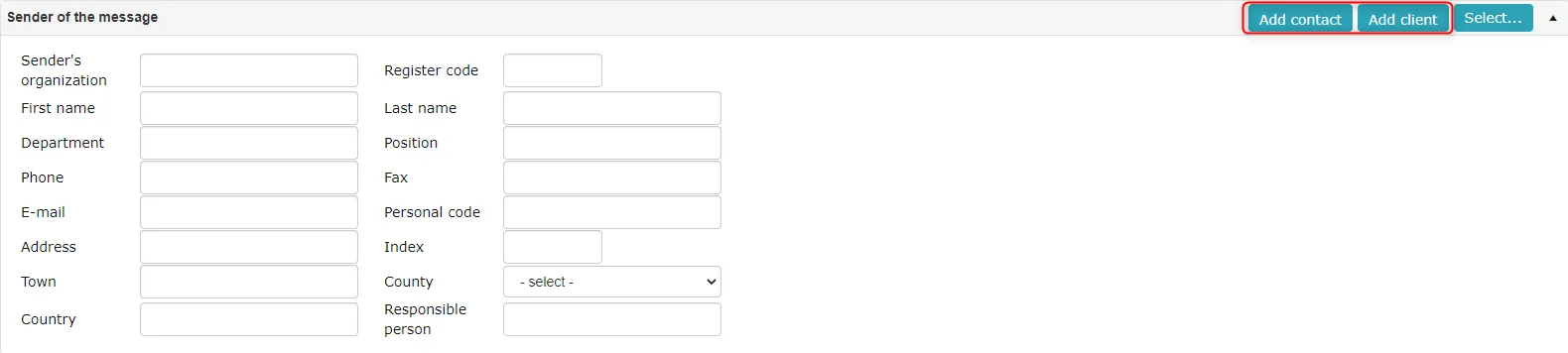
To register an incoming letter, you need to click on the link Add received under the Correspondence module menu. Fill in the necessary data fields on the opened form. The letter sender can be selected from existing persons or organizations. Then you need to click the Save button.
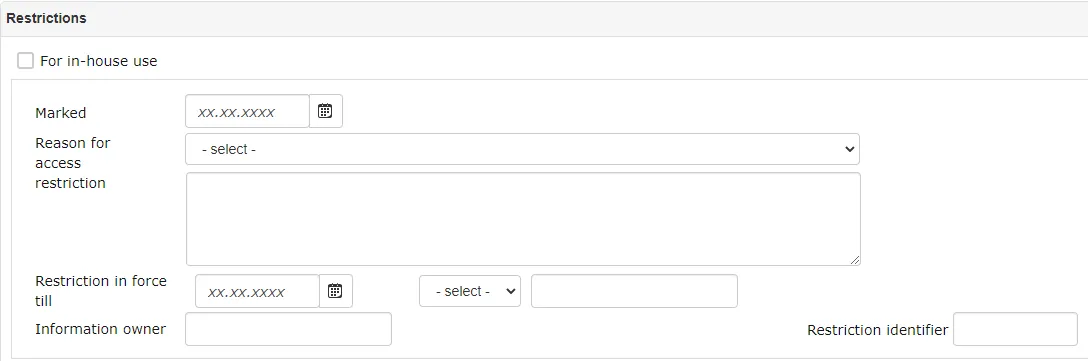
 If the letter is for internal use of the organization (need to restrict information going to the public), then you also need to fill the Restrictions panel before clicking the Save button.
Outgoing letter registration
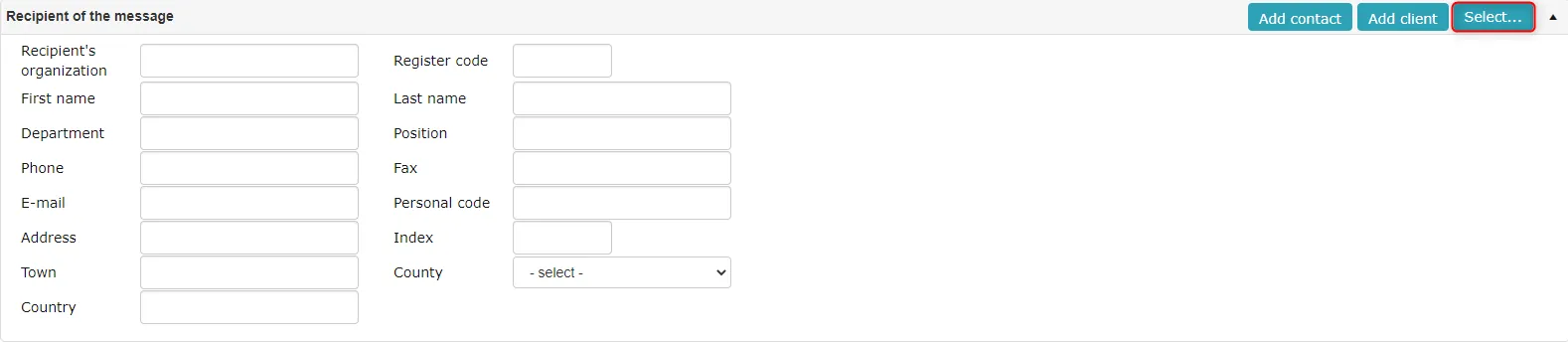
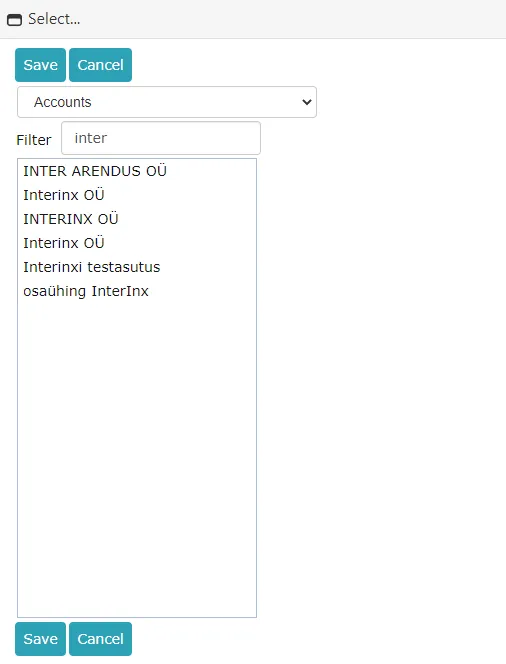
To register an outgoing letter, you need to click on the link Add outgoing under the Correspondence module menu. Fill in the necessary data fields on the opened form. Message recipients can also be selected from the previously saved contact database, for this click select on the Message recipient panel. After filling the necessary metadata, click Save.
 If the letter is for internal use of the organization (need to restrict information going to the public), then you also need to fill the Restrictions panel before clicking the Save button.
Search
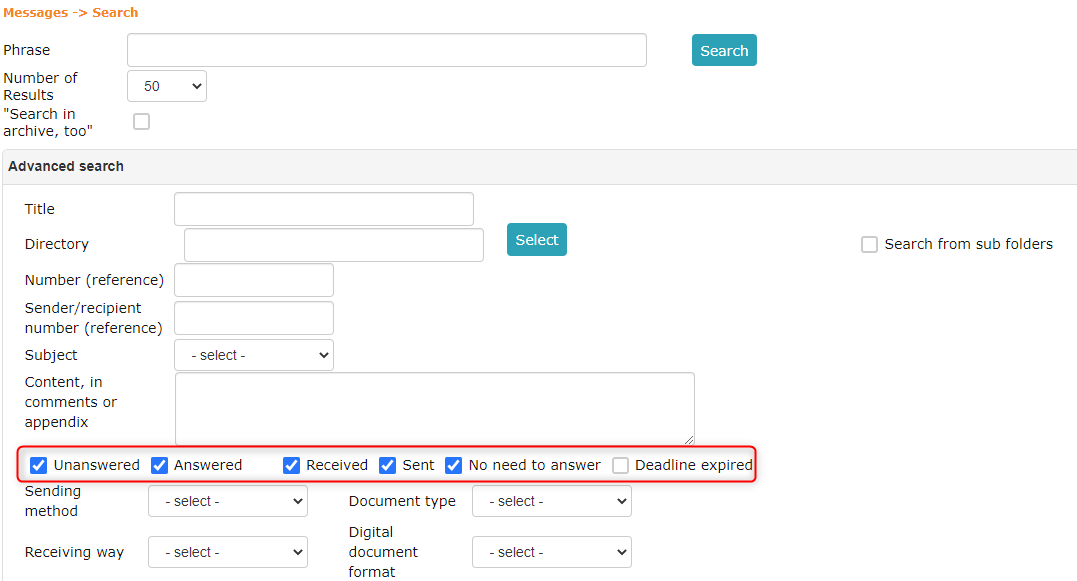
Search allows finding letters knowing only partial information about the letter. To search for letters, you need to click on the link Search in the Correspondence module menu. After entering criteria, you need to click the Search button.
On the search form, it is possible to save a quick query, for example my unanswered letters. For this, the user needs to fill the "checkboxes" fields on the search form for unanswered, received and sent. At the bottom, you need to write the name of the new quick query and finally Save new.
 ***
***
Transition to letters in documents module development
Your environment has not yet transitioned to the Letters in documents module development if in your Amphora environment in the upper right menu between the menu options New Document and New Case there is an option New letter and under the Correspondence module there are links Add received and Add outgoing.
 The transition to Letters in documents module development is set up by Amphora client support on the evening of the working day before your desired transition day. After the transition, letters are no longer registered through the separate correspondence module, but in the documents module with the Letter form. The new Letter form has fewer data fields and data fields can be added as needed. The correspondence module development code was the oldest and it was difficult to make changes in it. The correspondence module is no longer being developed and all new developments are made based on the documents module. On documents including the Letter form, you can select arrival or sending in the Forwarding panel, i.e., back-and-forth sendings are visible together in one place. When responding, you can choose whether to add a response or a same-direction forwarding. When sending documents (e.g., contracts) through the Forwarding panel, a correct sending letter is created.
The transition does not affect the location of letters in the classification scheme or numbering. Only the letter registration form changes. In the future, letters registered before the transition are searchable in the correspondence module and letters registered after the transition are in the documents module. General search still searches across all modules.
The one-time fee for joining the Letters in documents module development is €200 + VAT. The monthly Amphora fee does not change.
To transition to the development, please notify help@amphora.ee from which date you want to transition and whether you also want on-site or remote training.
See also: Letters in documents module
Last modified: 09 October 2026, 10:25:03