Amphora 15.9 Version Guide
- Version 15.9.0
- Estonian Tax and Customs Board debt inquiry service
a. Configuration
b. Usage - Case object number support added
- Person deactivation functionality
- Only DHX-capable institutions are displayed for outgoing DHX routing
- Fixed duplicate signature addition to container composition
- Case objects sorting fixed
- Contract partners search support added
- New document loading and saving notification
- Dropdown and radio button passive values
- Substitute data display fix in Routing panel
- Report field filtering fixed
- Publishing-related changes and fixes
- Unified notification display style on document loading and writing forms
- PersonChooserList form element data display modified
- Other changes
- Estonian Tax and Customs Board debt inquiry service
- Version 15.9.1
Version 15.9.0
Estonian Tax and Customs Board debt inquiry service
Amphora allows using X-Road services and displaying their results on document forms. You can read more about this HERE.
In version 15.9.0, we added the Estonian Tax and Customs Board (ETCB) debt inquiry service, which can be configured and tested under Admin → Gateways. The service allows checking for tax debt of an institution or person. If super users cannot see the Gateways link in the Admin module, the Gateways policy must be enabled in the user group.
NB!
This X-Road service is an alternative to the public website.
Configuration
Before configuration, ensure that the form you want to bind the ETCB debt inquiry service to has three fields:
- Registry code/personal ID text field (TextBox) mandatory
- Service execution date field (Date)
- Service result text field (TextBox)
The service execution date and service result fields are not mandatory.
Example:

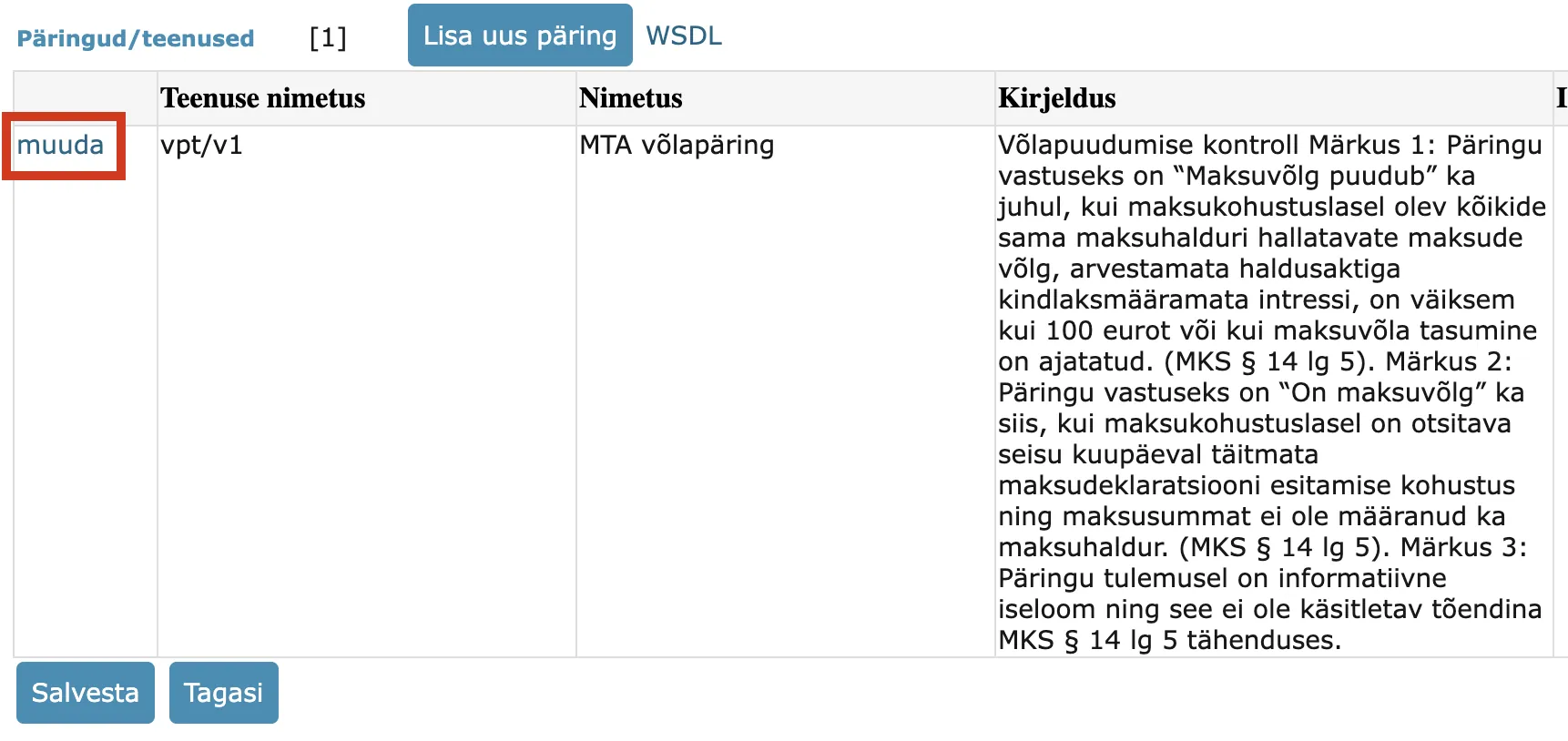
The ETCB debt inquiry service can be configured to form(s) in the Admin → Gateways view. In the gateways list, open "EE/GOV/70000349/mkrliides", then scroll down and in the "Queries/services" table, open the service "vpt/v1" named "ETCB debt inquiry" for editing.
In the service window, open the "Form binding" tab and make the necessary settings.
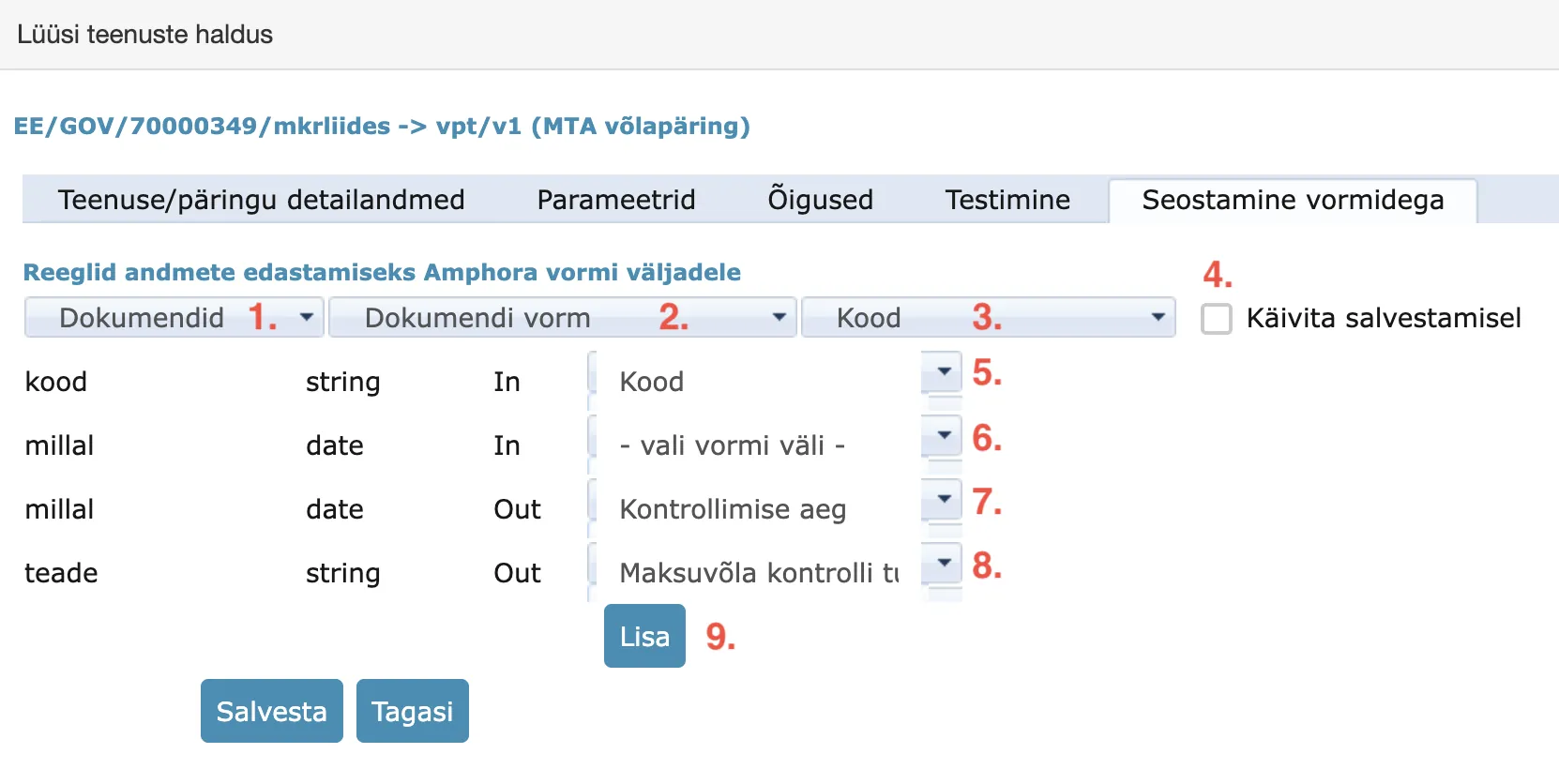
- Form module selection: select Documents module.
- Form selection: form to which the ETCB debt inquiry service is added.
- Form field name: field from which the service can be launched. It is recommended to add this next to the registry code/personal ID field.
- "Execute on save" checkbox should not be added.
- "code" element must be bound to the form field where the institution's registry code or personal ID is entered.
- "when" (IN-direction) element does not need to be bound to a form field – Amphora adds the correct date automatically.
- "when" (OUT-direction) element must be bound to the form field where the service execution date is added.
- "message" element must be bound to the form field where the service execution result is added as text.
- Use the "Add" button to save the service binding with the form.
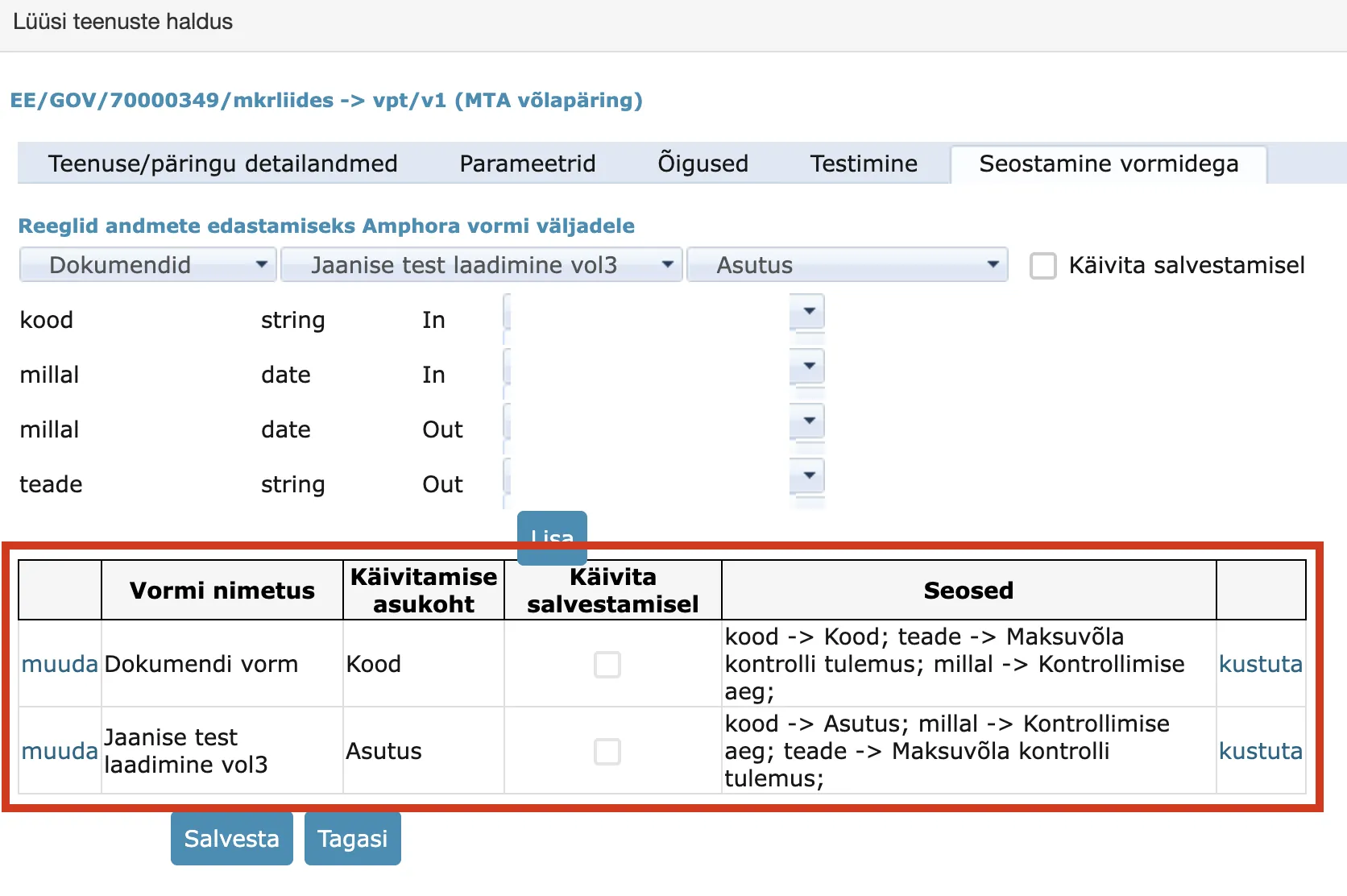
After adding the service and form binding, this binding appears in the "Form binding" tab. If necessary, the existing binding can be modified or deleted ("edit" and "delete" links).
Usage
The ETCB debt inquiry service can be launched both before the initial document save and after it. To launch the service, enter the registry code or personal ID in the form field bound to the "code" element and click the "ETCB debt inquiry" link.
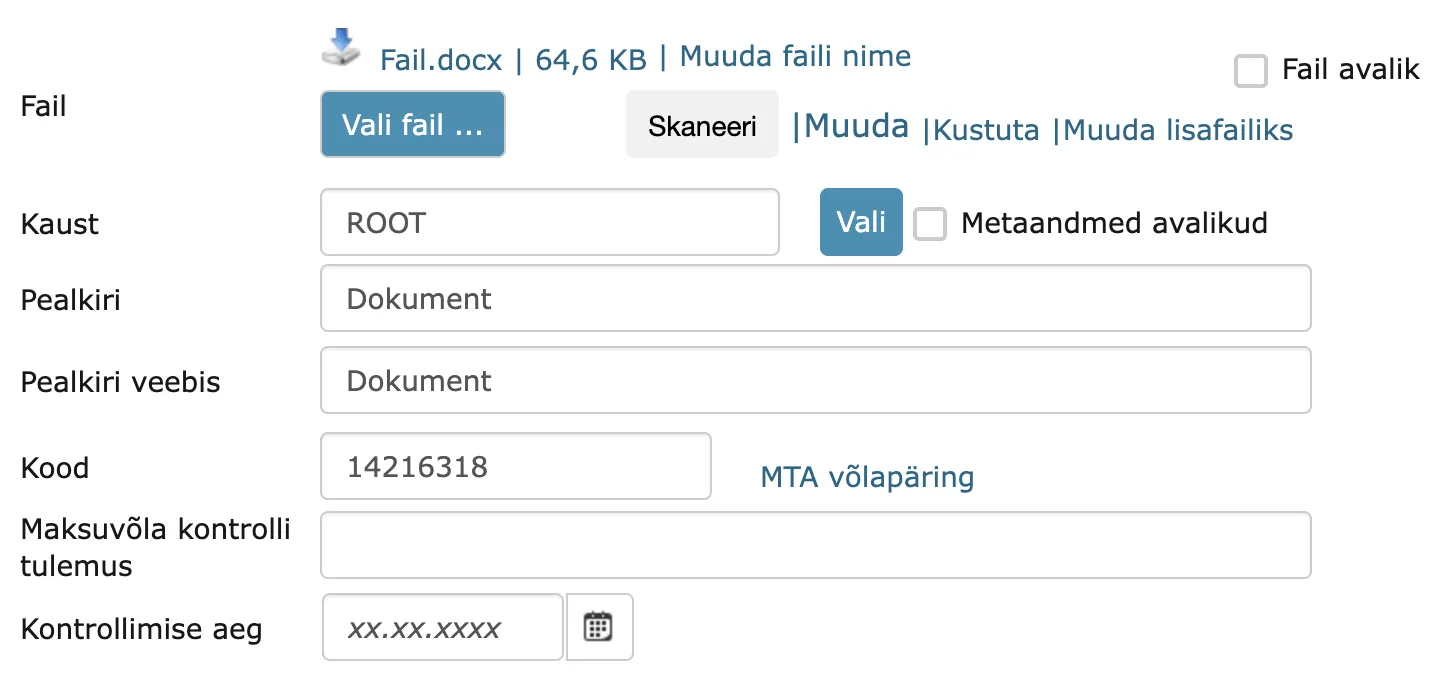
After the query is completed, a window opens with input data and results. You can read more about the service input and output (results) HERE.
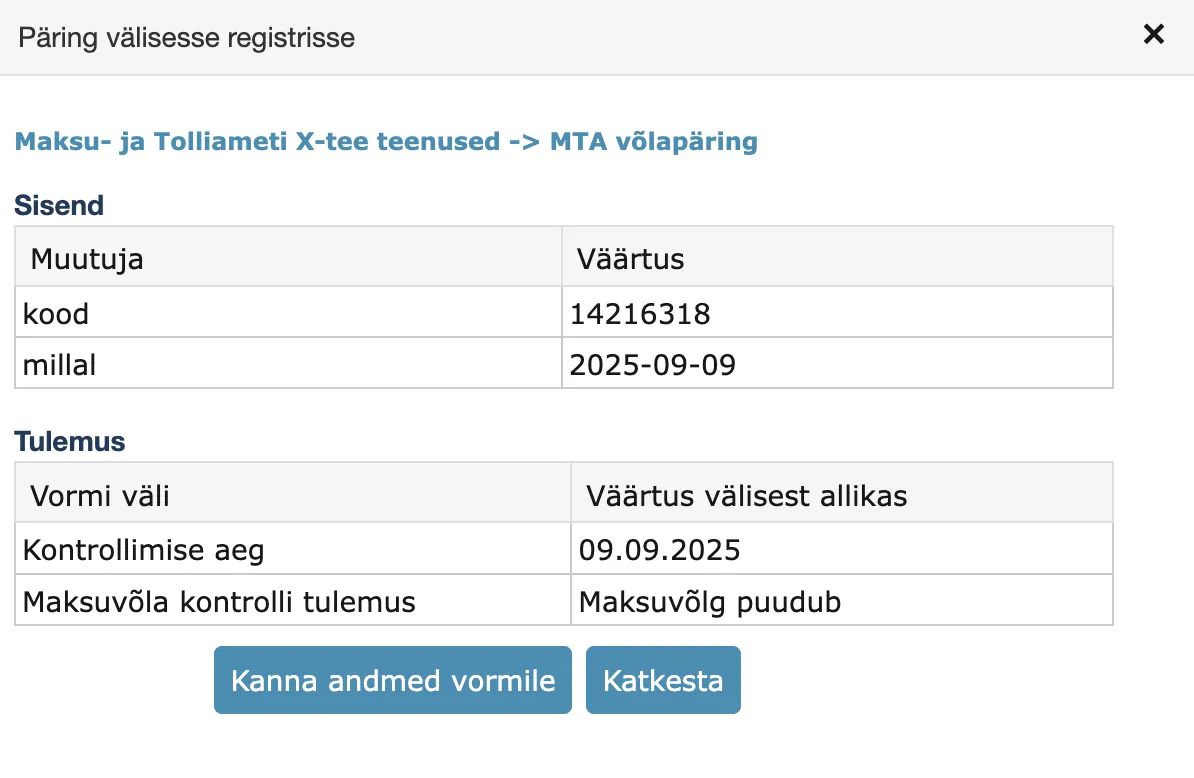
If you select "Transfer data to form", the received responses are placed in the document form fields that were previously configured.
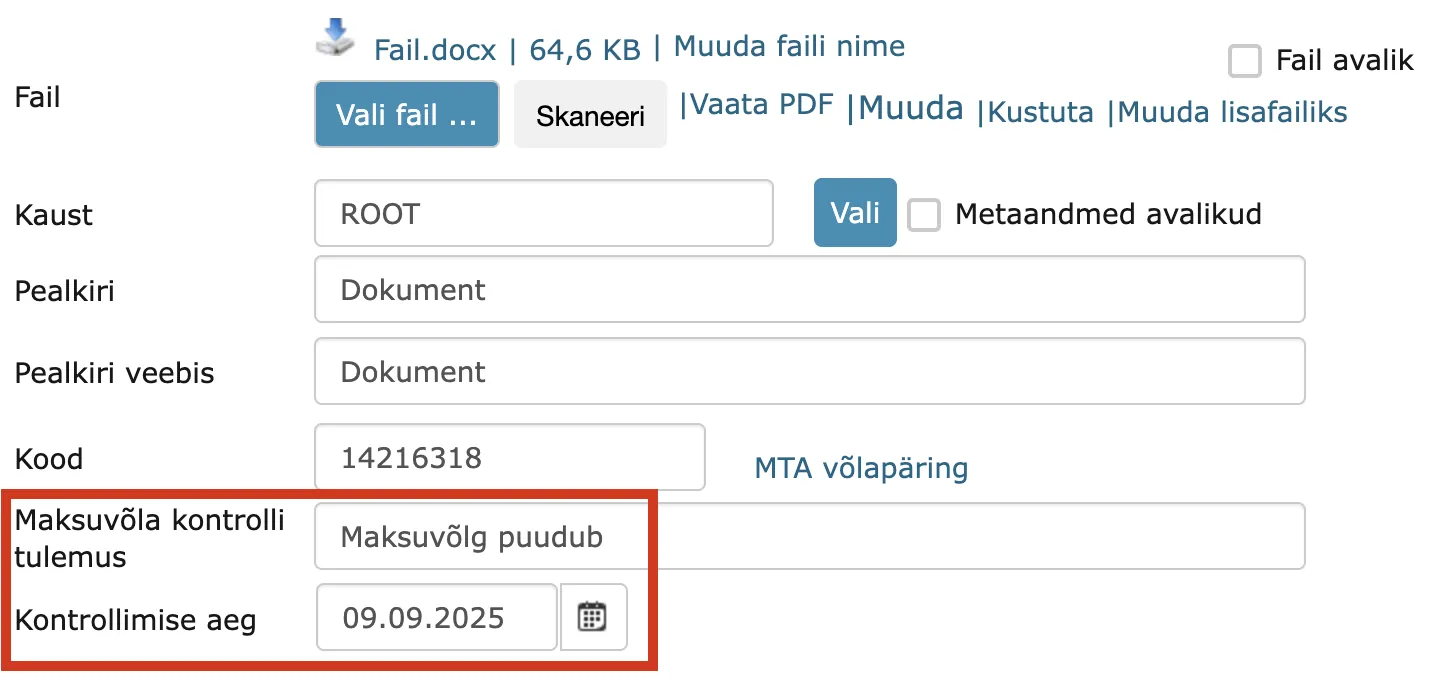
If the document has been previously saved, the query launch information also goes to the document's history panel. Additionally, the information always goes to the system log. This allows checking who has launched the query.
The implementation of this development was supported by Amphora clients Rae Municipality Government and Harku Municipality Government. Thank you!
Case object number support added
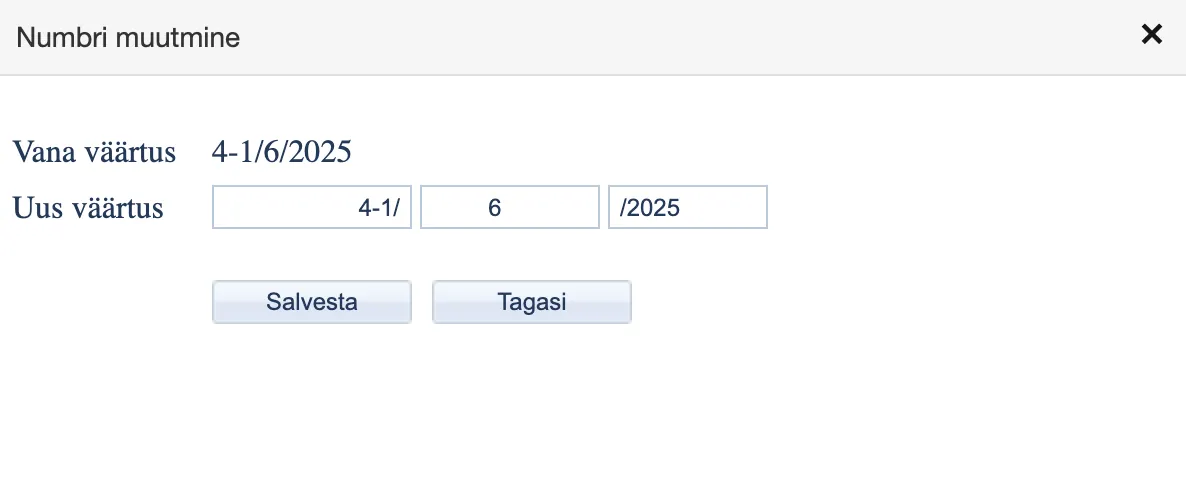
Case view module objects now have number modification and addition support, similar to the Documents module. It is now possible to manually add a number to a case and change the case number afterwards. Earlier versions did have case number support, but it was limited to adding a number from a counter when registering a new case.
Additionally, a bug was fixed where changing the catalog for a numberless case did not add a number, even though the new catalog had an active case counter and a predictable number notification was displayed.
When changing a case number, case object numbers are not automatically changed. If necessary, these numbers must be changed separately.
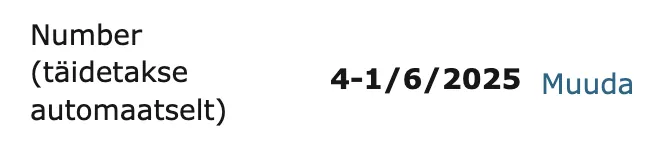
Existing number:
Existing number change window:
Initial case registration (Automatic and Manual modes):

Person deactivation functionality
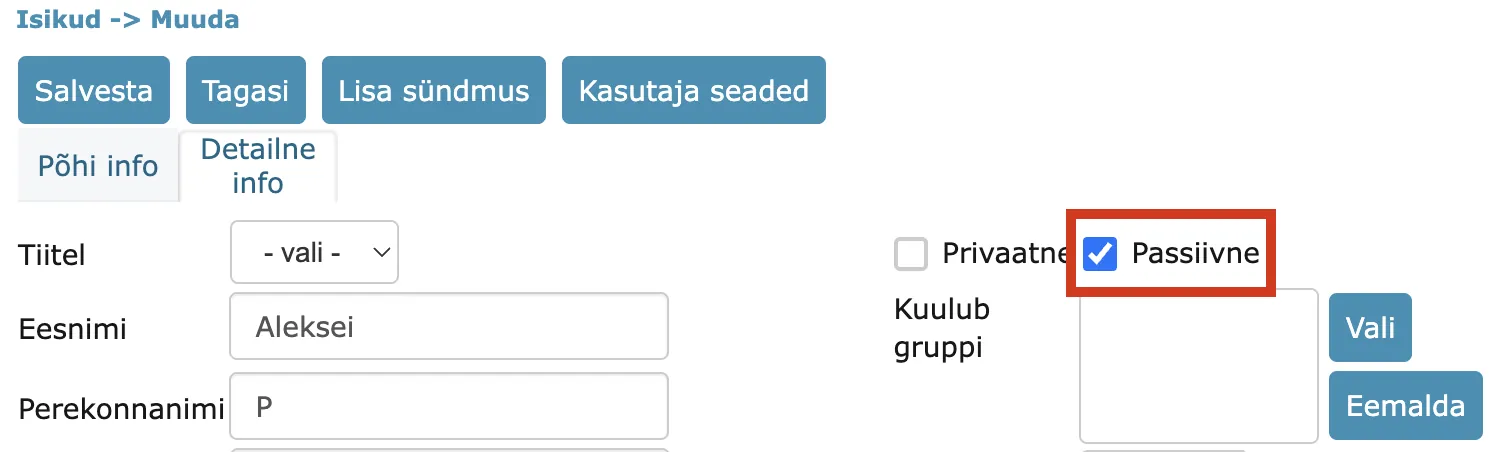
In the Persons module, it is now possible to mark a person as passive. Both standalone persons and persons associated with users can be marked as passive. A person associated with a user can only be marked as passive if the associated user is passive.
This functionality has been added so that passive persons cannot be selected when creating processing/delegation and in PersonChooser type fields. Passive persons cannot log into the Amphora Self-Service Portal. In other words, a passive person is as if they do not exist in the Amphora environment.
A person can be marked as passive in the Persons module, in the Detailed info view.
Only DHX-capable institutions are displayed for outgoing DHX routing
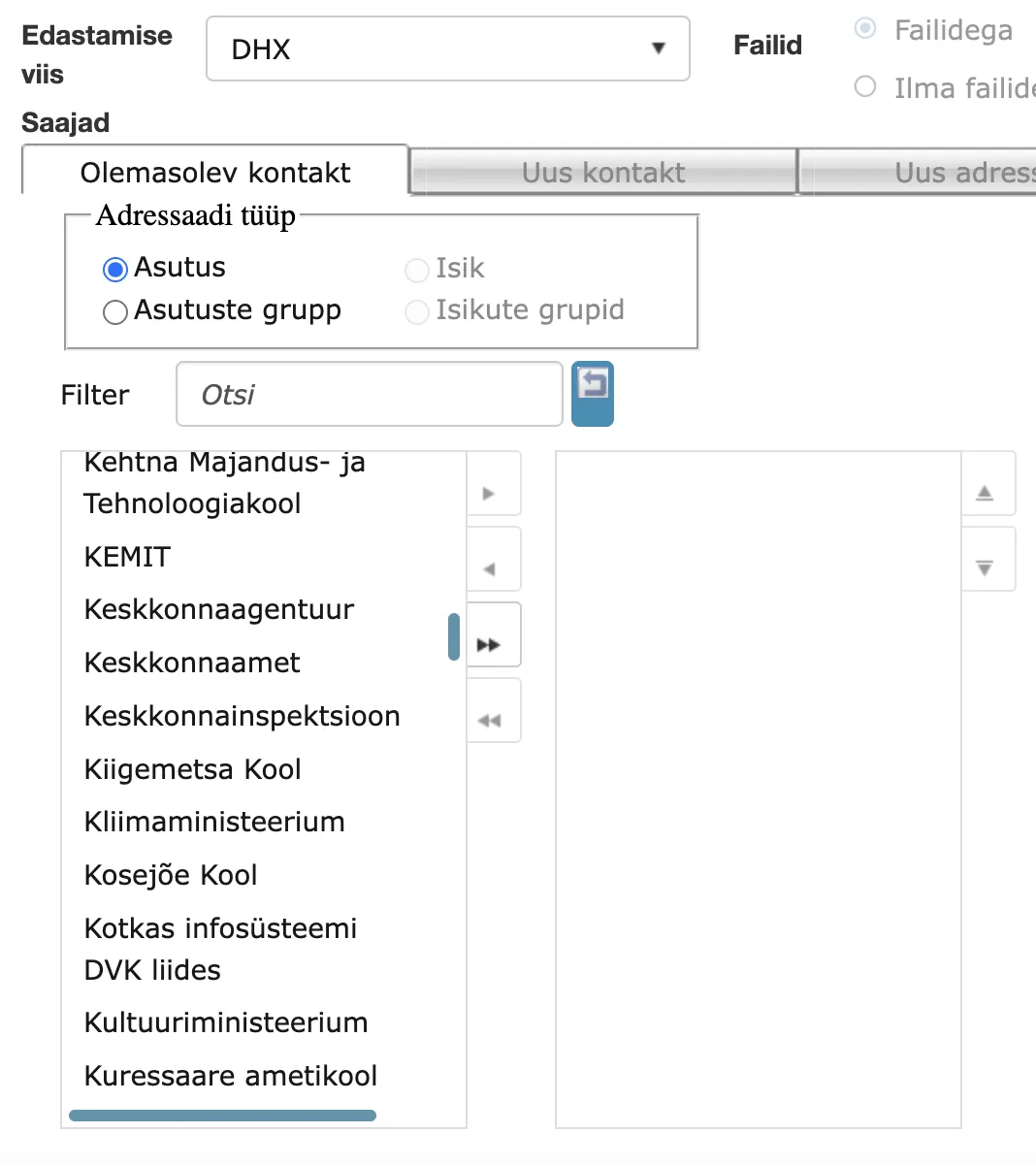
For outgoing Add Routing, only DHX-capable institutions are displayed in the institution selection if DHX is selected as the routing method. The added filter makes DHX sending simpler and faster, as the user no longer needs to think about which institution is DHX-capable, and after selecting an institution, an error message is no longer displayed that the selected institution is DHX-incapable.
The added filter does not apply to the Institution group selection. This selection still displays groups that include DHX-incapable institutions.
Fixed duplicate signature addition to container composition
In previous versions, it was possible for one person to add two signatures to a signature container. The Signatures panel displayed only one signature in Amphora, but when downloading the container, it was visible that the document had been signed twice by the same person.
This problem occurred only when signing with "Picture buttons" in the Routing panel within a task. For this, the user had to be sent a signature container with their previous signature.
This bug has been fixed in version 15.9.0.
Case objects sorting fixed
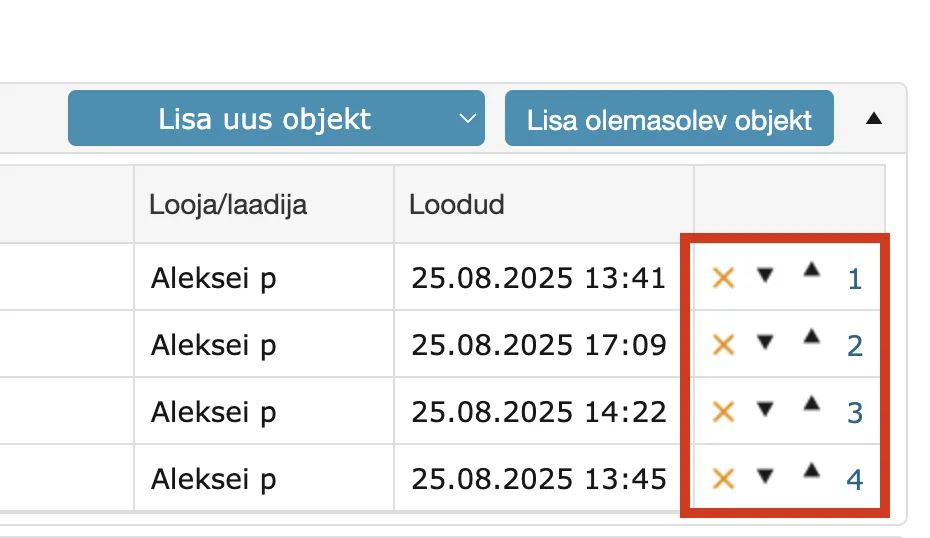
The case objects sorting in the Case/File view has been fixed in this version. This did not directly affect Amphora usage, but occasionally object order needs to be changed. Now the order can be changed both with arrows and by order number.
Contract partners search support added
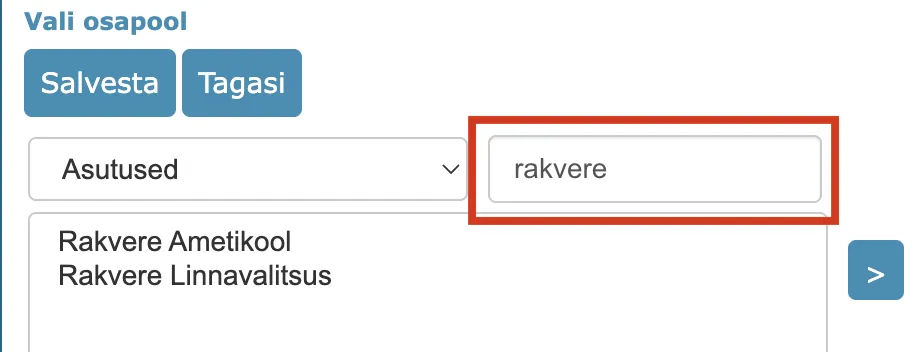
We added partner search support to the Contract partners search view. It is now possible to search for both institutions and persons. This functionality significantly simplifies loading contracts into Amphora, especially in environments with many institutions and persons.
New document loading and saving notification
When loading or saving a document, an informative notification is now displayed if you remain in the document editing view. Previously, such notification was not displayed and it was difficult for the user to understand whether the document had been saved or not.
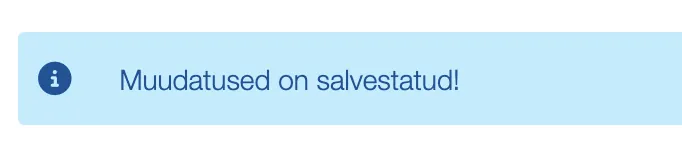
NB!
For the user to remain in the document editing view after loading or saving a document, you need to enable Display document/case editing form after saving document/case!, which is located in the Admin - Institution settings - General settings panel.
Dropdown and radio button passive values
In Admin → Forms configuration view, it was possible to make dropdown and radio button values passive in previous versions, but this was not useful because values marked as passive remained visible in the selection.
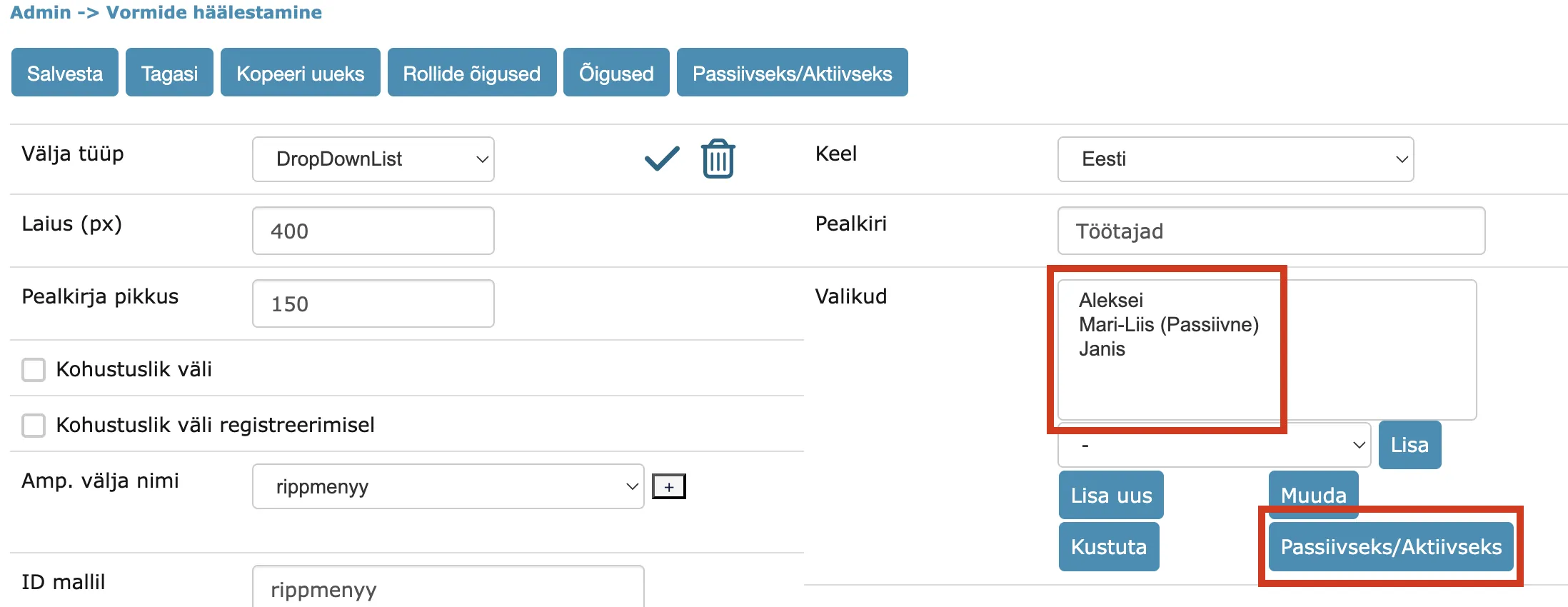
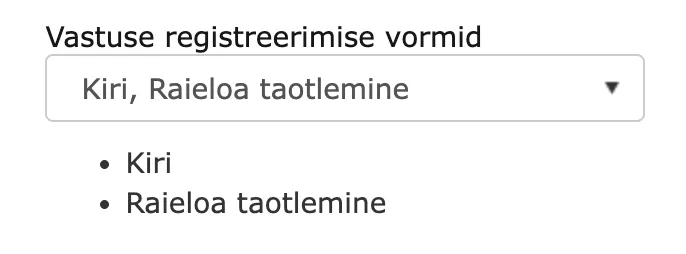
In this version, we have fixed marking values as passive: passive values are no longer visible in the selection on the document form. Passive values can be made active again. A value can be made active or passive in the form element detail view using the Passive/Active button.
Documents where a passive-marked value was previously selected will still display it, so existing data is not lost. Additionally, the value is removed from the default value selection if it is marked as passive.
Admin - Forms configuration dropdown detail view:
Document editing view dropdown options:

Substitute data display fix in Routing panel
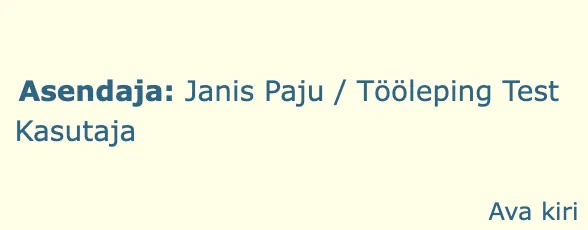
We identified and fixed a bug where the "Substitute" mark was not removed from the substituted user's tasks in the Routing panel when the substitute period ended. The bug occurred when the active substitute period's start date was changed to a later date (e.g., changed from 20.08.2025 → 28.08.2025). As a result, tasks in the range 20.08.2025–28.08.2025 retained the "Substitute" mark.
Report field filtering fixed
Reports can have field filtering support enabled. This can be done in Admin → Reports report view (List parameters → Filter checkbox). In previous versions, filtering support existed, but some field filters did not always work correctly. The problem could occur with report results table columns whose names contained spaces, periods, commas, or other symbols – in such cases, applying the filter by pressing Enter did not work.
In version 15.9, we added a check: if filtering is activated in the report and the column name contains spaces or symbols, they are replaced with underscores (_). With underscore column names, the filter works correctly.
Filter is activated:
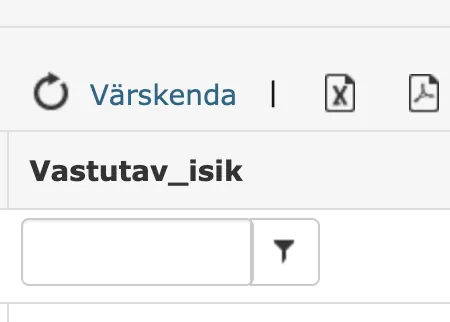
Filter is not activated:
Publishing-related changes and fixes
- Fixed date validation when publishing documents. Records are public by default for up to 5 years, this validation worked during full synchronization, but when publishing individual documents, older records could also be made public. Now both schemes are unified and individual documents cannot be made public if the general rule restricts it temporally.
- Added functionality to make documents non-public from date X (e.g., 01.01.2015). This means that documents older than date X automatically become non-public and are not visible in the Public view. Document non-publishing functionality cannot be configured through the user interface - if desired, please contact Amphora customer support.
Unified notification display style on document loading and writing forms
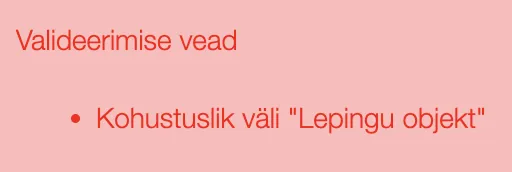
In previous versions, the notification style was sometimes different, but most notifications were still displayed as regular red text.
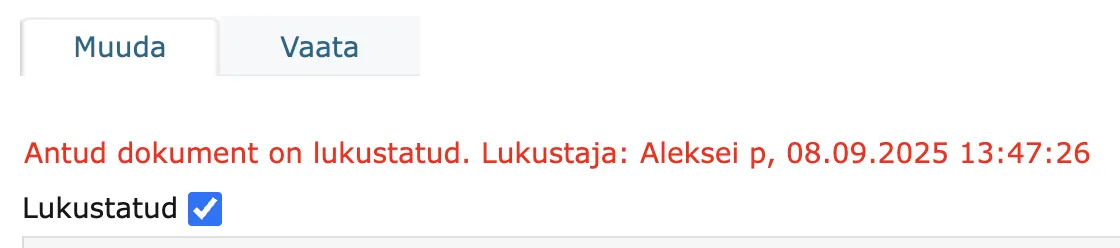
In version 15.9, we made notification display more uniform. The notification content is now in a colored box and the box color indicates the notification type, which helps users better understand error messages.
There are three colors in total: Blue (informative), Yellow (warning) and Red (error message).


PersonChooserList form element data display modified
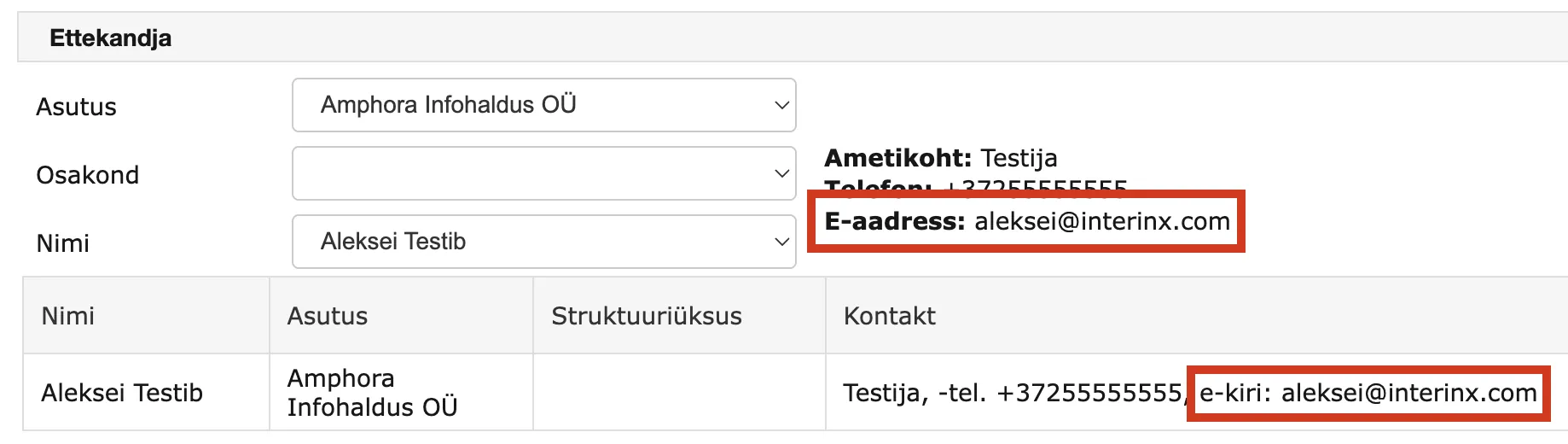
The PersonChooserList form element allows selecting a person associated with a specific institution. Various data about the selected person is displayed – email address, phone number, position, etc. Previously, all email addresses associated with the person were displayed. Starting from version 15.9.0, only the email address marked as primary is displayed (other addresses, such as personal email address, are not displayed). This is an informative change.
Other changes
- In the view Admin – Catalogs – All catalogs, Superuser support has been added. All catalogs are now visible to Superusers (including those of sub-institutions).
- Signing fix that ensures signatures are preserved when adding a new signature - resolves a situation where originally the signature container had, for example, a Latvian signature and it was signed in the Amphora environment. Previously, when giving a new signature, the Latvian signature was lost.
- Main file PDF copy optimization - a new copy is made only when the source file changes (when using a template, the source file always changes). Makes document saving more reliable (different situations with signature container and PDF copy in signature container composition) and faster.
- Institution e-invoice operator name Omniva has been changed to Finbite.
- Fixed adding response form bindings in form versioning (occurred with Spoku form changes). When adding a new form version, response forms were created multiple times.
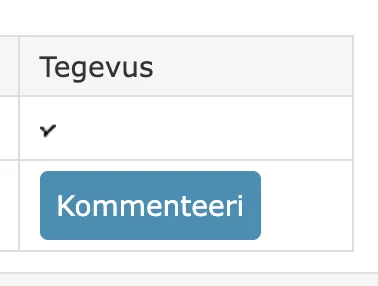
- From the document processing/delegation detail view form, the rejection option has been removed for information tasks (no x icon in the Action column). Information tasks do not require this.
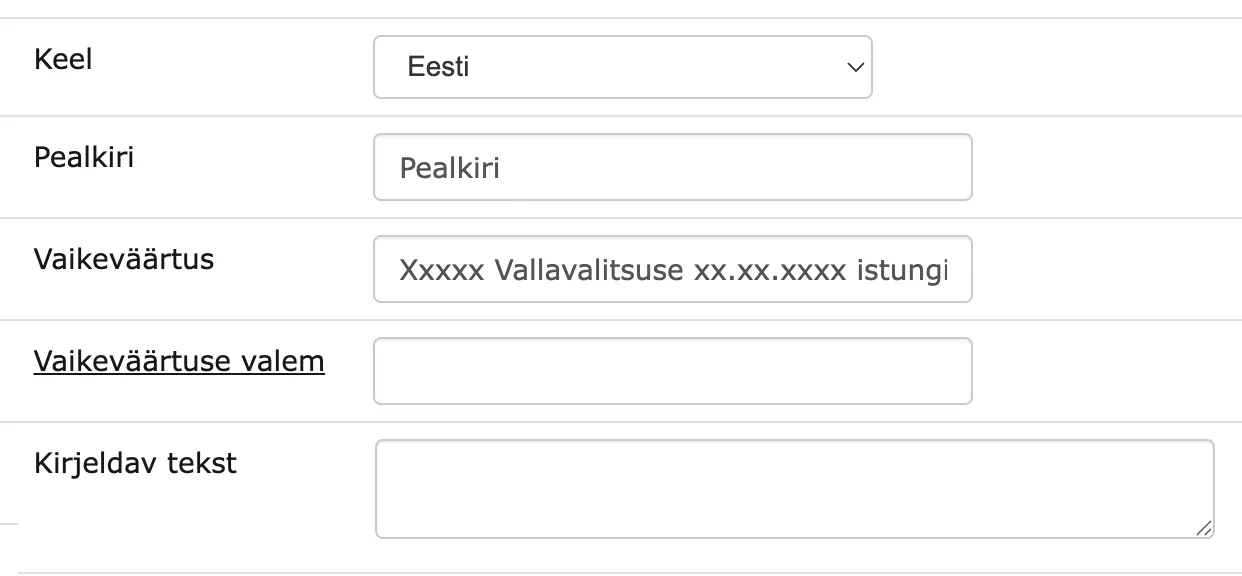
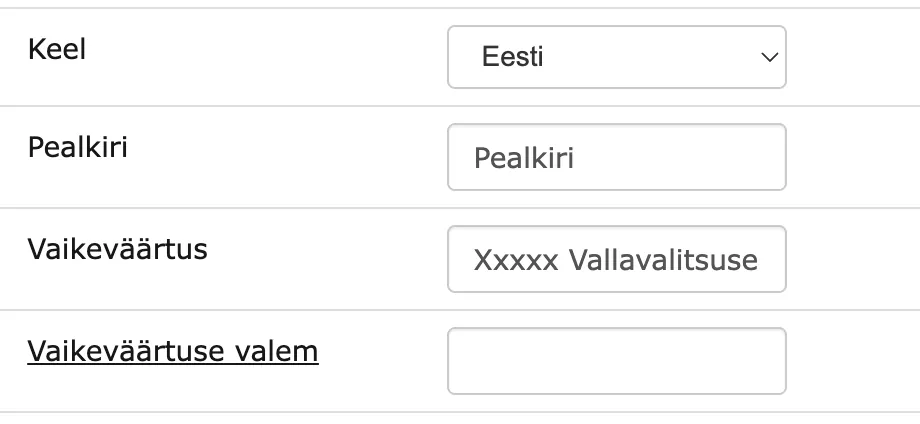
- In forms configuration, form element detail view cell widths have been increased and layout has been adjusted. This is a visual fix.
From version 15.9:
Before version 15.9:
- Telerik component update: 2025.1.416-> 2025.3.825.
Version 15.9.1
External .css references removed
Amphora loaded its icons from an external server. Where access to that server was restricted, pages loaded slowly. From 15.9.1 the icons are served by Amphora itself.
Adding rights to a document when a process is completed
A new setting in Admin - Institution settings - General settings, off by default, gives a user read rights to the documents of a process task they complete, if they had less than read rights. The documents can then be found with search and seen in the Documents module.
NB!
The setting adds rights to the documents of every completed task. A user who moves to another institution in the same Amphora environment and keeps the same user account can then still find the documents of their former institution's tasks.
More action types in the Logs view
The action drop-down in Admin - Institution settings - Logs now lists more log types, among them file upload and download, email and document sending, settings and delivery changes, logging in as another user, receipt confirmation, encryption and X-Road queries. These logs existed before but could not be chosen in the drop-down.
Case number functionality improved
When a case number is entered or changed manually, Amphora no longer adds a slash to the end of the prefix and the start of the suffix. In the Documents module the slash is still added. The change applies only to numbers entered or changed manually.
Last modified: 08 October 2026, 18:11:38